


5 IPTV Encoder Features That Shape Live TV Quality
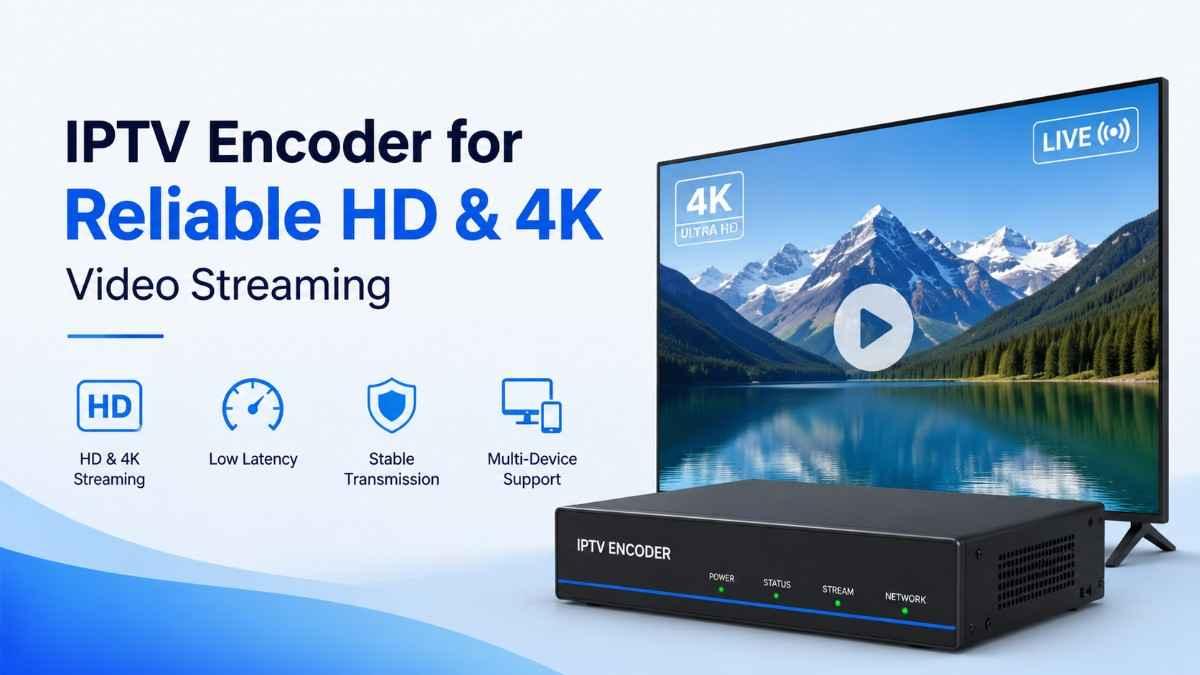
5 IPTV Encoder Features That Shape Live TV Quality
A reliable IPTV Encoder sits at an important point between a video source and the streaming platform that delivers it to viewers. It takes incoming video, compresses it into a suitable format, and prepares the stream for distribution across compatible networks, players, and devices.
For viewers, the result can be noticeable. Poor encoding decisions may contribute to blocky images, unnecessary bandwidth consumption, delayed playback, or compatibility problems. A well-configured encoding workflow can make the same source material easier to distribute while preserving a strong viewing experience.
Choosing an encoder, therefore, is not simply about looking for the highest resolution available. Codec support, bitrate control, processing capacity, latency, and output compatibility can all influence live TV streaming quality.
This article examines five IPTV encoder features worth evaluating when building or upgrading a live TV workflow.
⚡ Upgrade Your IPTV Encoder Setup
What Does an IPTV Encoder Do?
An IPTV encoder converts video from a source such as a camera, production system, HDMI/SDI feed, or other supported input into a compressed digital stream suitable for delivery.
The encoder typically handles several jobs:
-
Capturing or receiving the source signal
-
Compressing video and audio
-
Selecting a video codec
-
Controlling bitrate
-
Maintaining the required resolution and frame rate
-
Preparing streams for a delivery protocol or platform
-
Managing processing requirements during live transmission
The exact capabilities depend on the encoder and the streaming environment.
Modern cloud-based encoding platforms, for example, can support several codecs and output types. AWS Elemental MediaLive currently documents support for AV1, H.264/AVC, H.265/HEVC, and MPEG-2 in its output ecosystem, although available codecs vary by output type.
That makes compatibility one of the first things to investigate rather than assuming every encoder works with every delivery workflow.
📶 Stream With Better IPTV Video Quality
1. Codec Support
Codec support is one of the most important characteristics to check when comparing an IPTV Encoder.
A codec determines how video is compressed and represented. Different codecs can offer different balances between image quality, compression efficiency, processing requirements, and playback compatibility.
Common video codecs encountered in live streaming include:
-
H.264/AVC
-
H.265/HEVC
-
AV1
-
MPEG-2
H.264 remains particularly relevant because of its broad ecosystem support. H.265 can provide greater compression efficiency in suitable workflows, while AV1 is another modern option supported by some current platforms.
However, choosing the newest codec is not automatically the right decision.
Compatibility Comes First
An encoder may support an advanced codec, but the rest of the delivery chain must support it too.
Consider the complete path:
Source → Encoder → Streaming platform → Distribution system → IPTV player → Display
If one component cannot handle the selected format, the theoretical advantage of the codec may become irrelevant.
For example, AWS documentation shows that H.264 and H.265 are supported for several MediaLive output types, while RTMP/RTMPS output specifically supports H.264 video.
This illustrates why codec selection should be based on the actual distribution workflow rather than specifications alone.
What to Check
Before choosing an encoder, confirm:
-
Which codecs it can encode
-
Which profiles and levels are supported
-
Whether hardware acceleration is available
-
Which codecs your streaming platform accepts
-
Whether your target playback devices support the selected codec
-
Whether HDR or higher bit-depth workflows are required
For professional environments, also check color-space and profile requirements. Current MediaLive documentation, for instance, distinguishes codec support across SDR and HDR-related workflows.
Internal link opportunity: Link “H.264 vs H.265 Encoding” to a detailed comparison of codec compatibility and compression.
2. Bitrate Control
Resolution gets attention, but bitrate has a major role in perceived IPTV video quality.
Bitrate describes how much data is allocated to the encoded stream over time. Increasing bitrate can provide more information for complex scenes, but it also increases bandwidth requirements.
This creates a practical balance:
Higher bitrate → potentially more visual detail → greater bandwidth demand
Lower bitrate → lower bandwidth demand → greater risk of visible compression
There is no universal bitrate that produces perfect results for every channel. Content complexity, resolution, frame rate, codec, and delivery environment all matter.
Sports broadcasts are a useful example. Fast camera movement, detailed crowds, grass, stadium lighting, and changing scenes can be considerably more demanding to encode than a static interview.
AWS documentation describes this quality-versus-bitrate trade-off and supports rate-control approaches including QVBR, VBR, and CBR for supported codecs.
CBR, VBR, and Quality-Based Encoding
CBR — Constant Bitrate
CBR attempts to maintain a specified bitrate. This can be useful where predictable bandwidth characteristics are important.
The limitation is that video complexity changes. A fixed bitrate may provide more data than necessary for simple scenes but become restrictive during demanding scenes.
VBR — Variable Bitrate
VBR allows the bitrate to vary according to video complexity while maintaining defined average and maximum parameters.
This can make better use of available bandwidth when the content regularly changes in complexity.
QVBR — Quality-Defined Variable Bitrate
Quality-based approaches aim to maintain a target quality while allowing bitrate to change as needed within configured limits.
The appropriate option depends on the delivery system, bandwidth constraints, and operational goals.
Don't Chase the Highest Bitrate
More bitrate is not automatically better.
If the source itself is low quality, increasing the encoder's output bitrate cannot recreate detail that was never present. Likewise, if viewers have bandwidth limitations, an unnecessarily large stream can create more delivery problems than benefits.
A better approach is to test the encoder with representative content and examine:
-
Motion-heavy scenes
-
Dark scenes
-
Fine textures
-
Fast transitions
-
Text and graphics
-
Different network conditions
This gives you a more realistic picture of live TV streaming quality than a specification sheet alone.
3. Resolution and Frame-Rate Handling
Resolution determines the number of pixels represented by the video, while frame rate determines how frequently frames are presented.
An encoder should be capable of handling the source characteristics and producing the output profiles required by your distribution environment.
Typical workflows may involve:
-
SD content
-
HD content
-
Full HD content
-
UHD content
The important point is that an encoder does not magically turn a lower-quality source into genuine higher-quality footage.
If the source is already compressed or captured at a lower resolution, aggressive upscaling may increase the output dimensions without creating equivalent new detail.
Match the Output to the Real Use Case
A television-focused workflow may have different requirements from a mobile-oriented stream.
You should consider:
-
Display size
-
Viewer bandwidth
-
Source resolution
-
Target platform
-
Codec efficiency
-
Storage or delivery costs
-
Network stability
Current encoding platforms can expose resolution, codec, bitrate, and frame-rate characteristics as separate configuration considerations. AWS, for example, identifies input codec, input resolution, and maximum input bitrate as important input specifications for resource allocation and processing.
Frame Rate Matters Too
A higher frame rate can be useful for fast-moving programming, but it also increases the amount of visual information that must be processed and delivered.
Sports, news footage, concerts, and action-heavy broadcasts can expose frame-rate limitations more clearly than slower programming.
Your encoder should therefore support the frame-rate characteristics required by your source and target output.
The important lesson is straightforward: resolution and frame rate should be selected together with codec and bitrate rather than treated as isolated specifications.
4. Processing Capacity and Encoding Performance
A technically capable encoder still needs enough processing power to handle its workload.
Live encoding is different from occasional file conversion because the encoder must process video continuously. If the workload exceeds available processing resources, the stream can become unstable or degrade.
Processing capacity becomes particularly important when you need:
-
Multiple channels
-
Multiple output resolutions
-
Multiple bitrates
-
Several simultaneous codecs
-
Higher frame rates
-
Complex video processing
-
Redundant encoding pipelines
Hardware Encoding vs Software Encoding
A software encoder uses general-purpose computing resources, while hardware encoding can use dedicated processing capabilities.
Neither approach is automatically superior for every application.
Software encoding may provide flexibility and extensive configuration options. Hardware-based encoding can be attractive when predictable performance and real-time processing are priorities.
The right choice depends on the workload.
For example, one channel with a single output is a very different requirement from a multi-channel operation producing several adaptive streams simultaneously.
Watch for Resource Headroom
Do not evaluate performance only when the system is lightly loaded.
Test the encoder under conditions that resemble real operation.
Look at:
-
CPU or GPU utilization
-
Encoding delay
-
Dropped frames
-
Processing errors
-
Temperature
-
Output consistency
-
Simultaneous stream capacity
This is particularly important for live television because an encoder cannot simply pause until additional processing resources become available.
Current cloud encoding documentation also shows why input characteristics matter for resource planning: codec, resolution, and bitrate can affect processing requirements.
5. Latency and Output Compatibility
Latency is another major consideration when assessing an IPTV Encoder.
Latency refers to the delay between an event occurring at the source and that content becoming available to the viewer.
Some delay is unavoidable in live streaming. Encoding is only one part of the overall chain. Processing, packaging, network transmission, CDN distribution, buffering, and playback can all contribute.
Still, encoder configuration can influence the overall workflow.
When Low Latency Matters
Latency becomes especially noticeable during:
-
Live sports
-
News coverage
-
Interactive broadcasts
-
Live auctions
-
Betting-related programming where lawful
-
Real-time events
-
Two-way audience interactions
For ordinary television viewing, a larger delay may be less noticeable.
That means you should not automatically pay for or configure an ultra-low-latency workflow if the application does not require it.
Check Protocol and Player Compatibility
The encoder also needs to produce an output that the downstream system understands.
Different delivery technologies have different requirements. AWS documentation, for example, lists H.264 for RTMP/RTMPS outputs while supporting broader codec combinations for other output types such as HLS and SRT.
This makes compatibility testing essential.
Check:
-
What protocol does your streaming platform require?
-
Which video codec does it accept?
-
Which audio codec is required?
-
What container or packaging format is expected?
-
Which player devices will receive the stream?
-
Does the workflow require low latency?
-
Are multiple output profiles necessary?
An encoder that cannot produce the correct output format is not a useful encoder for that particular workflow, regardless of how impressive its other specifications appear.
How the 5 Features Work Together
The biggest mistake when evaluating IPTV encoding technology is treating each feature independently.
Imagine choosing an encoder with excellent 4K support but limited processing capacity. It may struggle when asked to produce several outputs.
Or imagine selecting a highly efficient codec without checking whether the target players support it.
Another scenario involves pushing bitrate too low to save bandwidth. The stream may remain technically stable while picture quality suffers.
The five characteristics should therefore be considered as a system:
Codec + Bitrate + Resolution/Frame Rate + Processing Capacity + Latency/Compatibility
Each affects the others.
For example, increasing resolution may increase the amount of data that needs to be encoded. Choosing a more demanding codec may increase processing requirements. Producing several output profiles can multiply the workload.
The best configuration is the one that fits the complete delivery chain rather than the one with the most impressive single specification.
What Should You Check Before Buying an IPTV Encoder?
If you are comparing hardware or software options, create a checklist before making a decision.
1. Identify Your Source
Determine:
-
Input type
-
Resolution
-
Frame rate
-
Audio format
-
Connection type
-
Existing compression
The encoder must accept the source without unnecessary conversion.
2. Define Your Delivery Platform
Find out what your streaming platform, CDN, or IPTV distribution system actually supports.
Do not purchase based solely on codec availability.
3. Estimate the Encoding Workload
Consider how many channels and output profiles you need.
One stream and multiple simultaneous streams have very different processing requirements.
4. Establish Your Quality Target
Decide whether the priority is:
-
Maximum visual quality
-
Bandwidth efficiency
-
Low latency
-
Broad compatibility
-
Consistent bitrate
-
A balance of all five
5. Test Real Content
Use representative footage rather than a short, easy-to-encode sample.
Test sports, dark scenes, graphics, rapid movement, and ordinary programming where applicable.
6. Check Monitoring Features
A production environment benefits from visibility into stream health.
Look for useful monitoring information such as:
-
Encoding errors
-
Input loss
-
Output status
-
Bitrate
-
Frame rate
-
Resource usage
-
Connection status
Monitoring can help identify problems before viewers report them.
Common IPTV Encoder Mistakes
Choosing Based Only on Resolution
A 4K label may look attractive, but resolution is only one part of the workflow.
If the source, bitrate, codec, processing capacity, or delivery network is inadequate, higher resolution will not automatically create a better viewing experience.
Ignoring Compatibility
An encoder should be evaluated against the complete chain.
Check the source, streaming platform, distribution protocol, player, and target devices before selecting a codec or output format.
Using the Same Bitrate for Every Type of Content
Different programming has different encoding complexity.
A fast sports broadcast and a mostly static studio discussion may not require identical encoding settings.
Forgetting Processing Headroom
Running an encoder permanently at its maximum capacity can leave little room for additional outputs, temporary complexity, or operational changes.
Allowing reasonable headroom can make a workflow easier to manage.
Assuming Encoding Fixes a Poor Source
Encoding cannot restore detail that has already been lost.
Start with the highest-quality legitimate source available and avoid unnecessary compression before the encoding stage.
Who Needs a More Advanced IPTV Encoder?
A basic encoder may be sufficient for a small setup with modest requirements.
A more capable solution becomes more relevant when you need:
-
Several live channels
-
Multiple output profiles
-
Higher resolutions
-
Multiple codecs
-
Consistent professional delivery
-
Low-latency applications
-
Detailed monitoring
-
Redundancy
-
Greater control over encoding parameters
The important question is not whether the encoder is technically advanced. It is whether those capabilities solve a real requirement in your workflow.
A Practical IPTV Encoder Evaluation Checklist
Before committing to a particular encoder, ask:
-
Does it support my source format?
-
Does it support the codec required by my platform?
-
Can it handle my target resolution?
-
Can it maintain the required frame rate?
-
Does it offer appropriate bitrate-control options?
-
Can its processing capacity handle the expected workload?
-
Does it provide the latency characteristics I need?
-
Is the output compatible with my streaming protocol?
-
Can I monitor the stream reliably?
-
Is the manufacturer still providing current software or firmware support?
-
Can I test it with real-world content before deployment?
-
Does the total cost match the scale of my operation?
This checklist is more useful than selecting a device simply because it advertises a larger resolution or newer codec.
FAQs
What is an IPTV Encoder?
An IPTV encoder converts a video source into a compressed digital format suitable for live streaming and distribution. It can handle tasks such as video compression, codec selection, bitrate control, and output preparation.
Which codec is commonly used for IPTV streaming?
H.264/AVC remains widely used because of its compatibility across many streaming workflows. H.265/HEVC and AV1 are also used in suitable environments, but the correct choice depends on the platform, network, and playback devices. Current AWS MediaLive documentation lists AV1, H.264, H.265, and MPEG-2 among supported output codecs.
Does an IPTV encoder improve video quality?
An encoder can preserve source quality efficiently and optimize how video is compressed, but it cannot recreate detail that was missing from the original source. Poor encoding settings can reduce quality, while appropriate settings can make better use of available bandwidth.
Is higher bitrate always better?
No. Higher bitrate can provide more room for visual detail, particularly in complex scenes, but it also increases bandwidth requirements. The ideal bitrate depends on resolution, codec, content complexity, frame rate, and delivery conditions.
Does 4K require a special IPTV encoder?
A 4K workflow requires an encoder and complete streaming chain capable of handling the relevant resolution, bitrate, codec, processing workload, and delivery requirements. Simply supporting 4K on paper does not guarantee successful end-to-end delivery.
What is the difference between an IPTV encoder and an IPTV player?
An encoder prepares and compresses video for distribution. An IPTV player receives and displays the resulting stream. They perform different jobs within the streaming chain.
How important is latency for live TV?
It depends on the type of programming. Low latency is more important for interactive broadcasts and live events where viewers need to see events close to real time. For conventional television viewing, some additional delay may be acceptable.
Conclusion
A good IPTV Encoder is not defined by one impressive specification. The quality of a live streaming workflow depends on how several components work together.
The five features worth prioritizing are codec support, bitrate control, resolution and frame-rate handling, processing capacity, and latency/output compatibility.
Codec support determines whether the encoder fits your delivery ecosystem. Bitrate control helps balance image quality and bandwidth. Resolution and frame rate affect the amount of visual information being processed. Processing capacity determines whether the system can handle its workload reliably, while latency and compatibility influence how efficiently the finished stream reaches viewers.
Before choosing hardware or software, evaluate the complete path from source to screen. Test representative content, verify platform requirements, and compare real workload capacity rather than relying on headline specifications.
For readers focused on consistent IPTV video quality, that approach is far more useful than simply choosing the encoder with the biggest number on the specification sheet.

 English
 Arabic
 French
 Spanish
 Portuguese
 Deutsch
 Turkish
 Dutch
Dutch
 Italiano
 Russian
 Romaian
 Greek
Greek
