


PSD to JPG Converter: A Simple Guide to Converting Photoshop Files
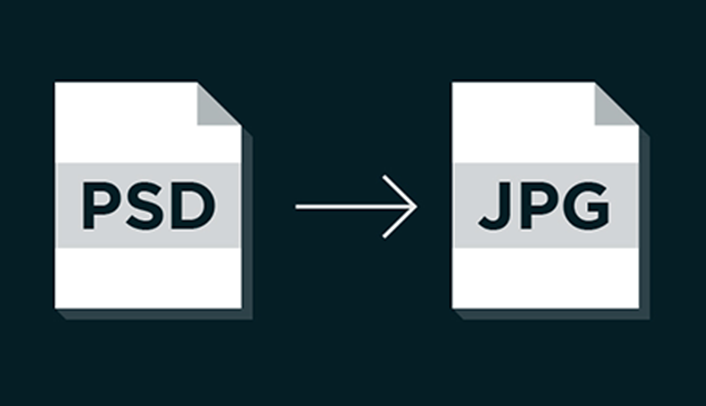
Working with Photoshop files is common among graphic designers, marketers, photographers, web developers, and content creators. However, PSD files are not always convenient when you need to share an image, upload it to a website, or open it on a device without Adobe Photoshop. A reliable PSD to JPG converter can help turn Photoshop documents into a widely supported image format while making the file easier to use across different platforms.
JPG, also known as JPEG, is one of the most widely recognized image formats on the internet. It offers a practical balance between image quality and file size, making it suitable for websites, social media, email attachments, presentations, and everyday image sharing. Converting PSD files to JPG can therefore simplify many common digital workflows.
What Is a PSD File?
PSD stands for Photoshop Document and is the native file format associated with Adobe Photoshop. Unlike standard image files, a PSD can contain multiple layers, text, shapes, masks, effects, adjustment layers, and other editable elements.
This makes PSD particularly useful during the design and editing process. A designer can modify individual elements without changing the entire image. For example, a marketing graphic might contain separate layers for the background, logo, product photograph, text, and decorative elements.
The main advantage of PSD is flexibility. However, that flexibility can also create compatibility problems. Not every image viewer, website, mobile application, or operating system can display PSD files properly. When editing is complete and the image only needs to be viewed or shared, converting it into JPG can be more practical.
Why Convert PSD to JPG?
There are several reasons why users choose to convert Photoshop documents into JPG images.
Better Compatibility
JPG is supported by almost every modern computer, smartphone, tablet, browser, and image-viewing application. A PSD file, by comparison, may require specialized software.
Converting a completed design to JPG allows it to be opened without Photoshop or another PSD-compatible application. This is particularly useful when sending finished designs to clients, colleagues, or customers.
Smaller File Sizes
PSD files can become quite large, especially when they contain numerous layers and high-resolution graphics. JPG uses lossy compression to reduce file size, which makes it more convenient for online use and sharing.
Smaller images can be easier to attach to emails, upload to websites, store on devices, or transfer through messaging applications.
Convenient Website Uploads
Many websites and content management systems are designed to work with common image formats such as JPG, PNG, and WebP. PSD may not be accepted as an upload format.
Converting a PSD file to JPG can make it easier to publish completed graphics on blogs, ecommerce websites, portfolios, landing pages, and other online platforms.
Easier Social Media Sharing
Social media platforms generally work with common image formats rather than editable Photoshop documents. A JPG version of a design can be uploaded directly to many platforms without requiring additional conversion by the user.
For social media managers and content creators, this can make the publishing process faster and more straightforward.
How Does a PSD to JPG Converter Work?
A PSD to JPG conversion tool typically processes the Photoshop document and creates a flattened JPG image. The original PSD can contain many editable components, while the resulting JPG generally represents the finished visual as a single image.
A typical conversion process involves a few basic steps:
-
Select the PSD file from your computer or device.
-
Upload the file to the conversion tool.
-
Choose JPG as the output format if required.
-
Start the conversion process.
-
Download the resulting JPG file.
The exact interface can vary depending on the converter, but the overall process is generally straightforward.
Before converting an important project, it is useful to check the resulting image for quality, dimensions, transparency, and other visual details.
PSD vs JPG: What Is the Difference?
PSD and JPG are designed for different purposes.
PSD is primarily an editing format. It preserves layers and other Photoshop-specific information, allowing users to continue working on a design.
JPG is primarily a sharing and distribution format. It creates a flattened image that is easier to open, upload, and share.
For example, a designer might keep the original PSD file as the master project while exporting a JPG copy for a client presentation. This approach preserves the editable source while providing a more accessible version for everyday use.
Important Things to Consider Before Conversion
Although PSD to JPG conversion is simple, there are a few factors worth checking before converting a file.
Image Quality
JPG compression can reduce image quality. For photographs and many web graphics, the difference may be difficult to notice. However, highly detailed designs or images containing sharp text may show compression artifacts at lower quality settings.
If the converter provides quality options, selecting an appropriate level can help balance visual quality and file size.
Transparency
PSD files can contain transparent backgrounds. JPG does not support transparency in the same way as formats such as PNG.
If a design relies on a transparent background, converting it to JPG may result in the transparent areas being replaced by a solid background. Users should therefore check the background before using the converted image.
Layers
One of the most important differences is that JPG does not preserve Photoshop layers.
Once a PSD is converted into JPG, individual text, shapes, images, and other elements are flattened into one image. The original PSD should therefore be retained if future editing may be necessary.
Image Dimensions
Conversion does not necessarily mean that an image has to be resized. However, users should verify the output dimensions if the JPG is intended for a particular website, print project, social media platform, or presentation.
Keeping the correct dimensions helps avoid unnecessary stretching or cropping.
Common Uses for Converted JPG Images
Once a PSD has been converted, the resulting JPG can be used for a wide range of purposes.
Websites and Blogs
Website owners often use JPG images for blog posts, product pages, banners, and other visual content. The format is widely supported and can offer relatively small file sizes.
Digital Marketing
Marketing teams may convert PSD campaign designs into JPG files for presentations, advertisements, email campaigns, and promotional materials.
Portfolios
Graphic designers can export finished Photoshop projects as JPG files for online portfolios. This allows visitors to view completed work without requiring specialized software.
Presentations
JPG images can be inserted into common presentation applications, making them useful for business proposals, educational materials, and project reports.
Client Approvals
When a client needs to review a finished design but does not have Photoshop, a JPG copy can provide a simple way to preview the final visual.
Choosing a Good PSD to JPG Converter
Not every conversion tool provides the same experience, so several factors are worth considering.
First, check whether the converter supports the PSD files you need to process. Some files may contain advanced Photoshop features that can affect how the final image is rendered.
Speed is another consideration, especially when converting multiple files. A straightforward interface can also make the process easier for people who do not regularly work with image-editing software.
Privacy can be important when working with professional or confidential designs. Users should review the service's policies and understand how uploaded files are handled.
Output quality is equally important. A useful converter should produce an image that closely represents the original design while keeping the resulting file practical for its intended purpose.
Tips for Getting Better Results
For the best results, keep the original PSD file even after conversion. The PSD serves as the editable master copy, while the JPG can be treated as the shareable version.
Before uploading a converted image, inspect it at full size. Look for missing elements, unexpected background changes, blurry text, or differences in colors.
It is also helpful to choose the output format based on the intended use. JPG is often suitable for photographs and complex graphics, while other formats may be preferable when transparency or lossless quality is essential.
When file size matters, compression can be useful. However, excessive compression may introduce visible artifacts. Finding the right balance between quality and file size is therefore important.
Final Thoughts
PSD remains an important format for editable Photoshop projects because it preserves layers and provides extensive control during the design process. However, finished designs do not always need to remain in an editable format. JPG offers broad compatibility, convenient sharing, and practical file sizes for many everyday applications.
Whether you are a designer preparing client files, a marketer creating website graphics, a student working on a presentation, or a business owner preparing images for online publishing, converting PSD to JPG can make completed designs easier to use.
For users looking for a straightforward way to handle image format conversions, Lets Convert provides an online conversion platform that can be used for working with different digital file formats.

 English
 Arabic
 French
 Spanish
 Portuguese
 Deutsch
 Dutch
Dutch
 Italiano
 Russian
 Romaian
 Portuguese (Brazil)
 Greek
Greek
