


Why Does Your Phone Battery Drop Suddenly From 20% to 5%? Common Causes & Fixes
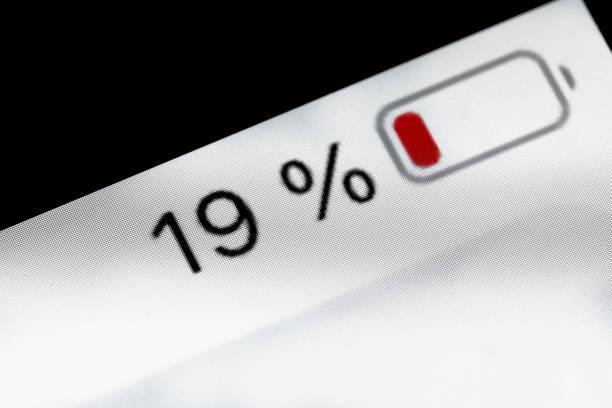
Few things feel more worrying than watching your phone battery fall from 20% to 5% within minutes. You may assume the battery suddenly failed. However, several technical reasons can cause this behavior. Battery age, temperature, charging habits, software errors, and demanding apps can all play a role.
Your phone does not measure battery percentage directly. Instead, it estimates remaining charge using voltage, current, temperature, and battery history. Therefore, the displayed percentage can change quickly when battery conditions change. Understanding the cause helps you choose the right fix without replacing the phone unnecessarily.
Before buying a replacement charger, check whether your charging setup meets your phone's requirements. For example, searching for the apple 20w charger price in pakistan can help you compare genuine charging options. However, a suitable charger cannot repair an aging battery. The battery itself may need attention if sudden drops happen regularly.
How Phone Battery Percentage Actually Works
Battery Percentage Is an Estimate
The percentage shown on your screen represents an estimated state of charge. Your phone calculates this figure through several battery measurements. These measurements include voltage, current flow, temperature, and previous charging behavior.
Lithium-ion batteries also behave differently as they discharge. Their voltage does not decrease at a perfectly steady rate. Consequently, the displayed percentage can change faster during certain parts of the discharge cycle.
Software also influences the estimate. Battery management systems continuously adjust calculations based on real-world usage. Therefore, occasional percentage changes do not always indicate serious damage.
Why 20% Can Become 5% Quickly
A weak battery may struggle when your phone performs demanding tasks. Gaming, video recording, navigation, and camera use can increase power demand. The battery voltage can then fall sharply under that load.
When voltage drops below a certain level, the phone may adjust its estimated percentage. Consequently, 20% can suddenly become 10%, 7%, or even 5%.
This behavior becomes more common as lithium-ion batteries age. Chemical wear reduces their ability to deliver stable power during demanding situations.
Battery Aging Is a Major Cause
Chemical Aging Changes Battery Performance
Rechargeable lithium-ion batteries naturally lose capacity over time. Every charging cycle contributes to gradual chemical wear. Heat and prolonged high charge levels can accelerate this process.
An older battery may still show a reasonable percentage at first. However, its actual usable capacity can become significantly lower.
For example, your phone might report 20% remaining. Yet the battery may deliver much less energy than it did when new. Under heavy usage, the remaining charge can disappear quickly.
Check Your Battery Health
Many modern smartphones provide battery health information through system settings. Apple devices show battery capacity under Battery Health & Charging. Android manufacturers provide different battery diagnostic options.
Look for signs such as reduced maximum capacity or battery performance warnings. These indicators can help confirm whether aging contributes to sudden drops.
If your phone has several years of heavy use, battery degradation becomes more likely. A professional battery replacement may restore more reliable performance.
Extreme Temperatures Can Trigger Sudden Drops
Cold Weather Reduces Battery Performance
Low temperatures can temporarily reduce lithium-ion battery performance. Chemical reactions inside the battery become slower in cold conditions. Consequently, the battery may struggle to provide enough power.
Your phone can therefore show a sudden percentage reduction during cold weather. Performance usually improves after the device returns to a moderate temperature.
Avoid charging or heavily using a freezing-cold phone immediately. Let it gradually return to a normal temperature first.
Heat Also Damages Battery Health
High temperatures can create more serious long-term problems. Excessive heat accelerates chemical aging inside lithium-ion batteries.
Avoid leaving your phone inside a hot vehicle or direct sunlight. Remove thick cases during intense charging if your phone becomes unusually hot.
Also, avoid gaming while charging when temperatures rise significantly. Reducing heat protects battery capacity over the longer term.
Heavy Apps Can Expose Battery Problems
Demanding Apps Increase Power Consumption
Some applications consume considerably more power than ordinary messaging apps. Games, cameras, navigation tools, and video applications can create heavy processor loads.
When the battery is already low, these demands become more noticeable. A weakened battery may struggle to maintain stable voltage under such conditions.
Check your phone's battery usage page for unusual consumption. If one application dominates the list, investigate its background activity and settings.
Background Processes Can Drain Remaining Power
Some apps continue working after you stop using them. Location services, cloud synchronization, notifications, and background refresh can consume energy.
Therefore, review background permissions for apps you rarely use. Restrict unnecessary background activity when appropriate.
However, avoid disabling essential system services without understanding their purpose. Incorrect changes can create notification or synchronization problems.
Software Problems Can Affect Battery Estimates
Updates Sometimes Fix Battery Reporting
Phone manufacturers regularly release software updates containing battery management improvements. An outdated system can occasionally produce inaccurate battery readings.
Therefore, check for available operating system updates. Install stable updates from your phone manufacturer or official software channel.
After updating, monitor battery behavior for several days. Battery statistics may temporarily change while the system adjusts its usage analysis.
Restart the Phone Before Troubleshooting Further
A simple restart can resolve temporary software glitches. It can also close processes that became stuck in the background.
If the battery suddenly drops only occasionally, restarting may solve the issue. However, repeated drops require deeper investigation.
Do not rely on frequent restarts as a permanent solution. Persistent problems usually have an underlying cause.
Charging Habits Can Influence Long-Term Battery Health
Avoid Excessive Heat During Charging
Charging naturally produces some heat. However, excessive heat can accelerate battery degradation.
Place your phone on a hard, ventilated surface while charging. Avoid covering it with blankets, pillows, or other insulating materials.
Fast charging is generally safe when supported by the phone and charger. Nevertheless, temperature management remains important during charging.
Use Compatible and Reliable Chargers
Cheap or poorly manufactured charging accessories can create safety and performance concerns. Choose chargers from reputable manufacturers and trusted retailers.
Check whether the charger supports your phone's required charging protocol. Also, use a quality cable that can handle the required power.
Higher wattage does not automatically mean faster charging. Your phone controls how much power it accepts based on its design.
Try a Battery Recalibration When Readings Seem Incorrect
When Calibration May Help
Battery percentage estimates can occasionally become inaccurate. A recalibration process may help the software better understand the battery's usable range.
First, use the phone normally until it reaches a low battery level. Then charge it using a compatible charger without unnecessary interruptions.
However, do not repeatedly drain the battery to zero as a routine habit. Deep discharges can add unnecessary stress to lithium-ion cells.
Modern phones generally manage charging automatically. Therefore, calibration should be an occasional troubleshooting step rather than regular maintenance.
When Should You Replace the Battery?
Watch for Multiple Warning Signs
A sudden percentage drop becomes more concerning when other symptoms appear. Unexpected shutdowns are one common warning sign.
Rapid battery drain can also indicate significant degradation. Excessive heating, swelling, or physical battery damage requires immediate attention.
A swollen battery should never be pressed, punctured, or opened. Stop using the device and seek professional service promptly.
Professional Testing Provides Better Answers
Software statistics cannot always reveal the battery's physical condition. A technician can inspect battery health and charging behavior using suitable diagnostic tools.
If the phone shuts down despite showing remaining charge, professional testing becomes especially useful. The problem may involve the battery, power management circuitry, or another hardware component.
Simple Ways to Prevent Future Battery Drops
Use moderate screen brightness when maximum brightness is unnecessary. Turn off location access for apps that do not need it.
Keep your phone away from extreme temperatures whenever possible. Install reliable software updates and remove applications you no longer need.
Most importantly, avoid making battery percentage the only measure of battery health. Pay attention to charging speed, runtime, temperature, and unexpected shutdowns.
These combined signs provide a much clearer picture of battery condition. They can also help you identify problems before they become severe.
Conclusion
A sudden drop from 20% to 5% usually has a logical explanation. Battery aging, temperature, heavy workloads, software errors, and inaccurate estimates are common causes.
Start by checking battery health and recent battery usage. Then reduce heat, update your software, and use compatible charging accessories.
If sudden drops continue, professional battery testing is the safest next step. A healthy battery should provide predictable performance throughout normal daily use.

 English
 Arabic
 French
 Spanish
 Portuguese
 Deutsch
 Turkish
 Dutch
Dutch
 Russian
 Romaian
 Portuguese (Brazil)
 Greek
Greek
