


How to Recover Access to Your Colour Prediction Game Account
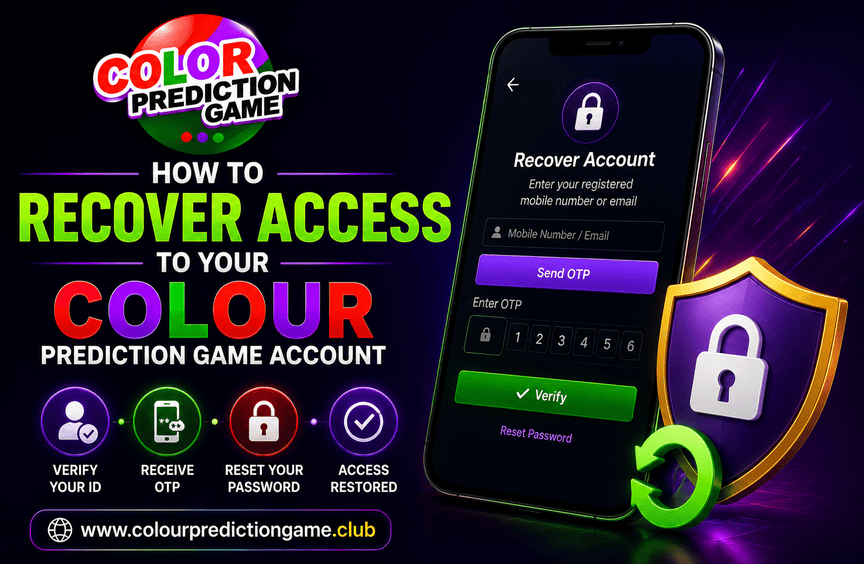
Losing access to an online account can be frustrating. You may have forgotten your password, changed your phone number, lost access to an email address, or noticed unusual login activity.
The good news is that account recovery usually follows a simple process. The key is to use the official platform and avoid shortcuts offered by unknown contacts.
If you use a Colour Prediction Game, this guide explains the common steps that may help you regain access and protect your account from further problems.
First, Identify Why You Cannot Log In
Before starting the recovery process, try to understand what caused the problem.
Common reasons include:
-
Forgotten password
-
Incorrect login details
-
Lost access to a registered mobile number
-
Lost access to a registered email
-
Account temporarily locked after multiple attempts
-
A changed or compromised password
-
Technical issues with the website or app
Identifying the problem can help you choose the right recovery option.
1. Use the Official “Forgot Password” Option
Most platforms provide a password recovery feature on the login page.
Look for options such as:
-
Forgot Password
-
Reset Password
-
Trouble Logging In
-
Account Recovery
Use only the official website or verified Colour Prediction app to begin the process.
Enter the required account information and follow the instructions shown on the platform. You may receive a verification code or password reset link through your registered contact method.
Avoid using links sent by unknown WhatsApp accounts or social media messages. CERT-In advises users to verify links, use strong and unique passwords, and avoid sharing sensitive information through unverified channels.
2. Check Your Registered Email or Mobile Number
Password recovery often depends on the email address or phone number connected to your account.
Check carefully for:
-
A password reset email
-
A verification code
-
A security notification
-
Instructions from the official platform
Also check your spam or junk folder if you do not see the message in your main inbox. If you no longer have access to your registered email or mobile number, do not create multiple recovery requests immediately. Instead, look for an official support option.
3. Create a New and Strong Password
Once the platform allows you to reset your password, choose a new one that you do not use elsewhere.
A good password should be:
-
Unique to that account
-
Difficult to guess
-
Different from your old password
-
Kept private
Avoid sharing your new password with anyone. CERT-In recommends strong, unique passwords and multi-factor authentication wherever available.
4. If You Cannot Access Your Registered Number
Changing a mobile number can make account recovery more complicated. The platform may require additional verification before updating your account details. This process can vary from one service to another.
Prepare any information that the official support process legitimately requires. However, do not send sensitive documents or credentials to an unverified WhatsApp number. Only communicate through support channels listed on the platform's official website or app.
5. Contact Official Customer Support
If the standard password reset process does not work, contact the platform through its official support channel Explain the issue clearly.
For example:
“I cannot access my account because I no longer have access to my registered mobile number. Please guide me through the official recovery process.”
Keep your message simple and provide only the information required to identify your account.
Before contacting support, check:
-
The official website
-
The support or contact page
-
The verified in-app help section
-
The platform's official communication channels
Avoid customer support numbers found randomly through forwarded messages or unknown groups.
Never Share Your OTP or Password
During account recovery, you may receive a verification code. Do not share that OTP, password, or PIN with anyone claiming to be a support representative.
Be cautious if someone asks you to:
-
Share an OTP
-
Reveal your current password
-
Send banking credentials
-
Install a remote-access application
-
Pay a fee to recover your account
-
Click an unfamiliar recovery link
CERT-In warns users not to share passwords, OTPs, or sensitive information through messaging platforms and advises caution with urgent or unsolicited requests.
6. What If You Suspect Someone Accessed Your Account?
If you believe your account has been compromised, act quickly.
Start with these steps:
-
Change your password immediately if you still have access.
-
Log out of other sessions or devices if the platform provides that option.
-
Check for unfamiliar account activity.
-
Review recent transactions or account changes.
-
Contact official support.
-
Change passwords for other accounts if you reused the same password.
CERT-In advises users who suspect phishing or credential exposure to reset affected credentials and report suspicious activity promptly.
7. Update the Colour Prediction App
Sometimes, login problems result from technical issues rather than account loss.
If you use a Colour Prediction app, check whether an official update is available. You can also try:
-
Closing and reopening the app
-
Checking your internet connection
-
Restarting your device
-
Clearing temporary app data where appropriate
-
Signing in through the official website
Download updates only from trusted or official sources. CERT-In advises users to avoid apps and files from unverified sources and to keep applications updated.
8. Do Not Create Multiple Accounts to Solve the Problem
Creating another account may seem like an easy solution, but it can create additional confusion.
The platform may have rules regarding duplicate accounts or account verification. Focus on recovering the original account first. If you are unsure about the correct process, ask official support for guidance.
A Quick Account Recovery Checklist
Before starting the recovery process, check the following:
-
I am using the official website or app.
-
I have selected the correct password recovery option.
-
I checked my registered email and mobile number.
-
I reviewed my spam or junk folder.
-
I created a new, unique password.
-
I have not shared my OTP or password.
-
I contacted only official support channels.
-
I checked for suspicious account activity.
-
I avoided unknown recovery links and app files.
This simple checklist can help you stay focused during the recovery process.
Account Recovery and Colour Trading Platforms
Some users may also encounter the term Colour Trading when searching for colour-based platforms.
Regardless of the terminology, the same account security principles apply. Use official recovery options, verify support contacts, and protect your private information.
A legitimate recovery process should not depend on pressure or secrecy. Be cautious of anyone who promises instant account recovery in exchange for money or private credentials.
Secure Your Account After Recovery
Recovering access is only the first step. Once you can log in again, take time to improve account security.
Consider these steps:
-
Change your password if necessary
-
Use a unique password
-
Enable additional authentication features when available
-
Review account information
-
Check for unfamiliar devices or sessions
-
Remove unknown linked devices
-
Keep your app and device updated
CERT-In also recommends multi-factor authentication where available, strong unique passwords, and regular updates to reduce account security risks.
Final Thoughts
Losing access to a Colour Prediction Game account does not always mean the account is permanently lost. Start with the official password recovery option and follow the platform's verification process.
If that does not work, contact genuine customer support through a verified source. Never share your password, OTP, PIN, or sensitive financial information with an unknown contact.
Whether you use a Colour Prediction app, explore Colour Prediction, or encounter platforms described as Colour Trading, account security should remain a priority.
The safest approach is simple: use official recovery channels, verify every request, and secure your account once access is restored.

 English
 Arabic
 French
 Portuguese
 Deutsch
 Turkish
 Dutch
Dutch
 Italiano
 Russian
 Romaian
 Portuguese (Brazil)
 Greek
Greek
