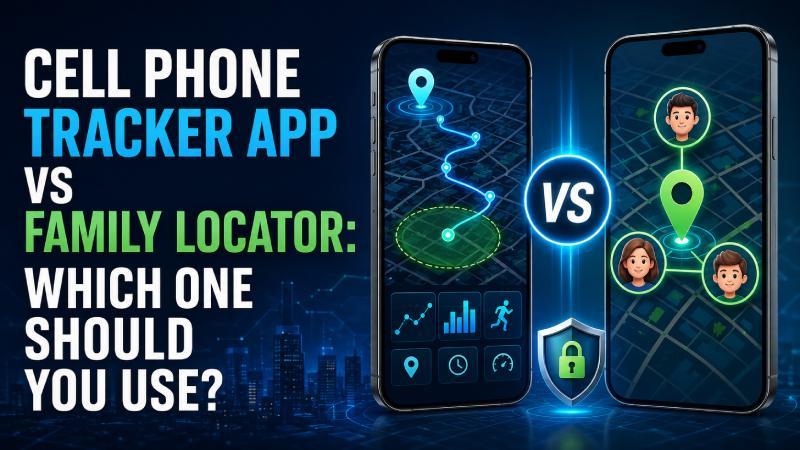
A cell phone tracker app and a family locator can both display the location of a connected smartphone, but they are designed for different purposes. A family locator concentrates on voluntary location sharing, place alerts and journey coordination, while a comprehensive tracker may provide GPS history alongside calls, messages, browsing and other authorised Android activity.
For users who need more than a shared family map, an authorised Cell Phone Tracker App such as SpyHuman can provide current GPS information, location history, geofencing and additional device records through an online dashboard. It requires one-time installation on an Android phone the user is legally permitted to supervise.
A family locator may be the better choice when every participant knowingly shares their location and no one needs access to calls, messages or browsing activity. Understanding this distinction helps families and organisations choose a proportionate tool without collecting more personal information than necessary.
Quick Comparison
| Feature |
Cell phone tracker app |
Family locator |
| Primary purpose |
Detailed authorised device monitoring |
Voluntary family-location sharing |
| Real-time location |
Usually |
Usually |
| Location history |
Often |
Depends on plan |
| Geofencing |
Often |
Frequently available |
| Arrival and departure alerts |
Often |
Frequently available |
| Call records |
May be available |
Generally unavailable |
| SMS information |
May be available |
Generally unavailable |
| Browsing activity |
May be available |
Generally unavailable |
| Social-app information |
May be available |
Generally unavailable |
| Screen-time controls |
Sometimes |
Limited or unavailable |
| Mutual location sharing |
Not usually the main model |
Yes |
| Physical installation |
Usually required |
Application setup required |
| Remote dashboard |
Often |
Usually parent or family app |
| Suitable for finding a lost phone |
Sometimes |
Limited |
| Android and iOS support |
Product-dependent |
Often cross-platform |
| Rooting required |
Usually no |
No |
| Best for |
Authorised parental or company-device supervision |
Household coordination and journey safety |
What Is a Cell Phone Tracker App?
A cell phone tracker app is an application installed on a phone to collect selected information and make it available to an authorised user.
A basic tracker may provide only GPS information. A more comprehensive Android monitoring application can combine location with other supported records.
Depending on the product and subscription, a tracker may provide:
- Current GPS location
- Location history
- Previously recorded routes
- Geofence notifications
- Incoming and outgoing call records
- SMS information
- Browsing history
- Application activity
- Website controls
- Selected social-application information
- Screen-time data
- A remote online dashboard
A tracker usually requires one-time physical access to the device. The application must be installed and granted the permissions required for its functions.
Once setup is complete, supported information can be reviewed remotely while the connected phone has internet access.
What Is a Family Locator?
A family locator is primarily a location-sharing service.
Family members normally create or join a private group and knowingly share their locations with each other. Participating members can then appear on a family map.
Common family-locator features include:
- Current participating-member locations
- Private family groups
- Place notifications
- Location history according to plan
- Battery status
- Family check-ins
- Journey sharing
- Driving-related information
- Emergency alerts
- Crash-related tools on selected services
- Temporary location sharing
The application is not designed to provide complete access to calls, text messages, browsing records or private social-media conversations.
Its purpose is coordination and physical safety rather than detailed device monitoring.
The Main Difference
The central difference is the amount and type of information collected.
A family locator answers questions such as:
- Has my child arrived at school?
- Is my partner still travelling?
- When will a family member reach home?
- Where should we meet?
- Has someone left a saved place?
- Did an elderly relative complete the usual journey?
A detailed cell phone tracker may also answer:
- Which calls were made or received?
- Which SMS records are available?
- Which websites were visited?
- Which applications were used?
- Where has the connected phone travelled?
- Did the phone enter or leave an established geofence?
A family locator is therefore more appropriate when location is the only genuine requirement. A comprehensive tracker may be justified when an authorised parent or organisation has broader device-safety concerns.
SpyHuman as a Cell Phone Tracker App
SpyHuman is an Android monitoring platform created for authorised parental supervision, personal-device monitoring and management of company-owned phones under an informed policy.
It combines GPS information with other supported Android records through an online dashboard.
GPS location
SpyHuman can display the available current location of a connected Android phone on a map.
The displayed position depends on the device’s:
- GPS access
- Wi-Fi connection
- Mobile network
- Internet connectivity
- Background permissions
- Battery settings
- Surrounding environment
The map position is an estimate and may not always represent the person’s exact location at that moment.
Location history
Location history can show positions and routes previously recorded by the connected device.
This may help an authorised user:
- Review a child’s journey
- Confirm that the phone reached school
- Examine previously recorded stops
- Identify the last available position of a personal phone
- Review routes taken by a company-owned field device
- Determine when synchronisation stopped
Geofencing
SpyHuman allows users to create virtual boundaries around selected places.
A geofence can be established around:
- Home
- School
- Tuition classes
- Sports facilities
- A workplace
- A delivery zone
- A medical centre
- Another authorised destination
The dashboard can provide alerts when the connected phone enters or leaves the selected area.
Additional monitoring features
Depending on compatibility and plan, SpyHuman may also provide:
- Incoming, outgoing and missed call records
- SMS information
- Browsing history
- Website controls
- Selected social-application records
- Application-related information
- Call recording through Premium
- A central browser-based dashboard
These features distinguish SpyHuman from a standard family locator.
Setup requirements
The general setup process includes:
- Creating an account.
- Obtaining physical access to the authorised Android device.
- Installing the monitoring application.
- Selecting an appropriate monitoring mode.
- Granting required permissions.
- Enabling location access.
- Configuring background operation.
- Reviewing battery-optimisation settings.
- Signing in to the dashboard.
- Confirming that information is synchronising.
- Creating necessary geofences.
- Securing the account.
After installation, supported information can be viewed remotely when the phone is connected to the internet.
Does SpyHuman require rooting?
SpyHuman states that it works on compatible Android 5.0 and later devices without rooting.
This helps users avoid risks such as:
- System instability
- Failed Android updates
- Banking-application restrictions
- Warranty concerns
- Increased malware exposure
- Accidental device damage
The required Android permissions must still be granted during installation.
Is SpyHuman free?
Users can create an account and install SpyHuman without paying. Its limited free plan displays selected recent calls, messages and location information to confirm that the platform works on the authorised Android phone.
Premium access adds longer history, call recording, deleted-log recovery and the complete monitoring feature set.
Important limitations
SpyHuman works only on Android and does not support iPhones.
Initial physical access is required. It cannot remotely begin collecting detailed records from an Android phone that has never been configured.
Performance may also vary between Samsung, Xiaomi, Oppo, Vivo, Realme and other manufacturers because they use different battery and background-operation systems.
How a Family Locator Works
A family locator generally requires every participating person to install the relevant application or join the connected account.
The typical process includes:
- A family administrator creates an account.
- Family members receive invitations.
- Participants install or open the service.
- Each member grants location permission.
- Background location access is enabled.
- Participants join a private family group.
- Important places are saved.
- Arrival or departure alerts are configured.
- Every member can review their sharing settings.
- Location sharing can be paused or removed according to the service.
This model is based on participation rather than detailed monitoring.
Location History: How the Two Options Compare
Both tracker apps and family locators can provide location history, but they may use it differently.
Location history in a tracker app
A tracker’s history is generally presented to the authorised account holder through a dashboard.
It may form part of a wider record containing:
- Calls
- Messages
- Application activity
- Browsing
- Location
- Geofence events
This provides more context but also creates a greater privacy responsibility.
Location history in a family locator
A family locator usually shows previous positions within the shared family map.
The available history may depend on the membership:
- A basic plan may show recent locations
- A mid-level plan may retain several days
- A Premium plan may store longer history
- Certain services may limit the number of historical routes
Family locators normally do not connect the location history with private calls or messages.
Which is better?
Choose a tracker when location history must be reviewed alongside other authorised device activity.
Choose a family locator when the household only needs journey history, arrival confirmation and mutual visibility.
Geofencing: How the Two Options Compare
Geofencing is available in both categories.
Geofencing in a tracker app
A tracker may allow the administrator to create several virtual boundaries and receive alerts when the connected phone crosses them.
Geofencing can form part of a parental or company-device monitoring policy.
Place alerts in a family locator
Family locators often use terms such as:
- Places
- Saved places
- Safe zones
- Circles
- Arrival alerts
- Departure alerts
- No-show notifications
Although the terminology differs, the underlying concept is similar to geofencing.
Which is better?
A family locator is often sufficient if the only goal is knowing when someone arrives at school, work or home.
A tracker is more suitable if geofence events must be reviewed alongside authorised phone activity.
Privacy Differences
Privacy is one of the most important differences between these tools.
Family-locator privacy model
A family locator normally makes location sharing visible to participants. Adults can usually see who has access and stop sharing.
This model encourages:
- Mutual participation
- Transparent location access
- Shared family rules
- Greater user control
- Less collection of private communication data
Tracker-app privacy model
A detailed tracker can collect significantly more sensitive information.
Depending on the service, records may reveal:
- Daily movements
- Personal contacts
- Telephone activity
- Text-message information
- Websites visited
- Application use
- Private routines
This level of monitoring should only be used when it is lawful, necessary and proportionate.
Parental Supervision: Which Is Better?
The best option depends on the child’s age, maturity and safety needs.
When a family locator may be enough
A locator may be sufficient when parents only need to:
- Confirm school arrival
- Coordinate collection times
- Follow a temporary journey
- Receive home-arrival alerts
- Locate a child during an emergency
- View the phone’s battery level
This approach preserves more communication privacy.
When a tracker may be considered
A detailed tracker may be considered when an authorised parent has specific concerns involving:
- Unknown contacts
- Online grooming
- Cyberbullying
- Harmful websites
- Serious scams
- Repeatedly missing location alerts
- Unsafe application activity
- A younger child’s first smartphone
Monitoring should be reviewed regularly and reduced as the child develops greater responsibility.
Company-Owned Devices: Which Is Better?
Businesses should choose according to the type of phone and work being performed.
When a family-style locator may work
A simple location platform may be adequate for:
- Delivery coordination
- Field-service teams
- Shared travel
- Emergency location
- Check-ins
- Company journeys
Employees should still be informed about location collection.
When a tracker may be considered
A comprehensive tracker may be appropriate for authorised company-owned phones when the organisation needs:
- Call-log records
- Device-location history
- Geofence alerts
- Browsing-related controls
- Application-usage information
- Security oversight
- Compliance records
The employer should use a written policy, obtain any legally required consent and restrict access to collected information.
A company should not install detailed monitoring software on an employee’s personal phone without an appropriate legal basis and explicit agreement.
Lost-Phone Recovery: Which Is Better?
Neither a family locator nor a comprehensive tracker should automatically replace the phone’s built-in recovery service.
For an Android phone, the owner should generally begin with Google’s device-finding service. A Samsung owner may also have access to manufacturer recovery features.
Built-in recovery services can provide functions such as:
- Device location
- Sound playback
- Marking the phone as lost
- Displaying recovery information
- Locking the phone
- Remote erasure
A tracker or family locator may show the last synchronised position, but it may not provide the security controls required to protect a stolen device.
Can Either Option Track a Phone Using Only Its Number?
No legitimate tracker or family locator can display the exact live location and travel history of an arbitrary phone using only its number.
A number-lookup website may identify general details such as:
- Country code
- Telephone-number format
- Original carrier
- Probable registration region
- Line type in selected databases
This is not GPS tracking.
Reliable location access requires at least one of the following:
- An authorised application installed on the phone
- Access to the connected device account
- Voluntary location sharing
- A built-in recovery service
- Lawful assistance from a carrier or appropriate authority
Claims that a website can track any number instantly should be treated cautiously.
Can These Apps Work Without Internet?
A phone may calculate its position using GPS without internet connectivity. However, it generally needs Wi-Fi or mobile data to transmit that information to another user or dashboard.
Some services may:
- Store location information temporarily
- Upload records after connectivity returns
- Display the last available position
- Use an offline-finding network for compatible devices
Continuous remote tracking is normally unavailable when the phone is switched off, out of battery or prevented from operating in the background.
Location Accuracy
Neither type of application can guarantee perfect accuracy.
Phone location may be estimated using:
GPS
Satellite-based positioning is often most accurate outdoors. Buildings, tunnels and underground environments can weaken the signal.
Wi-Fi networks
Nearby Wi-Fi information can improve location estimates in cities and indoor environments.
Mobile towers
Cell-tower connections can provide an approximate location but may cover a large area.
Bluetooth and nearby devices
Certain finding networks use nearby devices to help locate compatible phones and accessories.
Factors that affect accuracy
- Indoor environments
- Underground areas
- Tall buildings
- Weak GPS signals
- Disabled Wi-Fi
- Poor mobile coverage
- Battery-saving modes
- Missing permissions
- Delayed synchronisation
- Manufacturer restrictions
- An outdated map marker
A parent or employer should not make a serious accusation based only on one delayed or inaccurate location point.
Battery Consumption
Both categories require background location access, which can affect battery life.
Battery use depends on:
- GPS-update frequency
- Geofence activity
- Internet connectivity
- Phone model
- Android version
- Application optimisation
- Location accuracy settings
- Number of connected services
An application requesting constant high-accuracy GPS updates may consume more power than one relying primarily on place alerts.
If battery efficiency is important, use the lowest update frequency that still meets the legitimate safety requirement.
Free Versus Paid Access
Free tracker access
A free tracker plan may provide:
- Account registration
- Installation
- Limited recent location information
- A small number of records
- Compatibility testing
- Basic dashboard access
Detailed monitoring, longer history and advanced tools often require payment.
Free family-locator access
A free locator may provide:
- Current family locations
- Private groups
- Limited place alerts
- Short location history
- Basic battery information
- Check-ins
Longer history, driving reports and emergency features may require a subscription.
Understanding “free”
The word can mean:
- Free registration
- A restricted permanent plan
- A short trial
- Limited historical records
- A limited number of devices
- Advertisement-supported access
- A refund period after payment
Users should confirm what remains available after a trial ends.
How to Choose the Right Option
Choose a cell phone tracker app if:
- You supervise an authorised Android device
- Location is only one part of the safety concern
- You need calls or SMS-related records
- You require browsing information
- You need a remote dashboard
- You need location history alongside device activity
- You manage a company-owned phone under a disclosed policy
Choose a family locator if:
- Everyone knowingly participates
- You only need location information
- Family journey coordination is the main goal
- You want mutual sharing
- Place alerts are sufficient
- You need Android and iOS support
- You want a less intrusive option
- Adults should retain control over sharing
Choose a built-in recovery service if:
- Your own phone is missing
- You need to ring the phone
- You want to lock it remotely
- You need to display recovery information
- Remote data erasure may be necessary
Questions to Ask Before Installing Either App
Ask the following:
- What is the genuine purpose?
- Who owns the device?
- Does the phone user know about the tracking?
- Is detailed activity monitoring necessary?
- Would arrival alerts provide enough protection?
- How many days of history are required?
- Who can access the account?
- How long will information be retained?
- Can the data be deleted?
- Does the application support the exact phone?
- Will it work without rooting?
- What happens when the subscription ends?
- Is multi-factor authentication available?
- How will monitoring change as the child grows?
- Are local consent and privacy laws satisfied?
Is Cell Phone Tracking Legal?
Legality depends on the country, state, device ownership, age of the phone user, consent and information collected.
Potentially authorised situations may include:
- Tracking a device you own
- Finding your personal phone
- A parent supervising a minor child
- A legal guardian managing an authorised dependent’s device
- Voluntary family location sharing
- Monitoring a company-owned phone under a disclosed policy
- Tracking another adult’s phone with explicit permission
Secretly tracking a spouse, partner, colleague, employee or another adult may violate privacy, stalking or computer-misuse laws.
Paying for a phone does not automatically create unlimited monitoring rights. Organisations should obtain professional legal guidance before collecting employee locations or communications.
Ethical Tracking for Families
Families should choose the least intrusive tool capable of addressing the genuine concern.
Parents should explain:
- Why tracking is enabled
- Which information can be seen
- Who has account access
- Which places create alerts
- When location history will be reviewed
- Whether calls or messages are monitored
- How long records are retained
- When supervision will be reduced
- How the child can raise a privacy concern
Continuous tracking should support communication rather than replace it.
Protecting Location and Monitoring Data
A compromised account can expose current locations, historical routes and private device records.
Users should:
- Create a strong, unique password
- Enable multi-factor authentication
- Avoid sharing login credentials
- Review connected devices
- Remove old family members
- Stop unnecessary location shares
- Delete records that are no longer required
- Restrict business-dashboard access
- Sign out on shared computers
- Keep applications updated
- Download software only through official instructions
- Remove monitoring when it is no longer justified
Cell Phone Tracker App vs Family Locator: Final Verdict
Choose a family locator when the primary goal is voluntary location sharing, journey coordination and place alerts. It generally provides enough information for families that want to confirm arrivals without accessing private phone activity.
Choose a cell phone tracker app when an authorised parent, guardian or organisation has a legitimate need to review location alongside broader Android activity.
SpyHuman belongs to the second category. It combines current GPS information, location history and geofencing with supported calls, SMS, browsing and application-related records. It works without rooting on compatible Android phones but requires physical installation, appropriate permissions and Premium access for its complete feature set.
The more information an application collects, the greater the user’s responsibility to protect it. Select the least intrusive option that can meet the genuine safety or device-management requirement.
Frequently Asked Questions
What is the difference between a cell phone tracker and a family locator?
A cell phone tracker can provide location alongside calls, messages, browsing or other supported device information. A family locator mainly provides voluntary location sharing, journey history and place alerts.
Which option is better for parents?
A family locator is sufficient when parents only need location and arrival notifications. A tracker may be considered when an authorised parent has broader online-safety concerns.
Does SpyHuman provide location history?
Yes. SpyHuman can display supported current GPS information and location history from an authorised Android phone through its dashboard.
Does SpyHuman provide geofencing?
Yes. Users can establish selected areas and receive notifications when the connected phone enters or leaves those boundaries.
Does SpyHuman require rooting?
No. SpyHuman states that it works on compatible Android 5.0 and later devices without rooting.
Is SpyHuman free?
SpyHuman offers free registration, installation and limited recent information. Its complete monitoring features and longer history require Premium access.
Does SpyHuman work on iPhones?
No. SpyHuman is designed for Android and does not support iOS.
Can a family locator read text messages?
A typical family locator does not provide complete access to private SMS conversations. Its principal purpose is location sharing.
Can a tracker locate a phone using only its number?
No. Live tracking requires authorised device installation, connected account access, voluntary sharing or a built-in recovery service.
Can either application work when the phone is switched off?
Continuous tracking normally stops when the phone is switched off. The application may display its last recorded location.
Do family locators require consent?
Adults should knowingly participate in location sharing. Parents and guardians should use age-appropriate transparency when supervising a minor child.
Which option offers better privacy?
A family locator generally collects less information because it focuses on location. A comprehensive tracker may collect more sensitive device records and therefore requires stronger justification and security.
Can employers use a cell phone tracker?
Employers may be able to monitor company-owned phones under a lawful and clearly disclosed policy. Employees should be informed, and the organisation should obtain appropriate legal advice.




 Arabic
 French
 Spanish
 Portuguese
 Deutsch
 Turkish
 Dutch
Dutch
 Italiano
 Russian
 Romaian
 Portuguese (Brazil)
 Greek
Greek
