


The Ultimate Guide to Data Projectors: Transforming Presentations in the Modern Era
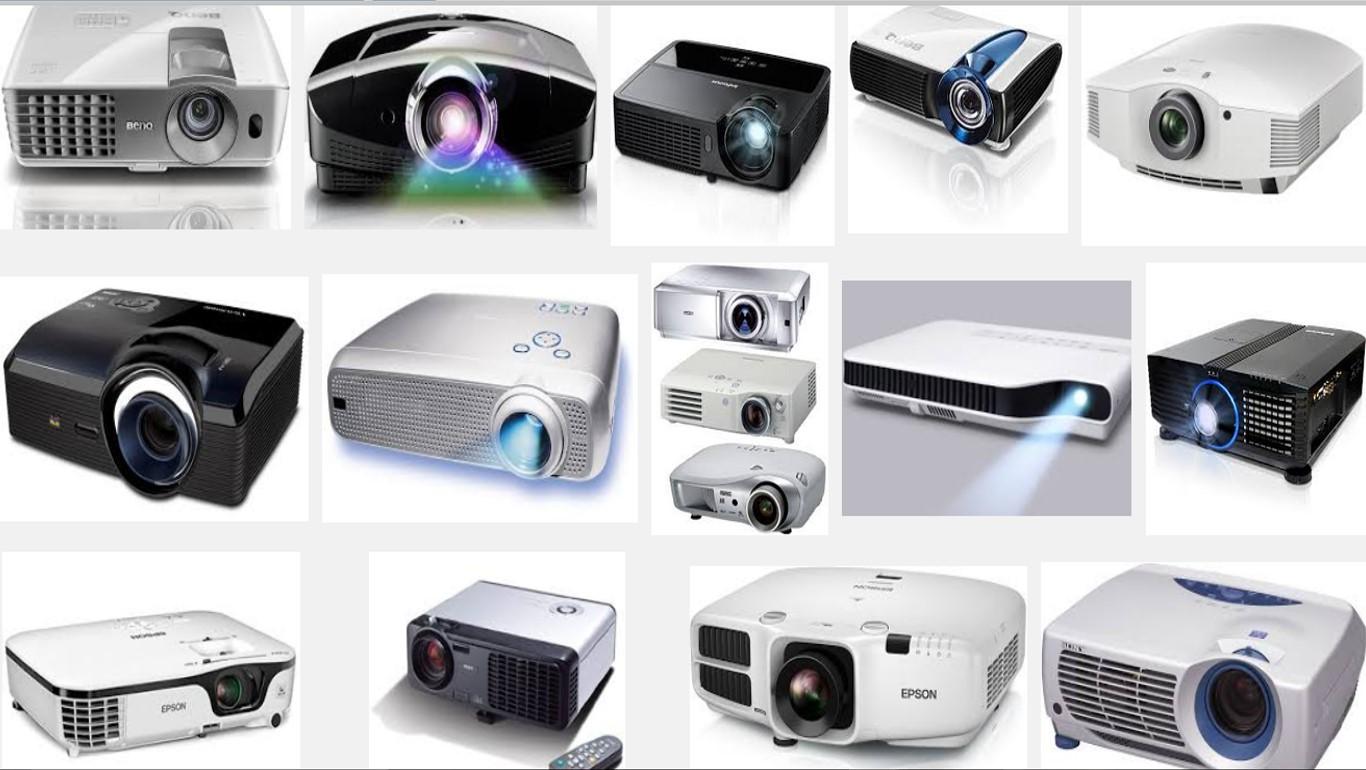
In an age dominated by high-resolution smartphones and ultra-thin laptops, the data projector remains an indispensable powerhouse for collaboration. Whether it is a high-stakes boardroom pitch, a university lecture, or a large-scale conference, the ability to project data onto a massive canvas changes how we consume information.
Unlike home theater projectors, which are optimized for dark rooms and cinematic color, data projectors are the workhorses of the professional world. They are engineered for high brightness, text clarity, and seamless connectivity. This guide explores everything you need to know about selecting, setting up, and optimizing data projectors for your specific needs.
1. What is a Data Projector?
A data projector is a device that takes a video signal from a computer or other digital source and projects the image onto a screen or wall using a lens system. While they can play video, their primary design focus is the reproduction of "data"—spreadsheets, PowerPoint slides, architectural blueprints, and web pages.
To achieve this, they prioritize Lumen count (brightness) and Resolution (detail) to ensure that even small text is legible from the back of a brightly lit room.
2. Understanding Projection Technologies
To choose the right projector, you must understand what happens inside the box. There are three primary technologies dominating the market today:
DLP (Digital Light Processing)
DLP projectors use a chip made of millions of tiny mirrors.
-
Pros: They offer sharp images, high contrast, and are often more compact.
-
Cons: Some users may experience the "rainbow effect" (brief flashes of color) in older or cheaper models.
3LCD (Liquid Crystal Display)
This technology splits light into its primary colors (red, green, and blue) and passes them through three individual LCD panels.
-
Pros: They deliver vibrant, accurate colors and have no "rainbow effect." They are generally more light-efficient than DLP.
-
Cons: The units can be slightly bulkier, and the panels may degrade over very long periods of heavy use.
LCoS (Liquid Crystal on Silicon)
LCoS is a hybrid technology often found in high-end "Pro-AV" data projectors.
-
Pros: It provides the highest resolution and smoothest images, combining the best of LCD and DLP.
-
Cons: Considerably more expensive and heavier.
3. Key Specifications That Actually Matter
When browsing data projectors, don't get lost in the marketing jargon. Focus on these four pillars:
Brightness (ANSI Lumens)
This is the most critical factor for data projectors.
-
Under 2,500 Lumens: Best for dark rooms (classrooms with blackout curtains).
-
3,000 to 4,000 Lumens: The "sweet spot" for standard conference rooms with some ambient light.
-
5,000+ Lumens: Required for large auditoriums or rooms with floor-to-ceiling windows.
Native Resolution
Always look at the native resolution, not the supported resolution.
-
XGA (1024x768): Older 4:3 aspect ratio. Fine for basic text but becoming obsolete.
-
WXGA (1280x800): The standard for basic widescreen laptops.
-
WUXGA (1920x1200): The professional standard, offering high detail for complex spreadsheets and HD video.
-
4K UHD: Increasingly popular for design firms and medical imaging where every pixel counts.
Contrast Ratio
The difference between the darkest and brightest parts of the image. For data, a higher contrast ratio ensures that black text on a white background pops and remains readable.
Throw Ratio
This determines how far the projector needs to be from the screen to create a specific image size.
-
Standard Throw: Requires several feet of distance.
-
Short Throw: Can sit just a few feet away; ideal for small meeting rooms.
-
Ultra-Short Throw (UST): Sits directly against the wall, eliminating shadows from the presenter.
4. The Shift to Laser Projection
Traditionally, projectors used metal halide lamps with a lifespan of about 3,000 to 5,000 hours. The industry is now shifting toward Laser Projectors.
-
Longevity: Lasers last up to 20,000 hours with almost no maintenance.
-
Instant On/Off: No more waiting for the "warm-up" or "cool-down" cycle during a presentation.
-
Consistent Brightness: Unlike bulbs, which dim over time, lasers maintain their peak brightness for most of their lifespan.
5. Integrating Projectors into Your IT Strategy
A data projector is no longer a standalone "dumb" device; it is a node on your network. Modern IT departments manage projectors remotely, checking lamp life and scheduling automatic power-downs to save energy.
For businesses and educational institutions looking to overhaul their visual infrastructure, the hardware is only one piece of the puzzle. You need a reliable backbone of cables, adapters, and networking gear to ensure the signal remains flawless. If you are sourcing professional-grade IT components, Tecisoft provides an extensive range of hardware and technical solutions designed to support modern work environments. By choosing high-quality peripherals to complement your data projectors, you minimize the risk of technical failure during critical meetings and ensure that your investment performs at its peak for years to come.
6. Connectivity: Beyond the HDMI Cable
While HDMI is the standard, professional data projectors offer several advanced ways to connect:
-
HDBaseT: Allows you to send 4K video, audio, and power over a single Category 6 (Ethernet) cable up to 100 meters. This is essential for large halls.
-
Wireless Casting: Built-in Miracast or AirPlay allows presenters to project directly from their tablets or phones without fumbling for dongles.
-
USB Plug-and-Play: Many modern units allow you to run a presentation directly from a thumb drive, removing the need for a laptop entirely.
7. Setup and Ergonomics: The Perfect Image
Even the best projector will look mediocre if set up poorly. Follow these best practices:
-
Keystone Correction vs. Lens Shift: Avoid "Digital Keystone" if possible, as it degrades image quality by scaling pixels. Instead, look for a projector with Optical Lens Shift, which moves the lens physically to align the image without distortion.
-
Screen Selection: Don't project onto a painted wall if you can avoid it. A dedicated projector screen has reflective properties (gain) that significantly boost brightness and color accuracy.
-
The 4/6/8 Rule:
-
For viewing fine data, the screen height should be 1/4 the distance to the farthest viewer.
-
For standard presentations, use 1/6 the distance.
-
For movies/video, use 1/8 the distance.
-
8. Maintenance for Longevity
To protect your investment:
-
Clean the Filters: Dust is the #1 killer of projectors. Clogged filters lead to overheating and internal damage.
-
Ventilation: Ensure there is at least 12 inches of clear space around the exhaust fans.
-
Power Protection: Use a high-quality surge protector. A sudden power spike can fry the sensitive mainboard or the delicate light engine.
9. Common Troubleshooting
-
The image is yellow/discolored: This is often a sign of a failing LCD panel or a dying lamp. If using VGA, check for bent pins in the cable.
-
The image is "blurry" in the corners: This usually indicates a cheap lens or that the projector is at too extreme an angle to the screen.
-
Projector turns off unexpectedly: Check the air filters. Most modern units have a thermal sensor that shuts the system down if it gets too hot.
10. Conclusion
Data projectors have evolved from noisy, dim machines into sophisticated, network-ready communication tools. Whether you are opting for the vibrant colors of a 3LCD system or the maintenance-free reliability of a laser engine, the right projector empowers your team to share ideas on a grand scale.
In the modern workplace, clarity is king. By understanding the technical specifications of your hardware and ensuring your supporting IT infrastructure is robust, you turn a simple presentation into an impactful experience. Your data deserves to be seen—make sure you're projecting it with the precision it requires.

 English
 Arabic
 French
 Spanish
 Portuguese
 Deutsch
 Turkish
 Dutch
Dutch
 Italiano
 Russian
 Romaian
 Greek
Greek
