


Product Labels: A Practical Guide to Better Shopify Product Discovery and Conversions
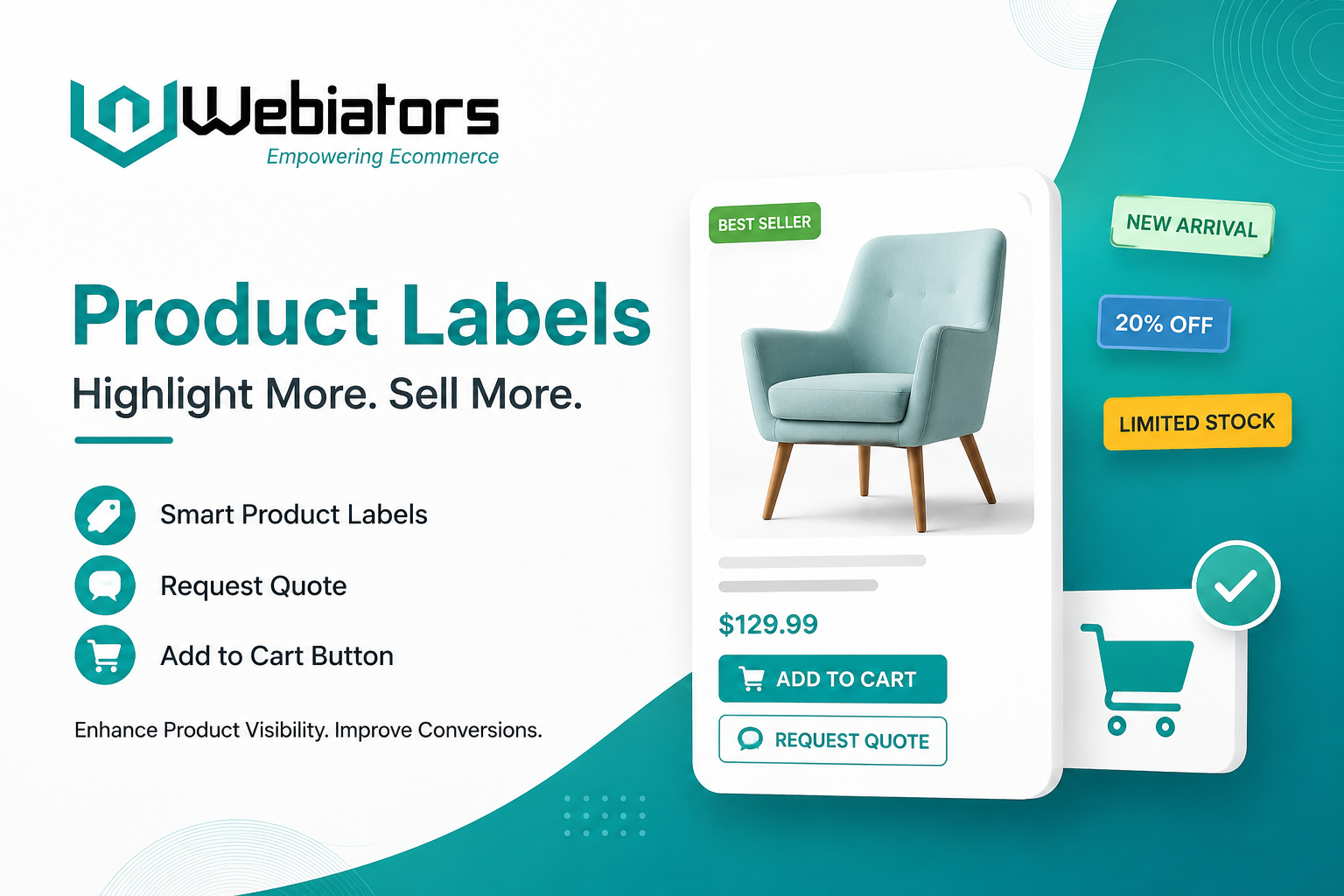
Online shoppers make quick decisions. Before adding an item to their cart, they often look for signals that help them understand what is new, popular, discounted, limited, or worth considering. Product labels can provide these signals directly on product cards and collection pages.
When used thoughtfully, labels can improve product visibility, communicate important information, and support a smoother shopping journey. For Shopify merchants, combining product labels with a clear add to cart button and a well-placed request quote option can make product discovery more intuitive without overwhelming shoppers.
What Are Product Labels?
Product labels are visual markers displayed on ecommerce products to highlight specific information or attributes. Common examples include New, Sale, Best Seller, Limited Stock, Featured, and Coming Soon.
The main purpose of a product label is to help shoppers understand a product at a glance. Instead of reading every product description, customers can quickly identify items that match their interests.
Effective labels should be:
- Short and easy to understand
- Relevant to the product
- Consistent across the store
- Visually noticeable without being distracting
- Based on genuine product information
Too many labels can create visual clutter, so merchants should prioritize the information that actually helps customers make decisions.
Why Product Labels Matter for Shopify Stores
Product discovery is an important part of ecommerce. A shopper may browse dozens of products before deciding which ones deserve further attention. Product labels can shorten this decision process by presenting useful information directly within the browsing experience.
For example, a New Arrival label can immediately attract customers interested in recently launched products, while a Best Seller label can help shoppers identify products with strong demand.
Labels can also support merchandising strategies. Merchants can use different labels for seasonal collections, promotional campaigns, inventory conditions, or specific product categories.
The goal is not simply to make products look different. The goal is to make product information easier to understand.
Product Labels and the Add to Cart Button
A product label works best when it supports the next action a shopper wants to take. This is where a clear add to cart button becomes important.
Imagine a customer sees a product marked “20% Off” or “Best Seller.” If the product card also provides an obvious add to cart button, the shopper can move from discovery to action without unnecessary navigation.
A strong product card can therefore follow a simple structure:
Product image → Product label → Product name → Price → Add to cart button
This creates a straightforward path from product discovery to purchase.
The add to cart button should also be easy to recognize on mobile devices. Since many shoppers browse ecommerce stores from smartphones, buttons should have sufficient size, spacing, and clear wording.
When Should You Use a Request Quote Option?
Not every ecommerce product follows a simple fixed-price purchase journey. Businesses selling wholesale products, customized products, bulk orders, commercial equipment, or made-to-order items may need customers to discuss pricing before purchasing.
In these situations, a request quote option can be more appropriate than forcing every visitor toward immediate checkout.
For example, a business selling customized furniture could display:
Product Label: Customizable
Action: Request a Quote
A wholesale supplier could use:
Product Label: Bulk Available
Action: Request a Quote
This approach gives shoppers an appropriate next step while allowing the business to collect information about specific requirements.
How to Use Product Labels Without Hurting UX
The effectiveness of product labels depends on implementation. Merchants should avoid adding labels simply because they are available.
Start by identifying the information customers frequently need while browsing. Then create labels around those needs.
Useful categories can include:
- New products
- Promotions
- Best sellers
- Limited availability
- Seasonal products
- Featured products
- Customizable products
- Wholesale products
Keep the wording concise. “Limited Stock” communicates more quickly than a long sentence explaining inventory status.
It is also important to keep label placement consistent. If labels appear in different positions across product cards, shoppers may have difficulty scanning the collection.
A Practical Shopify Product Card Strategy
A well-structured product card should provide enough information for customers to understand the product without becoming overloaded.
A practical approach is:
1. Highlight the key status
Use one primary product label for the most important selling or informational point.
2. Show essential product information
Display the product name, image, price, and relevant variant information clearly.
3. Provide the right action
Use an add to cart button for products that can be purchased directly.
4. Offer request quote where appropriate
For customized, wholesale, or inquiry-driven products, provide a request quote option instead of relying only on standard checkout.
5. Test the experience
Review product cards on desktop and mobile to make sure labels and actions remain clear.
Common Mistakes to Avoid
One common mistake is using too many labels on a single product. Multiple badges competing for attention can make the product card harder to understand.
Another mistake is using labels that do not provide meaningful information. If every product is marked “Featured,” the label loses its purpose.
Merchants should also avoid misleading urgency. Labels such as “Limited Stock” should reflect actual inventory conditions rather than being used purely to pressure customers.
Finally, make sure interactive elements remain accessible. Text should be readable, buttons should be easy to tap, and important information should not depend entirely on color.
Where Webiators Fits In
For Shopify merchants looking to improve how product information and shopping actions are presented, Webiators provides tools that can support different parts of the storefront experience. Merchants can explore Shopify-related solutions through the Webiators Technology partner profile.
The important point is to choose features based on the store's customer journey rather than adding functionality simply for the sake of it.
Key Takeaways
- Product labels help shoppers understand products faster.
- Labels can highlight new arrivals, promotions, best sellers, and inventory information.
- A clear add to cart button helps turn product discovery into action.
- A request quote option is useful for customized, wholesale, and inquiry-based products.
- Labels should be concise, relevant, and consistent.
- Mobile usability should be considered when designing product cards.
- Avoid excessive labels or misleading urgency signals.
Conclusion
Product labels are a simple but useful ecommerce merchandising tool. When combined with clear product information and the right purchasing action, they can make Shopify product browsing easier and more informative. The strongest approach is not to add as many labels or buttons as possible, but to give customers the information and action they need at the right moment. By balancing product labels, add to cart functionality, and request quote options, Shopify merchants can create a cleaner and more purposeful shopping experience.

 English
 Arabic
 French
 Spanish
 Portuguese
 Deutsch
 Turkish
 Dutch
Dutch
 Italiano
 Romaian
 Portuguese (Brazil)
 Greek
Greek
