


Common ChatGPT Mistakes Professionals Make (and How to Avoid Them)
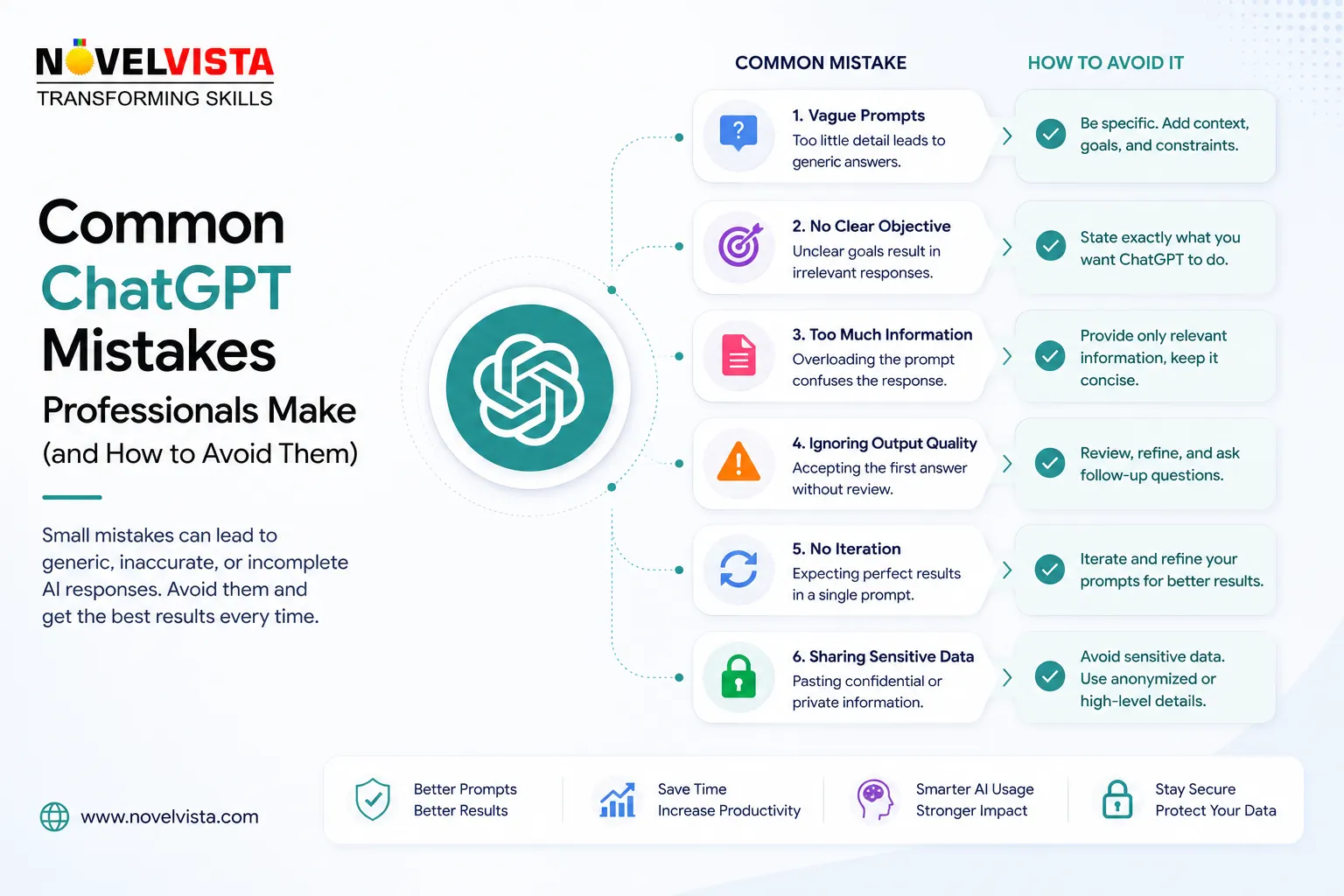
ChatGPT has quickly become part of everyday professional work. People use it to draft emails, summarize documents, prepare presentations, analyze information, generate ideas, write code, and organize projects.
But simply using ChatGPT does not automatically make someone productive with AI.
In many workplaces, the biggest problem is not that employees are avoiding AI. It is that they are using it in ways that produce average, unreliable, or unnecessarily generic results.
The difference usually comes down to how the tool is used.
Here are some of the most common mistakes professionals make with ChatGPT and how to avoid them.
1. Giving ChatGPT Almost No Context
A common prompt looks like this:
“Write an email to my client.”
ChatGPT can certainly produce an email, but it has very little information to work with. It does not know what happened, who the client is, what outcome is expected, or how sensitive the situation might be.
A better prompt would explain:
“Draft a short professional email to a client explaining that our project launch has moved by two weeks because a third-party vendor delayed an integration. Acknowledge the inconvenience, avoid blaming the vendor aggressively, and propose a review call on Friday.”
The second prompt gives the model a business situation, objective, audience, constraint, and desired outcome.
The lesson is simple:
Better context usually produces better output.
2. Treating the First Answer as the Final Answer
Many professionals ask ChatGPT one question, copy the response, and immediately use it.
That misses one of the biggest advantages of conversational AI: iteration.
The first answer should often be treated as a starting point.
You can continue with instructions such as:
“Make this shorter.”
“Rewrite it for a senior executive.”
“Remove unnecessary technical language.”
“Challenge the recommendation.”
“Turn this into five action items.”
“Give me three alternatives.”
Professionals who get the most value from ChatGPT often treat it like an interactive working session rather than a search engine.
3. Assuming a Confident Answer Must Be Correct
ChatGPT can produce answers that sound convincing while still containing incorrect information.
OpenAI explicitly notes that ChatGPT can generate inaccurate facts, fabricated references, incorrect dates, and overconfident answers, and recommends verifying important information from reliable sources.
This matters especially when working with:
Legal requirements
Financial information
Technical specifications
Statistics
Research citations
Medical information
Compliance requirements
Current regulations
If the answer affects an important decision, verify it.
A good professional workflow is:
AI generates → Human reviews → Reliable source confirms → Final decision
ChatGPT can accelerate analysis, but professional accountability still belongs to the person using the output.
4. Asking for Generic Content
Another common mistake is requesting broad output such as:
“Give me a marketing strategy.”
The result will usually be broad because the question is broad.
Instead, provide constraints.
For example:
“Create a 90-day LinkedIn lead-generation strategy for a B2B corporate training company targeting L&D Heads, CTOs, and HR leaders in Indian enterprises with 1,000+ employees. Focus on AI and cloud training.”
Now ChatGPT has a market, audience, geography, timeframe, company type, and objective.
This produces something much closer to usable business work.
5. Pasting Sensitive Information Without Thinking
Professionals should understand what information they are sending into any AI service.
Avoid casually copying passwords, API keys, confidential customer information, unreleased financial results, sensitive employee information, or restricted company documents into an unapproved AI environment.
Organizations should establish clear rules about which AI products employees may use and what categories of information can be processed.
OpenAI states that data from ChatGPT Business, Enterprise, Edu, and its API platform is not used for model training by default. Personal ChatGPT services have different data controls, and users can choose to disable model training for new conversations.
The practical lesson is not simply “never use business data with AI.”
It is:
Know which environment you are using and follow your organization's data policy.
6. Using ChatGPT Without Giving It Source Material
Sometimes professionals ask ChatGPT to summarize or analyze something without actually providing the relevant information.
For example:
“Tell me what problems exist in our project plan.”
If ChatGPT cannot see the project plan, it can only provide generic possibilities.
A much better approach is to provide the document, spreadsheet, requirements, meeting notes, or relevant data and ask the model to analyze that material.
For example:
“Review this project plan and identify schedule risks, missing dependencies, unclear ownership, and milestones that appear unrealistic.”
Now the task is grounded in real business information.
7. Asking ChatGPT to Agree With You
People sometimes unintentionally create prompts that encourage confirmation rather than analysis.
For example:
“Explain why my strategy is the best approach.”
That request already assumes the strategy is correct.
A stronger prompt would be:
“Review this strategy as a skeptical business leader. Identify weaknesses, assumptions, implementation risks, and alternative approaches.”
You can even ask ChatGPT to examine a decision from several viewpoints:
CFO perspective
Customer perspective
Security perspective
Operations perspective
Competitor perspective
This turns ChatGPT into a much better thinking tool.
8. Automating Work That Still Needs Judgment
AI can automate many repetitive tasks, but not every professional decision should be fully delegated.
Generating a meeting summary is relatively low risk.
Automatically approving a customer refund, rejecting a candidate, changing production infrastructure, or sending sensitive executive communication carries much more risk.
A useful rule is:
Automate preparation before automating judgment.
Use ChatGPT to collect information, organize options, prepare drafts, highlight risks, and recommend next steps.
Then keep appropriate human approval for high-impact decisions.
9. Writing One-Off Prompts Instead of Building Repeatable Workflows
Many professionals repeatedly type slightly different versions of the same prompt.
For recurring work, build reusable structures.

 English
 Arabic
 French
 Portuguese
 Deutsch
 Turkish
 Dutch
Dutch
 Italiano
 Russian
 Romaian
 Portuguese (Brazil)
 Greek
Greek
