


Stitching AI Tools Together: Building a Simple No-Code Workflow
Artificial intelligence tools are becoming easier to use, but organizations often run into a practical problem: most AI tools work well individually, yet real business processes involve multiple systems.
A customer may submit a form, the information may need to be analyzed by an AI model, the result may have to be saved in a spreadsheet or CRM, and someone may need to receive a notification.
Doing all of this manually defeats the purpose of automation.
This is where no-code AI workflows become useful.
Instead of building a complete application from scratch, teams can connect existing AI services, business applications, and automation platforms into a single workflow. This approach allows even non-developers to automate repetitive tasks and experiment with AI without writing large amounts of code.
What Is a No-Code AI Workflow?
A no-code AI workflow is an automated sequence of steps created using visual tools rather than traditional programming.
Think of it like building with digital blocks.
One block may receive information from a form. Another may send that information to an AI model. A third might save the result in a database, while another sends an email or Slack notification.
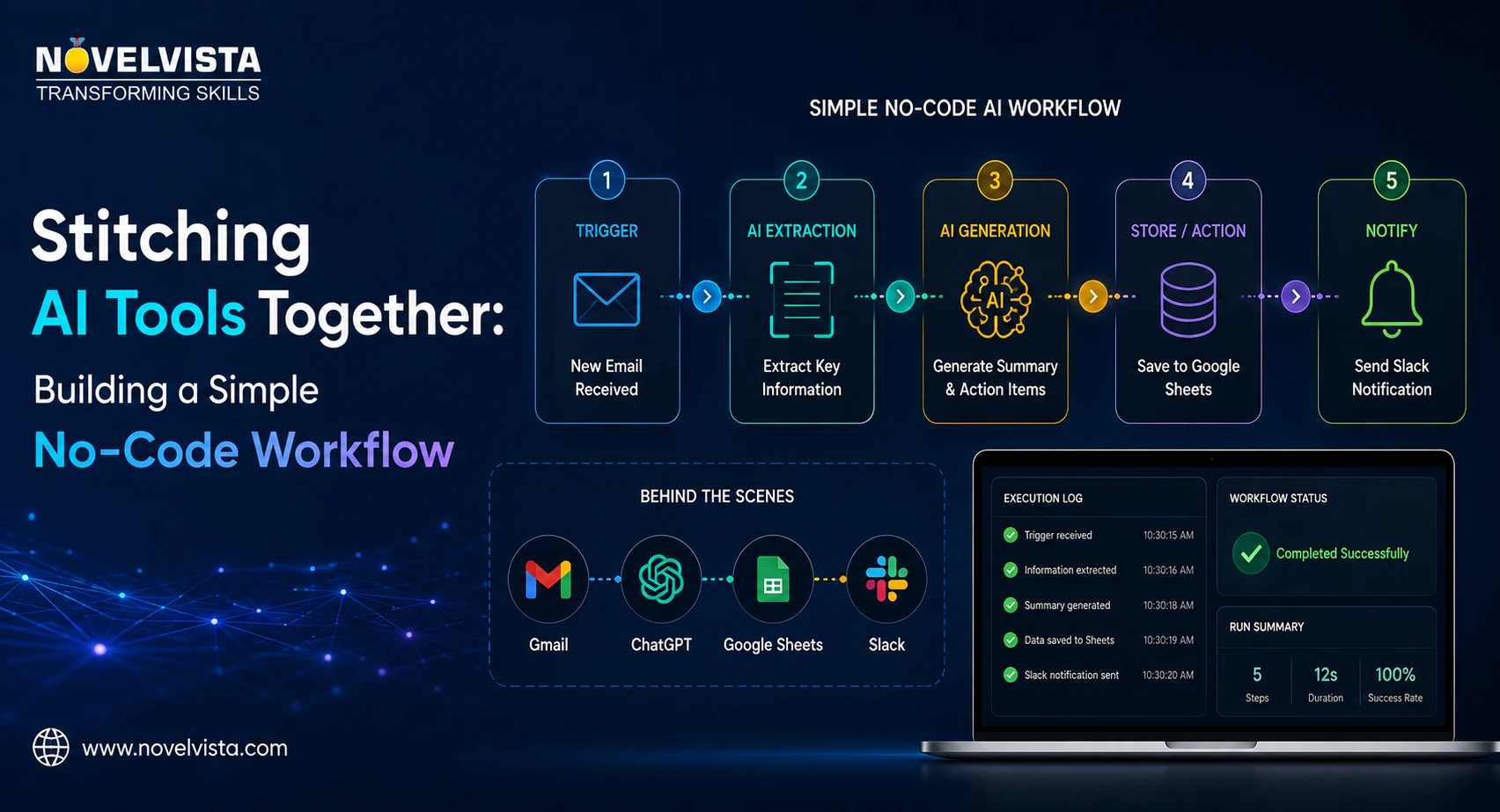
A simple workflow could look like this:
Form Submission → AI Analysis → Store Result → Send Notification
Each tool performs a specific responsibility, while the automation platform connects everything together.
Popular workflow automation platforms allow users to create these processes through drag-and-drop interfaces, triggers, actions, and simple configuration settings.
Start With a Clear Business Problem
One of the biggest mistakes when experimenting with AI automation is starting with the technology rather than the problem.
Before connecting tools, identify a repetitive task that follows a predictable process.
For example, imagine a sales team receives dozens of inquiries every day through a website.
Someone manually reads each inquiry, determines whether it looks promising, enters information into the CRM, and notifies the appropriate salesperson.
AI can help automate much of this process.
The goal is not necessarily to remove the salesperson from the process. Instead, AI handles repetitive analysis so employees can focus on conversations and decisions that require human judgment.
Step 1: Create the Trigger
Every automated workflow needs a starting point.
This is commonly called a trigger.
A trigger could be:
- A website form submission
- A new email
- A new spreadsheet row
- A CRM record being created
- A file being uploaded
- A scheduled time
- A webhook from another application
For our sales example, the workflow begins when a potential customer submits a contact form.
The form may contain information such as the person's name, company, email address, business requirement, and message.
Once submitted, this information automatically enters the workflow.
Step 2: Send the Information to an AI Model
The next step is adding intelligence.
The workflow sends selected information to a generative AI model with a carefully designed prompt.
For example, the prompt might say:
"Analyze this customer inquiry. Categorize the lead as high, medium, or low priority. Identify the customer's main requirement and provide a one-sentence summary for the sales team."
The AI may return something like:
Priority: High
Requirement: Corporate AI training
Summary: The company is looking for customized generative AI training for approximately 100 employees.
Instead of asking a salesperson to manually review every inquiry, AI performs the initial classification within seconds.
Step 3: Store the Output
AI-generated information becomes much more valuable when it is connected to existing business systems.
The next workflow step could save the result in:
- Google Sheets
- Airtable
- A CRM
- Notion
- A database
- A project management system
For example, the original inquiry and AI-generated lead classification could automatically create a CRM record.
Fields might include the customer's contact information, inquiry text, AI-generated summary, lead priority, and timestamp.
Now the business has structured information rather than an unorganized collection of messages.
Step 4: Add Notifications
Automation should also help the right people take action.
Suppose the AI identifies a lead as high priority.
The workflow could automatically send a message to the sales team through Slack, Microsoft Teams, or email.
The message might include the company name, inquiry summary, priority level, and CRM record.
Low-priority inquiries could simply be stored without generating an immediate notification.
This is where conditional workflow logic becomes useful.
For example:
If Priority = High → Notify Sales Manager
If Priority = Medium → Add to Follow-Up Queue
If Priority = Low → Store for Future Campaign
A single workflow can therefore make different decisions based on AI-generated information.
Connecting Multiple AI Tools
Workflows do not have to rely on only one AI service.
A more advanced workflow might use one tool for speech-to-text, another for language analysis, another for document generation, and another for image creation.
For example:
Meeting Recording → Speech-to-Text → AI Summary → Task Extraction → Project Management Tool
The value comes from combining specialized tools.
Instead of looking for one AI platform that performs every task perfectly, organizations can select the best tool for each step and connect them into a larger process.
Keep Humans in the Loop
AI automation does not mean every decision should happen automatically.
For high-impact tasks, human approval should remain part of the workflow.
For example, AI might draft a customer response, but an employee reviews it before sending. An AI system might classify a financial document, while a finance professional confirms the classification.
This approach provides speed without giving up control.
It is particularly important when workflows involve sensitive data, customers, financial decisions, legal information, or business-critical actions.
Monitor and Improve the Workflow
A workflow that works today may need improvement tomorrow.
Teams should monitor execution failures, AI responses, processing time, API costs, and unusual results.
Prompts may also require adjustment as users submit different types of information.
Start small, observe how the workflow behaves, and improve it gradually rather than trying to automate an entire department from day one.
Final Thoughts
No-code automation is making AI integration accessible to a much wider audience.
Businesses no longer need to build every AI application from the ground up. By connecting forms, AI models, CRMs, spreadsheets, communication platforms, and other tools, teams can create practical automated workflows quickly.
The most successful approach is usually simple: choose one repetitive process, identify where AI adds value, connect the necessary tools, and keep human oversight where it matters.
AI tools become far more powerful when they stop operating as isolated applications.
When stitched together thoughtfully, they become part of an intelligent workflow that can save time, reduce repetitive work, improve consistency, and help teams focus on higher-value activities.

 English
 French
 Spanish
 Portuguese
 Deutsch
 Turkish
 Dutch
Dutch
 Italiano
 Russian
 Romaian
 Portuguese (Brazil)
 Greek
Greek
