


How can I make a customised invoice template quickly?
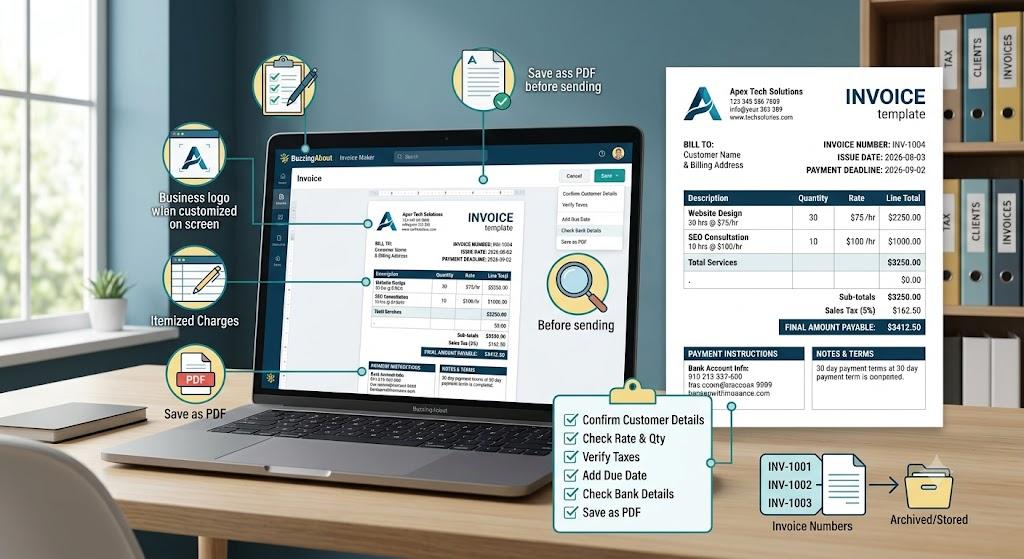
Choose a clean layout, enter your business and customer details, add itemised charges, and save the finished document for future use. An invoice template maker can simplify this process by handling the structure and calculations, helping you produce accurate and professional invoices without designing each one from scratch.
A customised template gives your invoices a consistent appearance while reducing repetitive administrative work. Instead of rebuilding headings, tables, and payment sections for every customer, you can reuse the same format and update only the information related to each transaction.
Your invoice should clearly include:
- Business name, logo, and contact information
- Customer name and billing details
- Unique invoice number
- Invoice issue date and payment deadline
- Product or service descriptions
- Quantity, rate, and line totals
- Taxes, discounts, and extra charges
- Final amount payable
- Payment instructions
- Relevant terms and notes
Keep the design simple. Customers should be able to identify the amount due, payment deadline, and bank or payment details within seconds. Too many colours, decorative graphics, or unclear labels can make an invoice harder to understand.
A professional template should also work for different types of billing. You may need to invoice a fixed-price project, hourly service, recurring retainer, product sale, or combination of several charges. Leave enough space for item descriptions and additional notes without making the layout feel crowded.
What should I check before sending the invoice?
Review every detail carefully because small errors can delay payment or create unnecessary questions. Confirm the customer’s name, invoice number, service description, rates, tax calculations, due date, and payment information before downloading or emailing the final document.
Use this quick checklist:
- Confirm that the customer details are correct.
- Check every quantity and rate.
- Review taxes and discounts.
- Make sure the total is accurate.
- Add a specific payment due date.
- Verify the bank or payment details.
- Save the document as a PDF.
- Store a copy in your business records.
Use sequential invoice numbers to keep billing organised. A format such as INV-1001, INV-1002, and INV-1003 makes it easier to track issued, paid, overdue, or cancelled invoices.
Consistent templates can also strengthen your brand. Using the same logo, contact details, terminology, and payment instructions helps customers recognise your documents and reduces confusion.
Frequently Asked Questions
Can I customise an invoice for different customers?
Yes. Keep your core branding and layout consistent, then update the customer details, services, prices, dates, and payment terms for each invoice.
Should every invoice have a unique number?
Yes. A unique number helps with payment tracking, bookkeeping, customer communication, and tax record management.

 English
 French
 Spanish
 Portuguese
 Deutsch
 Turkish
 Dutch
Dutch
 Italiano
 Russian
 Romaian
 Portuguese (Brazil)
 Greek
Greek
