


What Does Collate Mean When Printing
Understanding the Meaning of Collated Printing
Printing involves several settings that can affect the final output, and one of the most commonly misunderstood options is the collate feature. Many people notice this option when printing documents but are unsure whether to select it. Understanding how collated printing works can save time, reduce errors, and make large print jobs much easier to organize. Whether you're printing reports, manuals, brochures, presentations, or school assignments, knowing when to use the collate option helps ensure your documents are arranged correctly from the start.
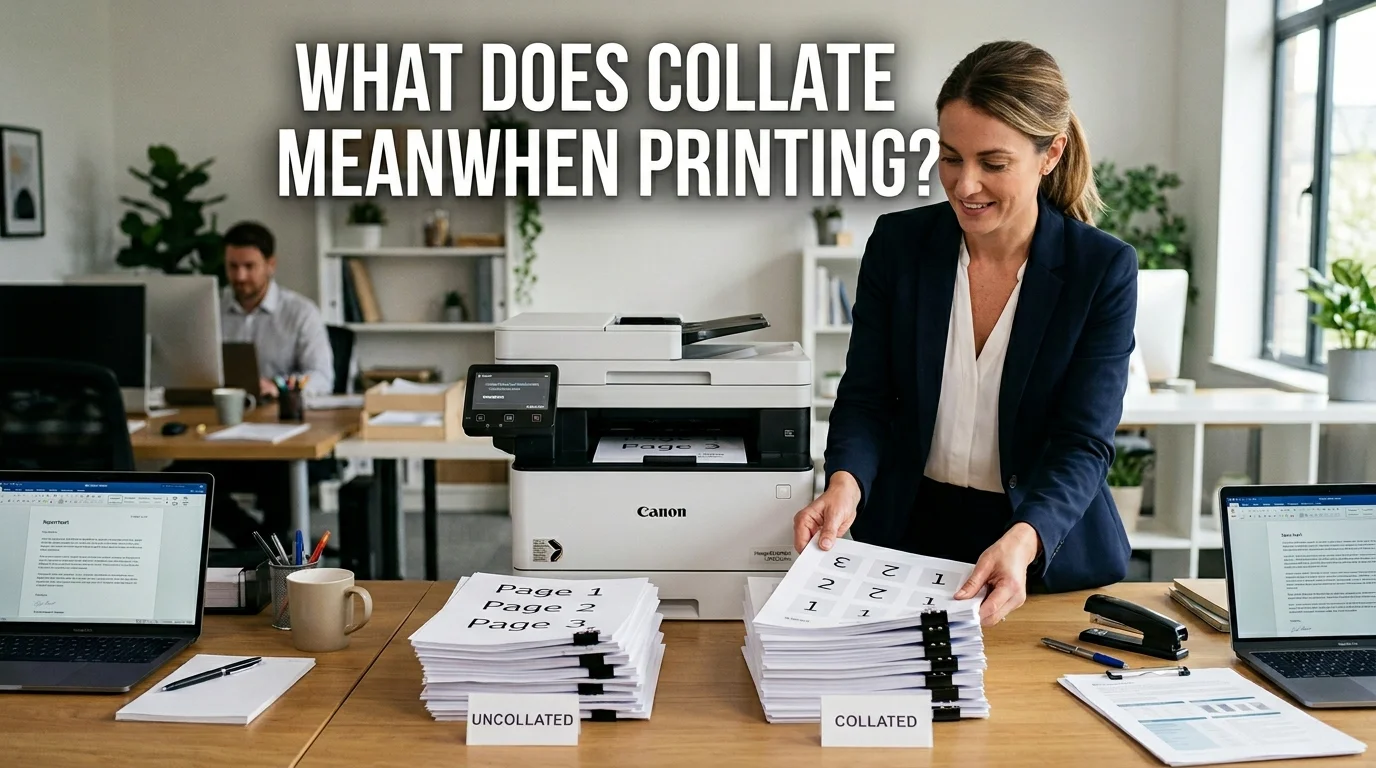
If you have ever wondered what does collate mean when printing, the answer is simple. Collating means arranging multiple-page documents into complete sets before the printing process is finished. For example, if you print three copies of a five-page document with the collate option turned on, your printer will produce the pages in this order: 1-2-3-4-5, followed by another complete set of 1-2-3-4-5, and then a third complete set. Without collating, the printer produces all copies of page one first, then all copies of page two, and so on. This simple setting makes it much easier to distribute documents without manually sorting each page.
How the Collate Function Works
The collate option is available on almost every modern printer, including home printers, office printers, and commercial printing equipment. When you select "Collate" in your printer settings, the printer automatically organizes each copy into the correct page sequence.
For example, imagine printing ten copies of a twenty-page employee handbook. With the collate option enabled, each handbook will be printed as a complete twenty-page booklet. If collate is disabled, the printer will first print ten copies of page one, followed by ten copies of page two, and continue until all pages are printed. Someone would then need to manually arrange every page into complete sets, which is both time-consuming and more likely to result in mistakes.
Benefits of Using the Collate Option
One of the biggest advantages of collated printing is improved efficiency. Businesses, schools, and organizations often print multiple copies of documents that contain many pages. Automatic collation removes the need to organize papers by hand, allowing employees to focus on more important tasks.
Collated printing also reduces human error. When pages are automatically arranged in the correct order, there is less chance of missing or misplaced pages. This is especially valuable for contracts, training manuals, presentations, educational materials, and business proposals where page order is essential.
Another important benefit is convenience. Instead of sorting stacks of printed pages after every print job, users receive complete document sets that are immediately ready for stapling, binding, or distribution.
When Should You Use Collated Printing?
Collated printing is ideal whenever you need multiple copies of the same multi-page document. Businesses frequently use this feature for annual reports, company policies, employee training guides, and presentation materials. Schools and universities also rely on collated printing for student handbooks, classroom notes, assignments, and examination papers.
Professional printing companies use collation when producing catalogs, brochures, instruction manuals, magazines, and event programs. Even at home, collated printing is useful for recipes, travel guides, family documents, or any project requiring several complete copies.
Collated vs. Uncollated Printing
Understanding the difference between collated and uncollated printing helps you choose the right option for every project. Collated printing creates complete document sets automatically, making it the preferred choice for reports, presentations, and manuals.
Uncollated printing groups identical pages together instead. This option is useful when different people are responsible for assembling documents later or when only specific pages need to be distributed separately. Choosing the correct setting depends entirely on how the printed documents will be used after printing.
Common Uses of Collated Printing
Collated printing is widely used in offices, schools, print shops, and businesses where multiple copies of multi-page documents are required. Companies often use this feature for employee handbooks, financial reports, training manuals, meeting agendas, contracts, and presentation materials. Since every copy is printed in the correct order, staff can distribute documents immediately without spending extra time organizing pages.
Educational institutions also benefit from collated printing when producing classroom notes, examination papers, project booklets, and student guides. Printing complete document sets helps teachers and administrators save valuable time while ensuring every student receives a properly arranged copy. Commercial printing companies also rely on collated printing for brochures, catalogs, magazines, instruction manuals, and event programs that require consistent page sequencing.
How to Enable the Collate Option
Enabling the collate option is simple on most printers. After selecting the document you want to print, open the Print dialog box from your computer or mobile device. In the printer settings, you will usually find a checkbox or dropdown menu labeled Collate. Simply select this option before clicking the Print button.
Some printers automatically enable collated printing whenever multiple copies are selected, while others require users to manually activate the setting. For large commercial print jobs, professional printing software also offers advanced collation options that work alongside duplex printing, stapling, hole punching, and booklet creation to improve workflow efficiency.
Common Mistakes to Avoid
Although collated printing is easy to use, some users accidentally choose the wrong setting and end up with stacks of unorganized pages. If you understand what does collate mean when printing, it becomes much easier to select the correct option before starting a print job. Before printing a large document, it is always a good idea to review the printer preview and confirm whether the collate option is enabled or disabled according to your needs.
Another common mistake people make when learning what does collate mean when printing is confusing collated printing with double-sided printing. These are two separate features. Duplex printing controls whether content is printed on one or both sides of the paper, while collating determines the order in which multiple-page documents are arranged. Understanding the difference helps prevent unnecessary reprints, saves both paper and printing costs, and ensures your documents are organized correctly from the beginning.
Why Collated Printing Improves Productivity
Collated printing contributes to a more efficient workflow by reducing manual labor and minimizing printing errors. Employees no longer need to sort hundreds of pages by hand, allowing them to complete projects faster. Businesses that frequently print reports, proposals, and presentation materials benefit from increased productivity because documents are ready for distribution immediately after printing.
For commercial printing companies, collated printing ensures consistency across every print run. Customers receive professionally organized documents that enhance the overall presentation and reflect attention to detail. Whether producing a few copies or thousands of booklets, proper collation saves time while maintaining professional quality.
Frequently Asked Questions
What does collate mean when printing?
Collate means arranging the pages of a multi-page document into complete sets before printing finishes. For example, if you print three copies of a five-page document, collated printing produces three complete sets in page order (1–2–3–4–5), while uncollated printing groups all copies of each page together.
Conclusion
Understanding what does collate mean when printing helps you choose the correct printer settings for every project. Whether you're printing reports, manuals, brochures, school assignments, or business documents, using the collate option keeps pages organized, reduces manual work, and improves overall efficiency. It is a simple feature that can make a significant difference in both small and large print jobs.
At Custom Printed Paper, we are committed to helping individuals and businesses make informed printing decisions. From expert printing tips to high-quality custom printing solutions, our goal is to deliver professional results that meet your needs. By understanding essential printing features like collated printing, you can save time, reduce errors, and achieve a polished finish for every project.

 Arabic
 French
 Spanish
 Portuguese
 Deutsch
 Turkish
 Dutch
Dutch
 Italiano
 Russian
 Romaian
 Portuguese (Brazil)
 Greek
Greek
