


Best PC Builder: Common Questions Answered Before You Buy
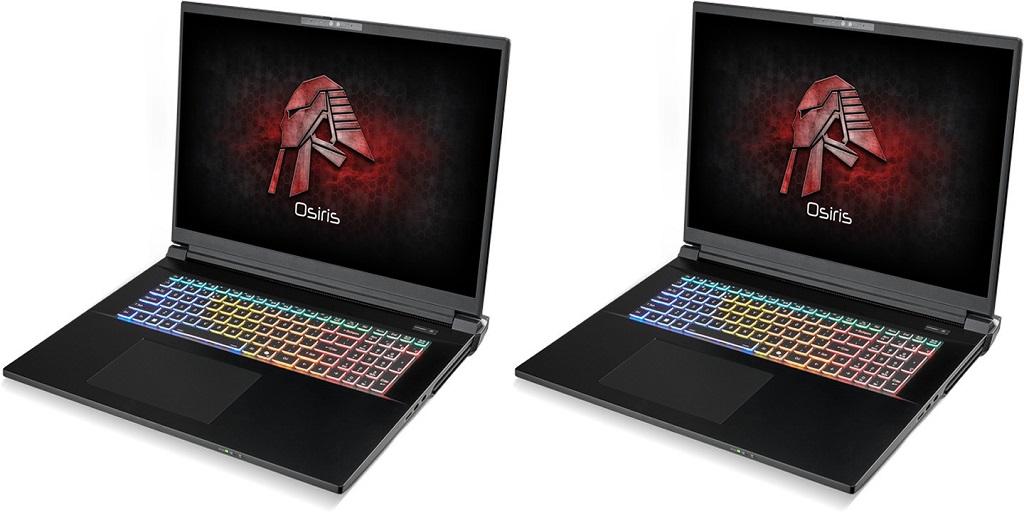
Finding the best PC builder takes more than comparing prices or browsing product photos. A custom computer represents a long-term investment, whether the goal is gaming, creative work, streaming, or professional applications. Before making a decision, it helps to understand what separates experienced system builders from average providers. The answers below cover the questions many buyers ask before placing an order.
What Should You Prioritize When Choosing a PC Builder?
A builder's reputation deserves careful attention. Customer reviews, independent feedback, and years of experience reveal how consistently systems perform after delivery. Reliable companies earn trust through dependable assembly, accurate component selection, and responsive customer service.
Customization options also deserve consideration. Every user has different performance goals, storage requirements, and visual preferences. A quality builder provides flexibility when selecting processors, graphics cards, memory, cooling systems, and case designs without limiting important choices.
Build quality should remain another priority. Proper installation protects expensive hardware and supports long-term stability. Clean cable routing, secure mounting, and careful testing contribute to reliable operation from the first startup.
Performance validation adds another layer of confidence. Many experienced builders stress-test completed systems before shipping. This process verifies thermal performance, system stability, and hardware compatibility under demanding workloads.
Support and warranty policies complete the picture. Clear communication channels and documented coverage provide confidence if technical questions arise after purchase.
Is a Pre-Built PC Better Than Building Your Own?
The answer depends on experience, available time, and personal preferences.
Building a computer independently offers complete control over every component. Many enthusiasts enjoy researching compatible hardware, assembling parts, and troubleshooting any challenges during installation. The process also creates valuable technical knowledge.
Assembling a modern gaming PC requires patience and attention to detail. Installing processors, applying thermal paste, configuring BIOS settings, updating firmware, and testing hardware can consume many hours. Mistakes may also damage sensitive components.
Professionally assembled systems eliminate much of that work. Experienced technicians complete installation, verify compatibility, perform testing, and provide warranty coverage for the finished computer. For buyers seeking high-end performance without having to manage assembly themselves, professional builders offer practical advantages that save considerable time.
Why Does Cable Management Matter?
Cable management affects much more than appearance.
Neatly routed cables improve airflow inside the case, allowing cooling fans to move air more efficiently across the processor, graphics card, and storage devices. Better airflow helps maintain lower operating temperatures during demanding gaming sessions or creative workloads.
Organized wiring also simplifies future upgrades. Replacing storage drives, installing additional memory, or upgrading a graphics card becomes much easier when cables remain accessible rather than being tangled among internal components.
Visual presentation adds another benefit. Many gaming cases include tempered glass panels that display internal hardware. Clean cable routing creates a polished appearance that reflects careful workmanship.
Professional builders typically dedicate significant attention to cable placement because it improves cooling performance, maintenance, and overall presentation.
Can a PC Builder Install Custom Liquid Cooling?
Yes. Many companies recognized as the best PC builder offer advanced liquid-cooling configurations designed for demanding systems.
Custom liquid cooling uses pumps, reservoirs, tubing, radiators, and water blocks to transfer heat away from major components. These systems can maintain lower temperatures during intensive gaming, video editing, 3D rendering, or other hardware-intensive tasks.
Liquid cooling also creates opportunities for personalized aesthetics. Colored coolant, hard tubing, RGB lighting, and custom layouts allow builders to create distinctive system designs while supporting strong thermal performance.
Installation requires specialized knowledge and careful leak testing. Experienced builders follow detailed procedures before shipping completed systems to verify reliable operation.
What Warranty Should You Expect?
Warranty coverage reflects a builder's confidence in its workmanship.
Many respected companies offer multi-year warranties that cover both parts and labor. Some also offer extended protection plans or optional accidental-damage coverage for added peace of mind.
Before making a purchase, review warranty terms carefully. Check how technical support is provided, which situations are covered, and how repairs are handled if hardware develops a problem. Clear documentation makes future service requests much easier.
Reliable customer support also deserves attention. Helpful technical representatives, efficient repair processes, and accessible communication channels contribute to a better ownership experience long after the computer arrives.
Learn More About Custom Gaming Systems
If you're researching custom gaming PCs and comparing experienced system builders, CLX Gaming provides detailed information about professionally assembled systems, customization options, performance testing, and warranty coverage to help guide your decision.
For more information about Clx Gaming Pc and Gaming Pcs For Sale Please visit: Cybertron International, Inc.

 English
 Arabic
 Spanish
 Portuguese
 Deutsch
 Turkish
 Dutch
Dutch
 Italiano
 Russian
 Romaian
 Portuguese (Brazil)
 Greek
Greek
