


Gemini in Google Sheets: Automating Data Analysis and Formulas
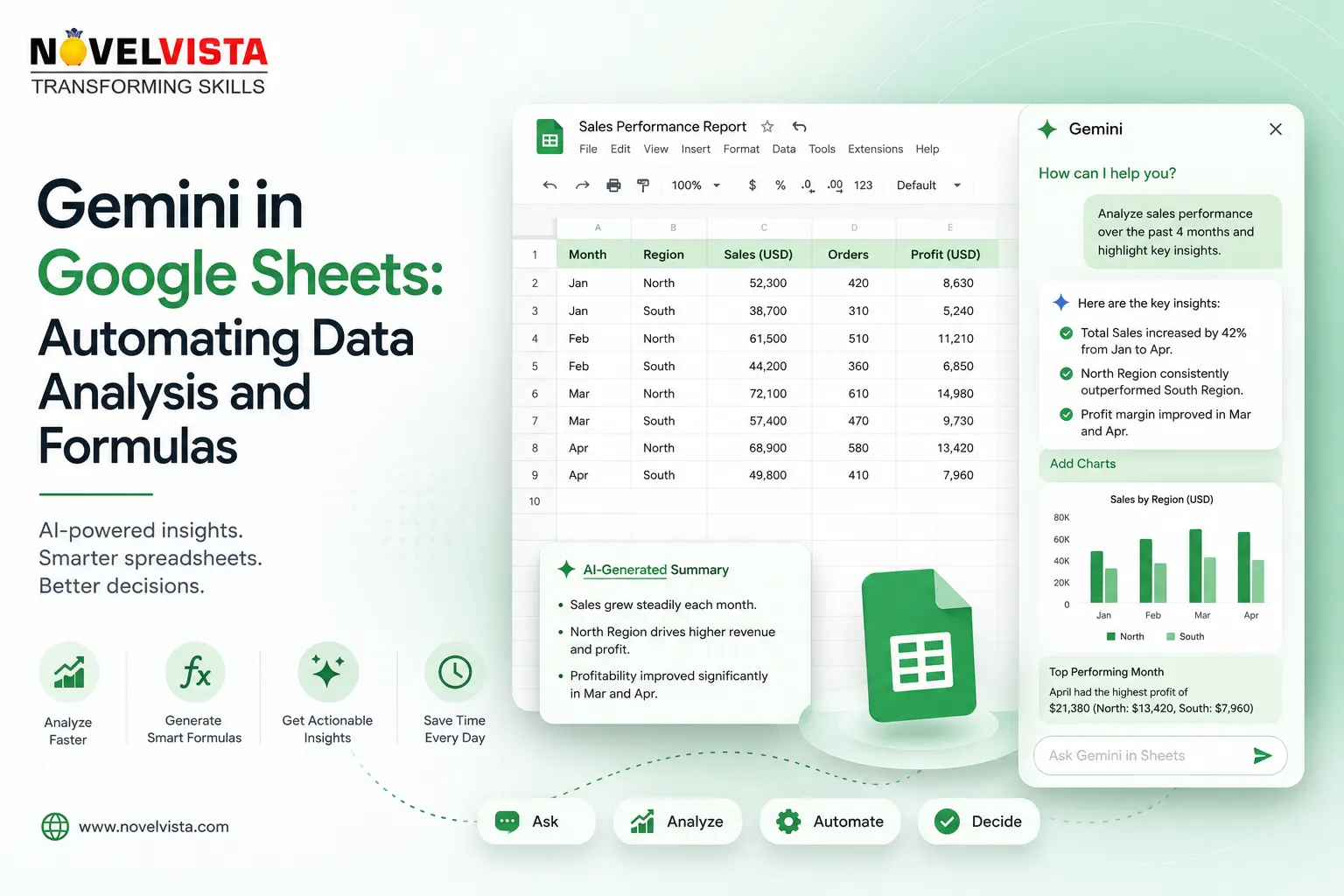
Spreadsheets remain essential for managing budgets, tracking projects, reviewing sales, organizing customer information, and reporting business performance. However, working with spreadsheets can become time-consuming when users must clean data, remember complicated formulas, build pivot tables, and manually search for meaningful patterns.
Gemini in Google Sheets brings generative AI directly into the spreadsheet environment. Instead of depending entirely on technical formulas and manual formatting, users can describe what they want in natural language. Gemini can help create tables, generate formulas, analyze data, identify trends, build charts, apply formatting, and perform common spreadsheet actions. Access to individual features may depend on the user’s Google Workspace or Google AI plan.
Creating Spreadsheets With Natural Language
One of Gemini’s most useful capabilities is creating structured spreadsheets from simple instructions. A user might ask:
“Create a project tracker with task name, owner, priority, due date, status, and completion percentage.”
Gemini can use this description to prepare a structured table rather than requiring the user to build every column manually. Similar prompts can be used to create hiring trackers, campaign calendars, inventory records, expense reports, customer-service logs, and sales pipelines.
Gemini can also help build or edit an entire spreadsheet by preparing a plan and proposed structure for the user to review. It works most effectively with native Google Sheets files; Excel files may need to be converted to the Google Sheets format before certain Gemini features can be used.
Generating Complex Formulas
Formulas are powerful, but not every spreadsheet user remembers the correct syntax for functions such as XLOOKUP, FILTER, QUERY, SUMIFS, or nested conditional statements.
With Gemini, users can explain the required calculation in plain language. For example:
“Create a formula that calculates total sales for the West region where the payment status is complete.”
Gemini can suggest an appropriate formula based on the spreadsheet’s data and structure. It can also help users understand formulas that already exist, making spreadsheets easier to maintain when they have been created by another person.
This capability does not eliminate the need for validation. Users should review cell references, conditions, data types, and expected results before applying an AI-generated formula across an important dataset. Gemini may provide helpful suggestions, but the user remains responsible for confirming that the calculation is correct.
Analyzing Data Without Advanced Skills
Traditional spreadsheet analysis may require multiple formulas, filters, charts, and pivot tables. Gemini allows users to ask questions directly about their data.
A sales manager could ask:
“Which products experienced the largest decline this quarter?”
A project manager could ask:
“Identify overdue tasks assigned to teams with more than five active items.”
Gemini can summarize the spreadsheet, highlight trends, identify unusual values, and surface key findings through natural-language responses. This makes spreadsheet analysis more accessible to professionals who understand the business context but may not have advanced analytical skills.
The quality of the analysis still depends heavily on the quality of the underlying data. Missing values, inconsistent labels, duplicate records, and incorrect date formats can lead to incomplete or misleading results. Before requesting insights, users should ensure that the spreadsheet has clear headers, consistent categories, and well-structured data.
Using the AI Function
Google Sheets also provides an AI function for eligible users. It can generate text, summarize information, categorize entries, analyze sentiment, and use relevant spreadsheet data as context.
For example, a support team could categorize customer comments by issue type. A marketing team could generate short descriptions based on product details. A human resources team could summarize employee feedback or group comments into themes.
A formula might instruct the AI to generate a short event slogan using information from another cell. Because the function can be filled across rows, it can reduce repetitive text processing across a large table.
However, AI-generated classifications and summaries should be reviewed, particularly when they influence employee decisions, customer communication, financial reporting, or other high-impact activities.
Automating Formatting and Spreadsheet Actions
Gemini is not limited to answering questions. It can also assist with actions such as applying conditional formatting, creating pivot tables, adding dropdowns and checkboxes, sorting or clearing filters, setting number formats, freezing rows, filling ranges, and finding or replacing text.
Instead of navigating several menus, a user can describe the change directly:
“Highlight all overdue invoices in the table.”
“Create a pivot table showing revenue by region and product.”
“Add a dropdown containing Not Started, In Progress, and Completed.”
This can reduce mechanical spreadsheet work and allow users to focus on interpreting results.
Building Charts and Reports
Once the data has been organized, Gemini can help transform it into charts and graphs. Users can request a visual comparison of sales, expenses, performance categories, or monthly trends without manually configuring each chart element.
The resulting visualization should still be reviewed to confirm that the selected chart type, labels, ranges, and scales communicate the information accurately. A chart can be technically correct yet still tell the wrong business story.
Using Gemini Responsibly
Gemini in Google Sheets can make data analysis faster and more approachable, but it should be treated as an analytical assistant rather than an unquestionable authority. Sensitive information should be handled according to organizational policies, and important formulas or conclusions should be independently checked.
The strongest results come from combining Gemini’s speed with human judgment. When users provide clear instructions, maintain reliable data, and validate the output, Gemini can turn Google Sheets from a traditional calculation tool into a more intelligent workspace for analysis, automation, and decision-making.

 English
 Arabic
 French
 Spanish
 Portuguese
 Deutsch
 Turkish
 Italiano
 Russian
 Romaian
 Portuguese (Brazil)
 Greek
Greek
