


Building Your First Custom Copilot with Copilot Studio
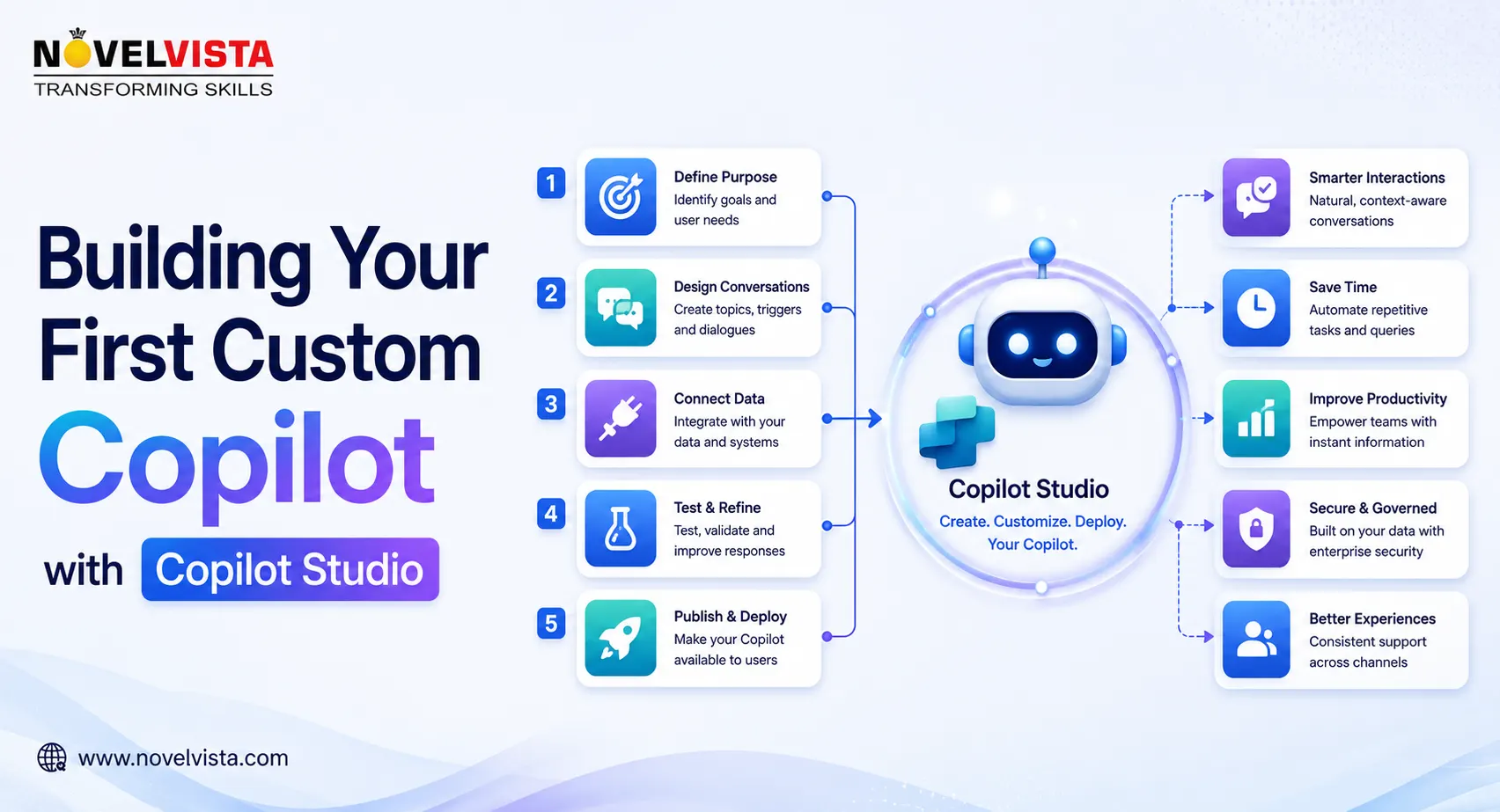
Technical teams regularly lose productive hours answering repetitive questions, locating internal documentation, updating business systems, and guiding employees through routine processes. Microsoft Copilot Studio provides a practical way to convert these recurring interactions into an intelligent, conversational solution.
Although many professionals still use the term “custom copilot,” Microsoft increasingly describes these solutions as agents. Copilot Studio is a graphical, low-code platform for building agents and agent flows that can access organisational knowledge, communicate with users, and perform actions across connected systems.
Your first custom Copilot does not need to automate an entire department. A focused agent that solves one frequent, measurable problem can deliver greater value than an ambitious solution with unclear boundaries.
Start with a Specific Use Case
Begin by identifying a process that generates repeated questions or manual effort. Strong starter use cases include:
- An IT support agent that answers common troubleshooting questions
- A project assistant that retrieves delivery documentation
- An HR agent that explains internal policies
- A service desk agent that checks ticket status
- A development assistant that locates API or architecture guidance
- An onboarding agent that guides new employees through required steps
Define the agent’s users, the information it should access, the actions it may perform, and the situations it must escalate to a human.
For example, instead of building a general “IT Copilot,” create an agent that helps employees resolve VPN-access issues. A precise scope makes the agent easier to configure, test, secure, and improve.
Create the Agent in Copilot Studio
Copilot Studio allows makers to begin by describing the desired agent in natural language. Based on the description, the platform can generate an initial name, purpose, instructions, suggested knowledge sources, tools, triggers, and channels. The configuration can then be reviewed and refined before deployment.
A useful initial description might be:
Create an internal IT support agent that helps employees troubleshoot VPN connection problems, retrieves approved support documentation, collects diagnostic details, and creates a service request when the problem cannot be resolved.
Clear instructions should define:
- What the agent is responsible for
- Which users it supports
- Which sources it should trust
- What information it must collect
- Which actions require confirmation
- When it should escalate the conversation
Treat these instructions as operational policies rather than a simple system prompt.
Connect Trusted Knowledge
An agent becomes useful when it can provide answers grounded in relevant organisational information. Copilot Studio supports enterprise knowledge from sources such as websites, SharePoint, Dataverse, Dynamics 365, Power Platform, and external systems.
For a technical-support agent, the knowledge layer might include approved troubleshooting guides, configuration standards, frequently asked questions, service documentation, and escalation policies.
Avoid connecting every available document during the first release. Outdated, duplicated, or contradictory content can reduce answer quality. Start with a small collection of authoritative sources and establish ownership for keeping them accurate.
Access permissions also matter. Agents should not expose information that the current user is not authorised to view. Some enterprise knowledge sources require Microsoft authentication and appropriate permissions to the underlying data.
Add Actions and Integrations
A knowledge-only agent can answer questions, but an action-enabled agent can complete work.
Copilot Studio agents can use tools through prebuilt or custom connectors. These connectors allow agents to interact with enterprise applications, APIs, workflows, and data services. Tools may be selected dynamically through generative orchestration or explicitly called from a configured topic.
Your support agent could:
- Check whether a user account is active
- Retrieve the status of an existing incident
- Create a new support ticket
- Send troubleshooting instructions
- Trigger an approval workflow
- Notify the appropriate technical team
Apply the principle of least privilege. An agent that only needs to read ticket status should not receive permission to modify or close tickets.
Design Topics and Conversation Paths
Topics define how conversations progress for known scenarios. They can collect information, ask follow-up questions, apply conditions, call tools, and return structured responses. Copilot Studio can also use generative orchestration to choose among topics, tools, knowledge sources, and other available capabilities based on the user’s request.
Create predictable paths for critical processes such as identity verification, ticket creation, approvals, and escalation. Generative responses are useful for flexible questions, while deterministic flows provide stronger control for sensitive actions.
Test Before Publishing
Test realistic questions, incomplete requests, unexpected terminology, incorrect assumptions, unauthorised requests, and service failures. Confirm that the agent asks for clarification instead of inventing information.
Copilot Studio provides activity tracking that visually maps the agent’s inputs, decisions, tool usage, and outputs. Technical teams can use this information to investigate unsuccessful conversations and improve the configuration.
Once validated, the agent can be published to supported destinations such as websites, Microsoft Teams, mobile applications, or channels supported through Azure Bot Service.
Build for Governance from Day One
Before production deployment, define ownership, access controls, data-loss-prevention policies, connector restrictions, monitoring requirements, and change-management procedures. Power Platform data policies can control which connectors agents are permitted to use, helping organisations prevent unapproved movement of business data.
The best first Copilot is not the one with the most features. It is the one that solves a clear operational problem, uses trusted information, performs controlled actions, and demonstrates measurable value.
By starting with a focused use case and expanding gradually, technical teams can use Copilot Studio to transform repetitive support and coordination work into secure, scalable AI-assisted workflows.

 English
 Arabic
 French
 Spanish
 Portuguese
 Deutsch
 Turkish
 Dutch
Dutch
 Italiano
 Russian
 Romaian
 Portuguese (Brazil)
