


Restaurant POS Software Canada: Features, Costs, and Top Systems
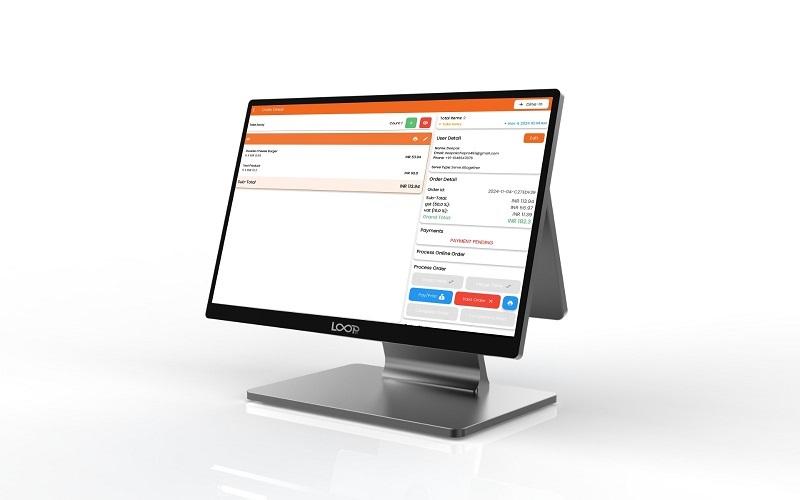
Canadian restaurant operators face a tough operational setup. You have to juggle bilingual tax rules, provincial liquor boards, and changing payment habits from customers. Selecting the right restaurant POS software in Canada can make or break your daily service. A good point-of-sale tool is the central brain of your food business.
Getting the right hardware and software helps speed up table turns, cuts labor waste, and protects your profit margins. Labor takes about 35 percent of a typical operator's revenue according to Restaurants Canada data. Because of this, you need a system with built-in time tracking and smart scheduling. This guide covers the main things you need to know about Canadian POS systems, compares top brands, and helps you pick the right match for your venue.
Navigating Canadian Compliance and Payment Realities
Managing Complex Provincial Tax Structures in Canada
Tax rules change every time you cross a provincial border. Your POS must handle federal GST, PST, and HST without manual work from your staff. For example, a restaurant in Ontario charges different tax rates than one in Alberta or British Columbia.
Your software needs to adjust tax math based on how the food is sold. Dine-in meals usually take standard tax rates, while some grocery items or raw baked goods might be zero-rated. If you run a restaurant group with spots in both Ontario and Quebec, your POS must split sales data accurately for both provincial tax agencies.
Integrating Interac Debit and Chip-and-PIN Standards
Debit cards rule the payment space across Canada. If your POS cannot process Interac debit cards natively, you create a major bottleneck at the front counter. Standalone debit terminals force your staff to punch in totals twice, which leads to human error and bad end-of-day reconciliation reports.
You need secure EMV-compliant hardware that speeds up table-side checkouts. Fast chip-and-PIN readers cut down wait times for guests while protecting your business against bad chargebacks.
Complying with Tip Reporting and Labour Laws
Provincial employment standards have strict rules about how tips are paid out and reported. The Canada Revenue Agency also watches tip allocation very closely.
Modern POS software tracks cash and card tips automatically. It runs your tip-pooling math based on hours worked or sales made. This feature generates clean payroll reports that save your back-office team hours of work every week.
Essential Features for Canadian Hospitality Operations
Offline Mode Reliability for Uninterrupted Service
Internet drops happen, especially in older buildings or remote rural towns. A good POS system features local data caching. This means your servers can still take orders and accept cash payments even when the Wi-Fi goes down.
The software stores all the transaction data locally on the terminal. Once your internet connection comes back online, the system syncs all the sales data to the cloud automatically. You never have to stop service or pull out paper pads just because the network drops.
Inventory Management Tied to Recipe Costing
Food costs eat up a huge chunk of your budget. Smart inventory tracking deducts stock ingredients in real time every time a dish sells. If a customer orders a burger, the POS takes one bun, one beef patty, and a slice of cheese out of your active stock count.
Ingredient-level tracking helps you spot food waste and stop internal theft fast. You can set up low-stock alerts that send a text or email when supplies run low. Some systems even build automated purchase orders to send straight to your food vendors.
Kitchen Display Systems Versus Traditional Printers
Kitchen display systems replace messy paper tickets with digital screens. Cooks read clear text on a monitor instead of squinting at greasy thermal receipts.
A digital setup cuts down ticket times and stops miscommunication between servers and the kitchen team. These kitchen screens also link up cleanly with online ordering apps like Uber Eats or DoorDash. New orders pop up on the screen right alongside in-house tickets.
Top Restaurant POS Solutions Available in Canada
Toast POS Performance in the Canadian Market
Toast runs on Android hardware and brings heavy feature power to the table. It handles inventory, online ordering, and payroll through one main hub.
The system adapts to Canadian tax rules and local accounting software. However, you must buy proprietary hardware from Toast, which locks you into their ecosystem. Processing rates depend on your contract terms, so you need to read the fine print before you sign.
TouchBistro iPad POS Designed for Canadian Dining Rooms
TouchBistro started in Toronto, which shows in its deep focus on Canadian restaurant workflows. It runs on Apple iPads, making the hardware easy to source and replace.
The software excels at table-service floor plans and fast order entry. It handles local tax breakdowns, offline sales mode, and split bills without freezing up. It also includes built-in customer relationship management tools to track regular guests.
Square for Restaurants as a Scalable Solution
Square works well for independent cafes, food trucks, and small quick-service spots. The setup process takes minutes, and you can download the app right onto your own tablet.
Square uses flat-rate pricing with no long-term contracts holding you down. You can start with a single card reader on a counter and scale up to a multi-terminal setup as your business grows.
Calculating the True Cost of Ownership
Hardware Costs Versus Software Subscriptions
Buying a new POS takes a clear upfront budget. You have to pay for touch terminals, cash drawers, receipt printers, and kitchen display screens. On top of that hardware cost, you pay a monthly software subscription fee for the cloud service.
Watch out for hidden fees. Some vendors charge extra for setup help, software activations, or replacement cables. Always ask for a total cost breakdown for your first year of operation.
Processing Fees and Merchant Agreement Pitfalls
Credit card processing fees take a massive bite out of your monthly profits. Vendors offer different pricing models, including flat rates and interchange-plus plans.
Read your merchant service agreement line by line. Some low-cost POS deals lock you into high processing rates that cost you more money over time. Check if the payment processing comes from the POS vendor or a third-party partner.
Evaluating Return on Investment Through Efficiency Gains
You want your POS to pay for itself over time. Faster table turns mean you can seat more guests during a Friday night rush. Better inventory tracking stops food from spoiling in the walk-in cooler.
Add up the hours your managers spend on end-of-day math. A good POS cuts manual paperwork down to a few clicks, which lowers your administrative labor costs.
Step-by-Step Strategy for Selecting and Implementing a POS
Conducting an Internal Operational Audit
Take a close look at your business before you talk to any sales reps. Write down your biggest daily headaches, such as slow payment lines at the door or messy stock counts.
Map out the hardware and software you already use. Figure out if your new POS needs to connect with your accounting tools or online booking apps.
Running Live Demos and Pilot Testing
Do not buy a system based on a slide deck. Ask vendors for a live demo and test the touch screen yourself.
Simulate a busy rush hour during your test. Check how fast a server can split a bill or add a modifier to an order. Ask about technical support hours and response times in your local time zone.
Managing Staff Training and Menu Migration
Moving your menu data into a new system takes careful prep work. Clean up your menu items and prices before you start the import process.
Schedule training sessions for your staff before the system goes live. Run your old system and your new POS in parallel for a few days if you run a high-volume venue. This safety net prevents disaster on day one.
Conclusion
Finding the right point-of-sale tool comes down to matching your daily workflow with the right technology. A smart choice balances strict Canadian tax rules, reliable offline capabilities, and fair payment processing rates. Take time to audit your needs, test the hardware hands-on, and read every merchant agreement carefully. Request custom proposals from a few vendors today and pick a system built to grow with your business.

 English
 Arabic
 French
 Spanish
 Portuguese
 Deutsch
 Dutch
Dutch
 Italiano
 Russian
 Romaian
 Portuguese (Brazil)
 Greek
Greek
