


How to Set Up a WhatsApp Chatbot for Your Small Business in 2026
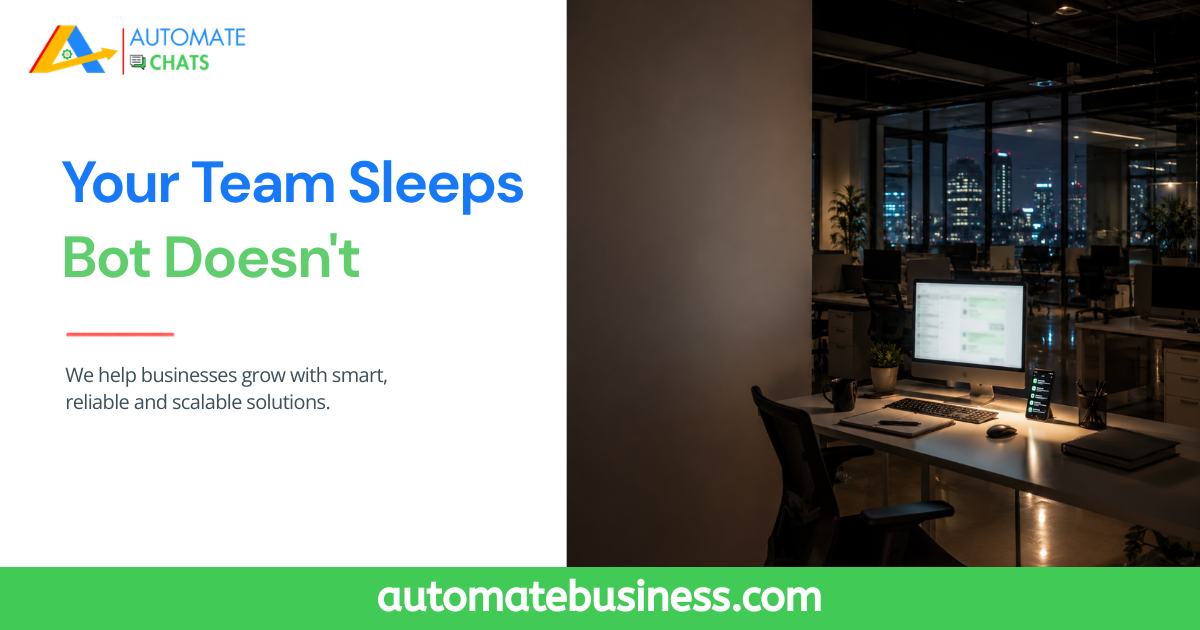
It is 11:30 PM. A potential buyer sees your product on Instagram, clicks your WhatsApp link, and sends a message: "What are your prices?" Your team is asleep. The message sits there, unanswered. By morning, they have already placed an order with a competitor who replied in seconds automatically. This is not a hypothetical. It is the daily reality for thousands of MSMEs that rely on manual WhatsApp responses and miss high-intent leads simply because no one was available to reply. The solution is not to hire a night-shift support agent. The solution is a WhatsApp chatbot a smart, automated conversation flow that greets leads, answers common questions, qualifies buyers, and routes serious prospects to your team 24/7.
With Automate Chats, you can build these WhatsApp chatbot journeys on the WhatsApp Business API without writing code. Automatically respond to customer inquiries, capture lead details, assign conversations to the right team members, and seamlessly hand over complex conversations to a human agent when needed. This ensures every inquiry receives an instant response, even outside business hours.
And in 2026, setting up a WhatsApp chatbot no longer requires a developer, a large budget, or weeks of implementation. This guide explains everything you need to know—from how WhatsApp chatbots work to how solutions like Automate Chats help MSMEs automate conversations, improve response times, and convert more leads into customers.
What Is a WhatsApp Chatbot and How Does It Work?
A WhatsApp chatbot is an automated messaging system that responds to incoming WhatsApp messages using pre-set rules, keyword triggers, or artificial intelligence. Unlike a simple auto-reply that sends one generic message, a chatbot holds a structured conversation asking questions, presenting options, sharing information, and routing the user to the right outcome.
WhatsApp chatbots operate through the WhatsApp Business API (not the standard Business App), and they can be built visually on platforms like Automate Chats without writing a single line of code.
A WhatsApp chatbot automatically responds to customer messages on WhatsApp using rule-based flows or AI. It can greet new leads, answer FAQs, collect contact details, share product catalogues, and hand off to a live agent all without manual input. In 2026, no-code platforms allow small businesses to build and launch these bots in under an hour.
Why MSMEs Need a WhatsApp Chatbot in 2026
The numbers make the case clearly. WhatsApp has over 500 million users in India alone. Open rates for WhatsApp messages consistently exceed 90%, compared to under 25% for email. And customers now expect near-instant replies any delay of more than a few minutes significantly reduces conversion rates.
For MSMEs specifically, the chatbot solves three compounding problems:
- Bandwidth: Small teams simply cannot be available 24/7 to answer every inquiry manually.
- Consistency: Human agents give different answers, miss context, and sometimes do not follow up at all.
- Speed-to-lead: The business that responds first almost always wins the deal a bot responds in milliseconds
Add to this the fact that WhatsApp chatbots can now integrate with CRMs, pull from product databases, and trigger automated follow-up sequences and the case for setting one up in 2026 is overwhelming.
Step-by-Step: How to Set Up a WhatsApp Chatbot for Your Small Business
📌 Before you begin: You will need access to the WhatsApp Business API through a verified Business Solution Provider (BSP). Platforms like Automate Chats handle this setup for you including Meta verification, WABA onboarding, and number registration.
- Step 1: Get Your WhatsApp Business API Access
Sign up with a WhatsApp API platform like Automate Chats. You will connect your business phone number to the WhatsApp Business API (WABA). This process involves Meta verification of your business your BSP guides you through this. Once connected, your number is API-enabled and ready for chatbot deployment.
Step 2: Map Out Your Conversation Flow
Before building anything, sketch the conversation your chatbot will have. Start with the trigger what message kicks off the bot? (e.g., any incoming message, a keyword like 'hi' or 'price', or a link click.) Then map the branches: What does the bot say first? What options does it offer? What happens if someone says 'I want to place an order' vs 'I have a complaint'? The clearer your flow map, the faster the build goes.
Step 3: Build the Bot Using a Visual Builder
Log into Automate Chats and open the Visual Bot Builder. Using drag-and-drop nodes, you define each step in the conversation trigger messages, conditional branches, response options, and actions. Node types include: Trigger (what starts the flow), Message (what the bot says), Condition (if/else logic based on user input), AI Condition (classify user intent using AI), and Action (assign to agent, add to CRM, send a template, etc.). No coding required at any step.
Step 4: Set Up Lead Capture and CRM Routing
Configure your bot to collect key details name, contact number, nature of inquiry, budget, location and automatically log this into your CRM as a new lead. Set routing rules: if the lead says 'I want to buy now,' assign them to your senior sales agent immediately. If they say 'just browsing,' add them to a nurture sequence. This is where a chatbot stops being a toy and starts being a revenue engine.
Step 5: Create and Submit WhatsApp Message Templates
For outbound messages broadcast campaigns, follow-ups, order updates you need Meta-approved templates. In Automate Chats, you can create these from scratch, pick from pre-built options, or use AI to generate them based on your use case. Submit for approval from the same dashboard. Once approved, these templates can be triggered by your bot automatically.
Step 6: Test, Publish, and Monitor
Run your bot through a test conversation to check all branches work correctly. Then publish it live. From day one, monitor the Analytics Dashboard to track: bot resolution rate, how many conversations escalated to a human agent, which message nodes cause users to drop off, and campaign delivery and read rates. Use this data to refine your flows continuously.
Key Features That Make Automate Chats the Right Platform for MSMEs
There are several WhatsApp chatbot platforms available but most are built for large enterprises, lack Indian market integrations, or require technical expertise to set up. Here is what Automate Chats offers that directly addresses the MSME reality:
- FEATURE:- Visual Bot Builder.
WHAT IT DOES FOR YOUR MSME:- Drag-and-drop chatbot flow designer no coding needed. Build keyword triggered or AI-powered flows in minutes. - FEATURE:- Shared Team Inbox.
WHAT IT DOES FOR YOUR MSME:- All WhatsApp conversations in one dashboard agents can pick up, assign, note, and resolve chats collaboratively. - FEATURE:- Broadcast Campaigns.
WHAT IT DOES FOR YOUR MSME:- Send Meta-approved template messages to thousands of segmented contacts with one click. Track delivery and read rates. - FEATURE:- Template Manager.
WHAT IT DOES FOR YOUR MSME:- Create, store, and submit message templates for Meta approval. Use AI to generate templates instantly. - FEATURE:- Analytics Dashboard.
WHAT IT DOES FOR YOUR MSME:- Real-time reporting on bot performance, agent response times, campaign stats, and resolution rates. - FEATURE:- CRM Integration.
WHAT IT DOES FOR YOUR MSME:- Auto-log leads from WhatsApp into your CRM. Route hot leads to sales agents and trigger follow-up sequences automatically.
Real-World Use Cases: What Your WhatsApp Chatbot Can Do From Day One
- E-commerce & D2C Brands
Trigger chatbot when a customer clicks a product link → show catalogue options → collect order details → confirm order via template → hand off to fulfilment team. Result: faster order processing with zero human involvement in the early stages.
2. B2B Manufacturers & Traders
When an IndiaMART lead lands on WhatsApp → bot greets them → qualifies with 3 questions (product type, quantity, timeline) → routes high-value leads directly to senior sales agent with full context. Result: sales reps only speak to warm, qualified prospects.
3. Service Businesses (Healthcare, Education, Real Estate)
Customer sends 'Book Appointment' → bot shows available slots → confirms booking → sends reminder 24 hours before. Result: fewer no-shows, zero manual scheduling work for the admin team.
4. Customer Support
Incoming support query → bot identifies query type (order issue, return request, general inquiry) → resolves FAQs automatically → escalates complex issues to the correct support agent with full conversation context. Result: 60-80% of tickets resolved without human involvement.
How Automate Chats Compares to Other Chatbot Solutions
The market has no shortage of chatbot tools. But the choice is not just about which builds the best bot it is about which platform fits the way an MSME actually operates.
- CAPABILITY:- Chatbot Setup.
DIY / BASIC TOOLS:- Requires developer / coding.
AUTOMATE CHATS:- No-code visual builder. - CAPABILITY:- Bot Intelligence.
DIY / BASIC TOOLS:- Keyword-only triggers.
AUTOMATE CHATS:- AI-powered intent classification. - CAPABILITY:- Lead Routing.
DIY / BASIC TOOLS:- Manual handoff.
AUTOMATE CHATS:- Auto-route to CRM + sales agent. - CAPABILITY:- Campaign Broadcasts.
DIY / BASIC TOOLS:- Limited / blocked by WA.
AUTOMATE CHATS:- Meta-approved bulk campaigns. - CAPABILITY:- Multi-Agent Inbox.
DIY / BASIC TOOLS:- Not available.
AUTOMATE CHATS:- Built-in team collaboration. - CAPABILITY:- Analytics.
DIY / BASIC TOOLS:- Zero reporting.
AUTOMATE CHATS:- Full bot + agent + campaign stats. - CAPABILITY:- IndiaMART Integration.
DIY / BASIC TOOLS:- Not supported.
AUTOMATE CHATS:- Direct API lead sync. - CAPABILITY:- Pricing.
DIY / BASIC TOOLS:- Enterprise-first / complex.
AUTOMATE CHATS:- MSME-friendly, scalable plans.
An MSME using Automate Chats automated 92% of initial customer queries through their WhatsApp chatbot with an AI match rate that resolved most conversations without ever involving a human agent. Their team now only handles what truly requires a person.
Common Mistakes MSMEs Make When Setting Up WhatsApp Chatbots
- Building a bot without mapping the flow first — resulting in dead ends and frustrated customers.
- Trying to automate everything — some conversations need a human; design your escalation path clearly.
- Ignoring template approval — outbound messages without approved templates get blocked by Meta.
- Not connecting the bot to a CRM — leads collected by a bot that go nowhere are wasted.
- Setting it and forgetting it — bots need regular review of drop-off points and intent mismatches.
- Using the standard WhatsApp Business App instead of the API — chatbot automation is not possible on the free app.
A WhatsApp Chatbot Is No Longer Optional for Growing MSMEs
In 2026, a WhatsApp chatbot is not a futuristic upgrade. It is table stakes for any MSME that wants to compete on response time, lead quality, and customer experience without burning out a small team.
The good news: setting one up has never been more accessible. With no-code platforms like Automate Chats, you can go from zero to a live, AI-powered WhatsApp chatbot connected to your CRM, running broadcast campaigns, managing a shared team inbox, and tracking analytics without a developer, without a huge budget, and without months of implementation time.
Your competitors are already doing this. The question is whether you will get there first.
Ready to launch your WhatsApp chatbot in 2026? Book a demo and discover how Automate Chats gives MSMEs a no-code Visual Bot Builder, shared team inbox, broadcast campaigns, and full analytics—all in one MSME-first platform.

 English
 Arabic
 French
 Spanish
 Portuguese
 Deutsch
 Turkish
 Dutch
Dutch
 Italiano
 Russian
 Romaian
 Portuguese (Brazil)
