


How Operations Managers Use Task Software to Cut Production Delays
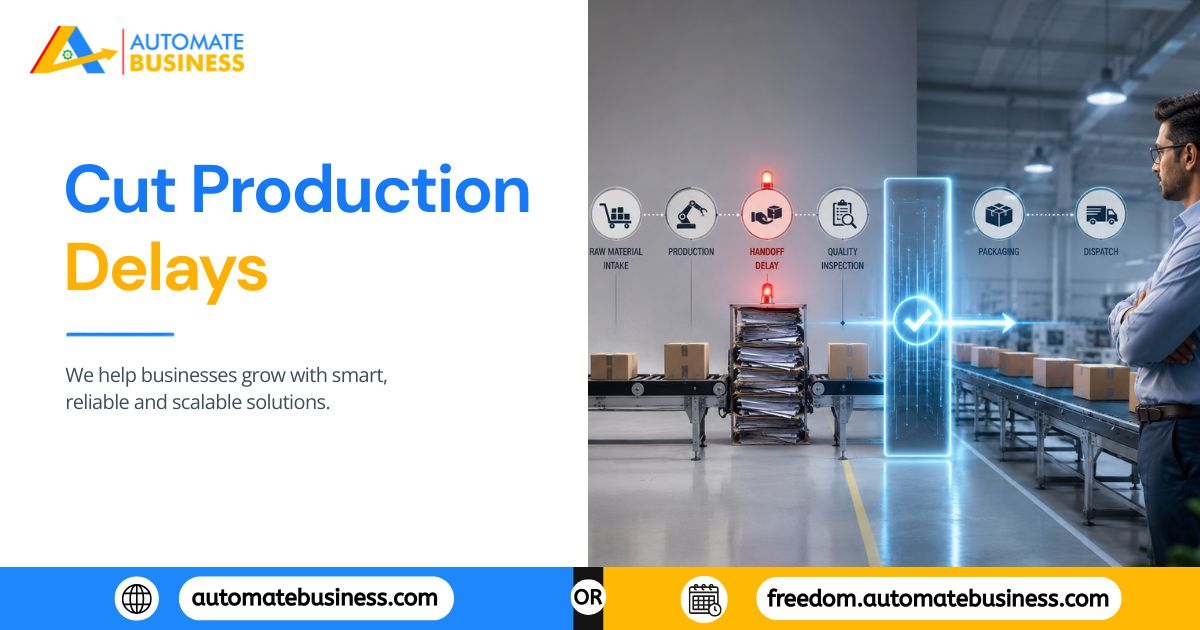
Ask any operations manager in a manufacturing, service, or distribution MSME where production delays come from, and you'll hear the usual answers: raw material shortage, machine breakdown, absenteeism, vendor delays.
These are real problems. But they're rarely the whole story.
Beneath most production delays is something more basic and more fixable:
A task that wasn't tracked, a handoff that wasn't confirmed, a reminder that never went out, and a manager who only found out when the delay had already happened. By the time the problem is visible, the schedule has already slipped.
This is where task management software used properly by operations managers changes the game. Not by eliminating machine breakdowns or vendor issues, but by creating the visibility and accountability structure that catches near-misses before they become actual delays.
This blog breaks down exactly how operations managers in MSME settings use platforms like Automate Tasks to reduce production delays feature by feature, workflow by workflow.
Why Production Delays Are a Task Management Problem
Before looking at the fix, it helps to understand why task management sits at the center of delay prevention.
A production floor or service operation runs on sequences. Step A must complete before Step B can begin. Material must be confirmed before the cutting order goes out. Quality check must be signed off before dispatch is scheduled. These aren't complex dependencies but they fail consistently in businesses that track them through verbal handoffs, WhatsApp group updates, and memory.
The four failure points that create delays:
1. Nobody knows a step is overdue until the next step fails.
In a WhatsApp or spreadsheet system, an overdue task in Step 3 only becomes visible when Step 4 can't start — which is always too late to recover without a schedule hit.
2. Handoffs between shifts or departments aren't documented.
When "Ramesh told Suresh before leaving" is the handoff mechanism, the instruction exists nowhere except in two people's memories. If Suresh was distracted, the task doesn't move.
3. Recurring prep work doesn't run itself.
Machine pre-checks, shift opening procedures, end-of-day logs these need to happen every single day. In a manual system, they depend on someone remembering to assign them every cycle.
4. Escalation has no clear path.
When something goes wrong, there's no structured escalation process. The problem floats until the right person happens to hear about it sometimes hours later.
Each of these failure points has a direct solution in a well-configured task management system.
How Operations Managers Actually Use Task Software: A Workflow Breakdown
Workflow 1: Shift Handoffs with Structured Task Chains
The most common source of intra-day production delays is the shift handoff the moment where one group's incomplete work becomes another group's starting point, with no formal transfer of ownership.
In Automate Tasks, operations managers configure task chains where each step is a separate assigned task with its own deadline and assignee. When the morning shift operator completes the pre-production check, they mark the task complete which triggers visibility for the next step's assignee that their task is now active.
Every handoff is documented. Every completion is timestamped. There's no ambiguity about whether Step 3 was done before Step 4 started the system shows it.
Features used:
- Sub-tasks with individual assignees and statuses for multi-step production processes
- Task completion timestamps creating an audit trail for every handoff
- Dashboard activity logs showing the sequence of updates in real time
Workflow 2: Automatic Reminders for Pre-Production and Compliance Checks
Operations managers don't want to spend their morning reminding the floor team about daily startup checks. They want confirmation those checks happened without being the one who triggered them.
Recurring tasks in Automate Tasks handle this automatically. A daily machine pre-check is configured once and creates itself every morning at the right time, assigned to the right operator, with a WhatsApp reminder going out automatically if it hasn't been marked complete by a set threshold.
The same logic applies to weekly maintenance checks, monthly safety audits, and shift-end documentation all configured once, all running permanently, all sending WhatsApp reminders without manager intervention.
Features used:
- Recurring task scheduling — daily, weekly, monthly, or custom
- Holiday-skip logic so tasks don't fire on non-working days or shifts
- Automatic WhatsApp and email reminders triggered by deadline approach or overdue status
- Separate reminder dates from due dates for early warnings on critical pre-production tasks
Workflow 3: Dispatch and Delivery Tracking Without Phone Calls
In distribution and service MSMEs, the equivalent of a production delay is a dispatch that goes out late or a service call that misses its slot. Both usually happen for the same reason: the handoff between fulfilment and dispatch isn't tracked.
Operations managers using Automate Tasks create a dispatch task for every scheduled delivery or service visit assigned to the responsible person, with a deadline that reflects the committed time, and a WhatsApp reminder that fires if the task isn't confirmed complete before departure time.
The manager's dashboard shows every open dispatch task, its status, and whether it's on track or at risk without calling the warehouse or the field team individually.
Features used:
- Priority levels (High/Medium/Low) for same-day versus standard dispatches
- List and Kanban views filtered by status to see all open dispatch tasks at once
- Dashboard scoring showing completion rates and timeliness per team member over time
- Mobile app access for field teams to update dispatch status from Android or iOS
Workflow 4: Escalation Paths That Don't Depend on Someone Shouting
When a production problem surfaces, the escalation in most MSME operations is informal: the floor worker tells the shift supervisor verbally, the shift supervisor calls the manager, the manager calls the owner. This chain takes time, loses detail at every step, and creates no record of when the problem was first identified.
In Automate Tasks, escalation is structured through task reassignment and priority adjustment. When a floor operator marks a task as blocked or overdue, a manager-level user can see it immediately on the dashboard without waiting for a verbal escalation chain to complete. Priority can be elevated, the task reassigned, and a sub-task created for the remediation action all with timestamps that show exactly how quickly the issue was identified and addressed.
Features used:
- Real-time dashboard visibility showing overdue and blocked tasks immediately
- Role-based access managers see all team tasks; members see their own
- AI-generated summaries condensing multiple overdue items into a quick review for fast decision-making
- Task comments and updates creating a documented response trail for every escalation
Workflow 5: Vendor and Supplier Follow-Up Without Missed Commitments
For manufacturing MSMEs, raw material delays are often outside direct control but the follow-up process isn't. Operations managers who track supplier confirmations, delivery ETAs, and payment milestones inside a task system ensure that commitments don't fall through because of a forgotten WhatsApp message.
Each supplier commitment becomes a task: "Confirm steel delivery ETA from Patel Metals by Tuesday." Assigned to the procurement team member responsible, with a reminder date set a day before, and a WhatsApp reminder going out automatically. If the task isn't marked complete by Tuesday, it shows as overdue on the dashboard and a follow-up reminder fires.
This turns vendor management from a memory-based activity into a tracked, auditable process one that the operations manager can review across all suppliers simultaneously from a single dashboard.
Features used:
- AI task creation from prompts for fast vendor follow-up task generation
- Workspace activity logs for a complete audit trail of supplier interactions
- Filter by project or tag to see all vendor-related tasks in one view
- Bulk task creation via CSV for teams managing large supplier lists
The Dashboard: Where Operations Managers Spend Their Time
All of the above workflows feed into the same place: the operations dashboard. This is where the role of task software shifts from a task-tracking tool to an operational command center.
From the Automate Tasks dashboard, an operations manager can:
- See every open, in-progress, and overdue task across the entire team in real time
- Filter by shift, department, assignee, or priority to isolate what needs attention
- Review dashboard scoring showing each team member's completion rate and timeliness useful for weekly ops reviews and identifying chronic bottleneck points
- Pull AI-generated summaries before a production review meeting to get a full picture in two minutes
- Access workspace activity logs to reconstruct exactly what happened, when, and who was responsible essential for post-mortem reviews after a delay
This is the single biggest difference between a task-software-enabled operations team and one running on WhatsApp and spreadsheets: the manager has visibility before the delay, not after.
Real Impact Across MSME Operations Functions
- Operations Function:- Shift handoffs.
Old System (WhatsApp/Excel):- Verbal, undocumented.
With Task Software:- Timestamped, assigned, tracked. - Operations Function:- Daily pre-checks.
Old System (WhatsApp/Excel):- Manager reminds manually.
With Task Software:- Auto-recurring with WhatsApp alerts. - Operations Function:- Dispatch tracking.
Old System (WhatsApp/Excel):- Phone calls to confirm.
With Task Software:- Dashboard visibility in real time. - Operations Function:- Escalations.
Old System (WhatsApp/Excel):- Verbal chain, slow.
With Task Software:- Instant dashboard visibility + reassignment. - Operations Function:- Vendor follow-ups.
Old System (WhatsApp/Excel):- Memory or chat messages.
With Task Software:- Structured tasks with auto-reminders. - Operations Function:- Performance reviews.
Old System (WhatsApp/Excel):- Based on recollection.
With Task Software:- Based on completion rate data.
Production delays don't start on the floor. They start in a gap a missed handoff, an untracked step, a reminder that depended on someone's memory. Task management software doesn't eliminate every operational risk, but it closes the gaps that turn avoidable misses into schedule-breaking delays.
For MSME operations managers ready to move from reactive firefighting to proactive visibility, Automate Tasks provides the structure, automation, and dashboards to make that shift—without requiring a dedicated IT team or project management specialist to run it.
See how Automate Tasks works for operations teams.

 Arabic
 French
 Spanish
 Portuguese
 Deutsch
 Turkish
 Dutch
Dutch
 Italiano
 Russian
 Romaian
 Portuguese (Brazil)
 Greek
Greek
