


What Features Should an MSME Look for in a Task Management Tool?
Here's a scenario that plays out in thousands of MSMEs every year. An owner, frustrated with WhatsApp chaos and missed deadlines, decides it's finally time to switch to a proper task management system. They sign up for a popular platform one with great reviews, a polished interface, and a long list of features. Two weeks later, the team has stopped using it entirely.
What went wrong? The tool wasn't bad. It just wasn't built for them.
Enterprise task management software is designed for software teams with dedicated project managers, stable internet access at every desk, and the budget for onboarding specialists. An MSME running a manufacturing unit, a service business, or a multi-branch retail operation has completely different needs field staff on Android phones, managers who need dashboards not Gantt charts, and reminder systems that work where the team already pays attention.
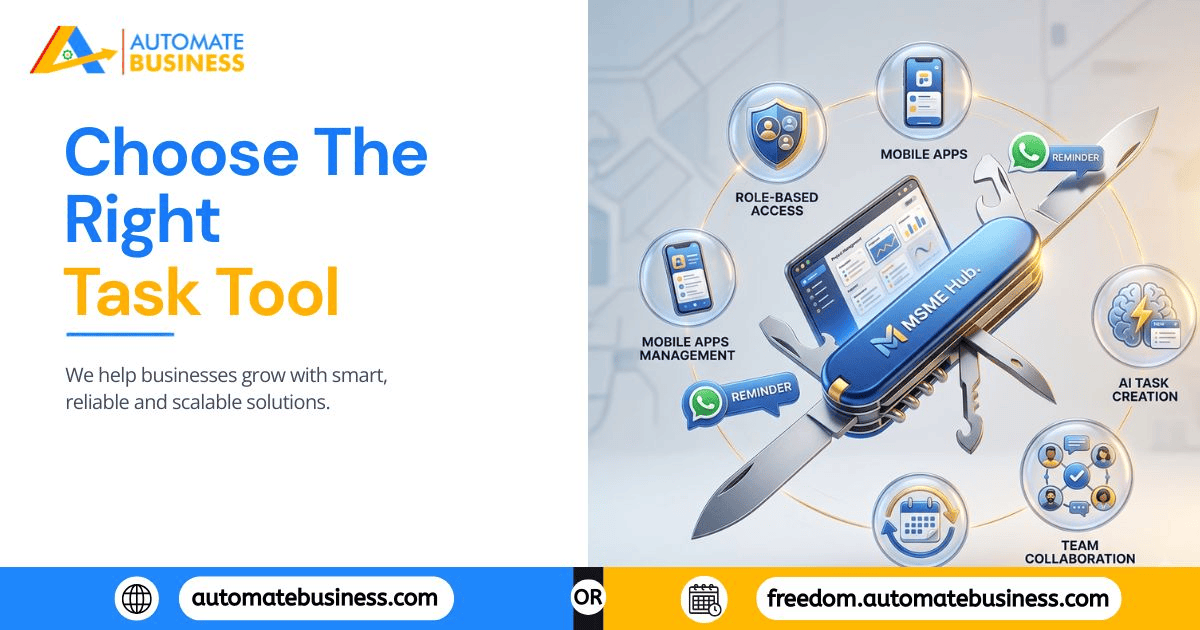
Choosing the right task management tool for an MSME isn't about picking the most feature-rich option. It's about picking the right features for how your business actually runs. This guide walks through exactly what to look for and how a platform like Automate Tasks delivers on each.
1: Task Creation That's Faster Than Typing a WhatsApp Message
If creating a task in the system takes longer than sending a message in a group chat, your team will default back to WhatsApp within days. Speed of task creation is the single most important adoption factor for MSME teams and it's the one most enterprise tools get wrong.
What to look for:
One-screen task creation with title, description, assignee, deadline, priority, and reminder date
- AI-powered task generation from a plain text prompt
- Voice command task creation for managers on the move
- Sub-tasks and checklists for multi-step work
- Ready-made templates for repeating task types
How Automate Tasks delivers this:
Managers can create a fully structured task in under 20 seconds using a typed prompt or voice note — faster than composing a WhatsApp message with the same information. AI task generation converts a rough instruction into a structured task with suggested fields. Bulk CSV upload handles mass task creation when migrating from spreadsheets. Templates eliminate repetitive setup for recurring project types.
The rule to apply when evaluating any tool: if it takes more than 30 seconds to create a basic task, adoption will fail.
2: WhatsApp and Email Reminders — Not Just In-App Notifications
An in-app notification reminds people who are already using the app. For most MSME field staff, branch employees, and even office teams, that's not where attention lives. A reminder is only valuable if it reaches the person where they actually are — and in India, that's WhatsApp.
What to look for:
- Automatic WhatsApp reminders linked to task deadlines
- Email reminders as a backup channel
- Separate reminder dates from due dates (early warning vs. deadline alert)
- Overdue reminder sequences that continue until a task is marked complete
- Holiday-skip logic so reminders don't fire on non-working days
- Time zone-aware delivery for distributed teams
How Automate Tasks delivers this:
Reminders go out automatically through both WhatsApp and email the moment a task's reminder date arrives without any manual intervention. Each task supports a separate reminder date from the actual due date, allowing early warnings for complex work. Recurring schedules (daily, weekly, monthly, yearly, or custom) run automatically with holiday-skip logic built in. Overdue reminders continue firing until the task is closed, removing the need for a manager to manually chase.
This is the feature that most clearly separates MSME-focused tools from generic platforms and it's the one that most directly eliminates daily manual follow-up.
3: Role-Based Access That Mirrors Your Org Structure
A task system where everyone sees everything is a privacy and operational risk. A system where admins lock down too much creates bottlenecks. MSMEs need granular, flexible role control that matches how authority and information actually flow in their business.
What to look for:
- Pre-built roles: Admin, Manager, Member at minimum
- Custom role creation for business-specific positions
- Separate control over who can assign tasks, view billing, manage users, and delegate sub-tasks
- Branch or department-level access segmentation
- Bulk user import for fast team onboarding
How Automate Tasks delivers this:
Four role types Admin, Manager, Member, and Custom each with distinct permissions across task creation, assignment, delegation, billing visibility, and workspace settings. Custom roles allow businesses to define exactly what a branch supervisor, department head, or junior field operative can see and do. Bulk CSV user import makes onboarding a 40-person team a single upload rather than forty individual entries.
For a growing MSME adding branches or departments, this feature is what allows the system to scale without becoming a management free-for-all.
4: Dashboards That Give Real-Time Visibility Without Asking Anyone
The entire point of a task management system is that the owner shouldn't need to ask "is this done?" The dashboard should answer that question at a glance, in real time, for every person on the team.
What to look for:
- List and Kanban views for different management styles
- Filters by assignee, status, priority, project, and date
- Dashboard scoring showing completion rates and timeliness per team member
- Workspace activity logs for audit trails
- AI-generated summaries for quick pre-meeting reviews
- Group and project-level timelines for multi-team visibility
How Automate Tasks delivers this:
The dashboard offers List and Kanban views switchable by user preference, with filters across every relevant dimension assignee, status, priority, project, and date range. Dashboard scoring shows each team member's completion rate and overdue count over time, turning performance reviews from memory-based conversations into data-backed discussions. AI-generated summaries compile an entire week's activity into a two-minute review. Workspace activity logs create a full, timestamped record of every task update useful for accountability conversations and operational audits.
5: Recurring Task Automation With Smart Scheduling
Recurring work daily inspections, weekly sales reports, monthly compliance checks accounts for a significant portion of MSME operations. In a WhatsApp or spreadsheet system, someone has to manually recreate this work every cycle. That's a hidden productivity drain that adds up to hours every week.
What to look for:
- Daily, weekly, monthly, yearly, and custom recurring options
- Holiday-aware scheduling that skips non-working days
- Automatic task and reminder creation without manual intervention
- Time zone-respecting delivery for multi-location teams
How Automate Tasks delivers this:
Recurring tasks are configured once and run indefinitely. Choose from daily, weekly, monthly, yearly, or fully custom intervals — and enable holiday-skip logic so tasks don't appear on Sundays, national holidays, or custom non-working days added to your workspace calendar. Once set up, recurring work creates itself, assigns itself, and reminds the assignee automatically, every cycle, without a manager needing to remember to trigger it.
6: Cross-Platform Access Web, Android, and iOS
MSME teams are not uniform. Owners and managers typically work from desktops for planning, reviewing dashboards, and managing workspace settings. Field staff, technicians, delivery teams, and branch employees work primarily from mobile. A task management system that only works well on one of these surfaces will fail the other.
What to look for:
- Fully functional web application for managers and admins
- Native Android app for field and branch staff
- Native iOS app for on-the-go management
- Real-time sync across all platforms
- Offline capability or low-bandwidth performance for field use
How Automate Tasks delivers this:
Available across Web, Android, and iOS with real-time sync, so a task marked complete on a field worker's Android phone updates the manager's web dashboard instantly. The web app is optimized for bulk management creating tasks, reviewing dashboards, configuring reminders, managing roles while the mobile apps are designed for quick status updates, comment additions, and reminder responses from anywhere.
7: Sub-Tasks, Checklists, and Templates for Complex Work
Not every task is a single action. A client onboarding involves 12 steps across three departments. A product dispatch involves packing, quality check, documentation, and handoff. A system that can only handle flat, single-step tasks will break down the moment work gets complex.
What to look for:
- Sub-tasks with their own assignees, deadlines, and statuses
- Checklists within a parent task for step-by-step completion
- Task templates for repeatable project types
- Dependency tracking between related tasks
How Automate Tasks delivers this:
Sub-tasks are independent tasks nested under a parent each with their own assignee, deadline, priority, and status, allowing multi-person, multi-step work to be tracked in one connected view. Checklists handle simpler step-by-step processes within a single task. Templates store repeatable task structures so a product launch, client onboarding, or branch audit doesn't need to be rebuilt from scratch every time.
The Complete MSME Task Management Feature Checklist
Before committing to any platform, run it against this list:
Features to verify
- Task creation speed:- Can a task be created in under 30 seconds?
- AI & voice task creation :- Does it support prompt or voice-based task generation?
- WhatsApp reminders:- Does it send automatic reminders via WhatsApp — not just email?
- Holiday-skip logic:- Does recurring scheduling skip non-working days automatically?
- Role-based access:- Can you create custom roles beyond Admin/Manager/Member?
- Dashboard scoring:- Does it show completion rates and timeliness per team member?
- Recurring tasks:- Can tasks repeat daily, weekly, monthly, or on custom intervals?
- Cross-platform:- Does it work natively on Web, Android, and iOS?
- Sub-tasks:- Do sub-tasks have their own assignees, deadlines, and statuses?
- Bulk import:- Can users and tasks be imported via CSV?
- Overdue reminders:- Do reminders continue automatically until a task is marked complete?
If a platform can't check most of these boxes, it's likely built for a different type of team not yours.
The biggest mistake MSME owners make when choosing task management software is evaluating it for their current team size not their growth plan. A tool that barely works for 10 people won't survive 30. A tool that requires IT support to configure won't survive a team that has none.
The right platform for an MSME is one that combines fast task creation, WhatsApp-native reminders, structured role access, real-time dashboards, and genuine cross-platform access without requiring a technical team to maintain it.
Automate Tasks is built around exactly these priorities—designed for how Indian MSME teams actually work, across Web, Android, and iOS, with WhatsApp reminders at the core.
Explore Automate Tasks and see how it simplifies task management for growing MSMEs.

 English
 Arabic
 Spanish
 Portuguese
 Deutsch
 Turkish
 Dutch
Dutch
 Italiano
 Russian
 Romaian
 Portuguese (Brazil)
 Greek
Greek
