


How to Stop Chasing Employees for Daily Work Updates
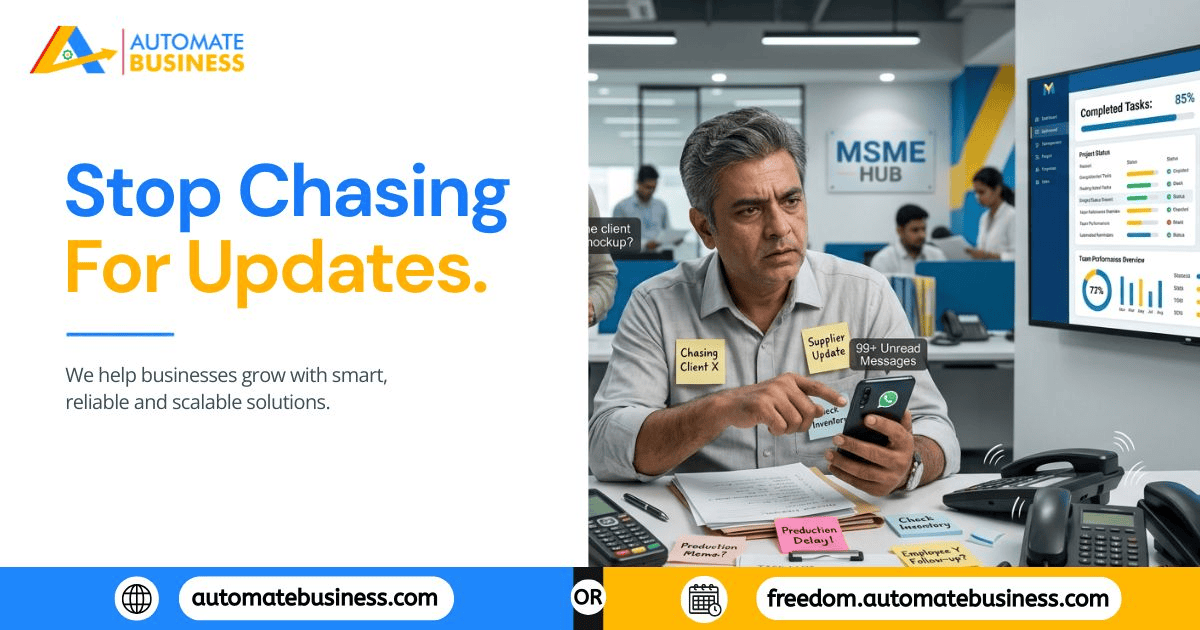
There's a moment every growing MSME owner knows well. It's 6 PM, the day is ending, and you still don't know whether the three things you asked about this morning actually got done. So you start the round a WhatsApp message here, a call there, a "just checking in" to three different people.
It takes 45 minutes. And it happens every single day.
This isn't what owning a business was supposed to look like. But it's what happens when task management depends on memory, chat messages, and the owner personally holding the system together. The uncomfortable truth is this: chasing employees for updates isn't a people problem it's a process problem. And process problems have system-level fixes.
This guide walks through exactly why the daily update chase happens, what it costs, and how to eliminate it using structure and automation instead of more effort.
Why the Daily Chase Happens in the First Place
Understanding the root cause matters, because the fix needs to match the problem.
Work is assigned informally. When tasks are given verbally, in WhatsApp messages, or in group chats, they exist in no fixed, trackable place. Nobody "owns" them in any documented sense. There is no system record only a conversation that scrolls away.
There are no automated reminders. In a spreadsheet or chat-based system, reminders are a human job. Someone usually the owner or manager has to manually remind people about pending work. Remove that human nudge, and things simply don't get done on time.
Accountability has no evidence. Without a structured task system, it's impossible to show that a task was assigned with a clear deadline and that the assignee received proper reminders. "I didn't see it" is nearly impossible to disprove. So accountability becomes subjective, and conversations about missed work become uncomfortable for everyone.
There's no shared visibility. Without a live dashboard, the only way to know what's pending is to ask. Every update becomes a one-to-one conversation, which means the owner is effectively the system doing all the information-gathering manually.
Fix any one of these and the situation improves. Fix all four and the daily chase stops.
Step 1: Replace Informal Assignments With Structured Tasks
The foundation of everything is how work gets assigned. A WhatsApp message can't carry a deadline, priority, or reminder — it's just text in a thread. The shift starts with making task creation structured, fast, and non-negotiable.
A platform like Automate Tasks lets managers create tasks in seconds with:
- A title and full description
- A specific deadline and a separate reminder date
- A priority level (high, medium, low)
- A single, clearly named assignee
For managers who don't want to type everything from scratch, AI task generation from a prompt and voice-to-task commands make creation fast enough that it becomes easier than sending a WhatsApp message. For teams migrating off spreadsheets, bulk CSV uploads let you load an entire team's backlog in one go.
The rule is simple: if it isn't in the system as a structured task, it isn't officially assigned. This one change making structure the default, not the exception — eliminates the "I thought someone else was doing it" problem permanently.
Step 2: Let Reminders Do the Chasing for You
Manual follow-up exists because nothing else is doing the reminding. The fix isn't sending fewer reminders it's making reminders automatic.
The key insight most MSME owners miss is this: reminders are only effective if they land somewhere the employee actually checks. Email gets filtered, ignored, or buried. A standalone app notification gets swiped away. WhatsApp gets opened dozens of times a day by almost every employee in India.
This is exactly why Automate Tasks sends automatic reminders through WhatsApp and email the two channels most likely to actually be seen and acted on. These reminders are:
1. Triggered automatically when a task is approaching its deadline or becomes overdue.
2. Configurable with separate reminder dates from the due date.
3. Sent on recurring schedules (daily, weekly, monthly, yearly, or custom intervals) for repeating work.
4. Built with holiday-skip logic, so reminders don't fire on days your team isn't working.
5. Time zone-aware for distributed or multi-branch teams
The result: the system becomes the follow-up manager. The owner stops being one.
Step 3: Build Visibility Without Asking Anyone
The second reason for the daily update chase is simpler: there's no other way to find out what's happening. Fix the visibility gap, and half the problem disappears.
A proper task management dashboard gives managers:
- List and Kanban views filtered by assignee, status, priority, project, and date
- Dashboard scoring showing each team member's completion rate, timeliness, and open backlog — without a single conversation
- Workspace activity logs tracking who updated what and when
- AI-generated summaries that compress a week's worth of activity into a two-minute pre-meeting review
When this visibility exists, the question "is this done?" gets answered by opening a screen, not by making a phone call. Managers can see what's stuck before it becomes a missed deadline, and performance conversations are grounded in data instead of memory and perception.
Step 4: Create Accountability That's Built Into the System
Here's the shift that changes everything about how MSME teams perform: accountability should be structural, not conversational.
When every task has a named owner, a documented deadline, and a timestamped reminder trail, two things happen:
- I didn't see the message stops being a usable excuse the system shows when reminders were sent and to whom
- Performance reviews become factual completion rates, overdue trends, and response time are visible in the dashboard
This doesn't require micromanagement. It's the opposite of micromanagement. The system holds people accountable automatically, so the owner doesn't have to be present in every transaction to make accountability work.
Step 5: Build Roles That Match How Your Business Actually Runs
Chasing updates often gets worse as teams grow — not because people get lazier, but because nobody has the right structure to manage their own section of work independently.
Role-based access fixes this:
- Admins manage the workspace — users, billing, settings
- Managers create and assign tasks, view team dashboards, and review completion rates
- Members see their own assigned work, mark tasks complete, and receive reminders
- Custom roles let businesses define exactly what each level of the organization can see and do
When a branch manager has the access and tools to manage their own team's tasks — and the dashboard to see their own completion rates — they stop needing the business owner to be the information hub. The owner gets visibility at the top; accountability runs throughout.
What Changes When the System Works
Here's what a typical day looks like once this system is in place:
Morning — instead of sending "good morning, is X done?" messages to five people, the owner opens the dashboard and sees exactly what's overdue, what's in progress, and what's completed. The information is already there.
Mid-day — recurring reminders have already gone out automatically to anyone with a deadline approaching. No manual nudge required.
Afternoon review — the team meeting takes 15 minutes instead of 45, because everyone arrives knowing the status of their work, and the dashboard surfaces the two or three things that actually need discussion.
Evening — no round of check-in messages. The day's tasks are visible at a glance. Anything overdue is flagged automatically and the assignee has already received a reminder.
This isn't an idealized version of how software works. It's what happens when work stops depending on memory and starts depending on structure.
Real-World Applications Across MSME Teams
Operations — daily follow-ups and production handoffs with automatic reminders instead of manager chasing
Sales teams — lead callbacks and visit tasks tracked per rep, with overdue alerts before prospects go cold
Service teams — installation and dispatch work assigned with deadlines and reminders, not verbal handoffs
Admin & HR — onboarding checklists, compliance reports, and recurring audits that run themselves
Multi-branch — branch managers with their own dashboard and role-based access, reducing central bottleneck
The daily update chase isn't a sign that your employees don't care about their work. It's a sign that your task system is placing too much responsibility on human memory, informal communication, and manual follow-up all of which break down as a team grows.
When work is assigned with structure, reminders run automatically, and visibility lives in a dashboard instead of scattered conversations, the chase stops not because people changed, but because the system changed.
Ready to stop being your team's reminder app? Explore Automate Tasks and discover how MSMEs are building self-managed teams without constant follow-ups

 English
 Arabic
 Spanish
 Portuguese
 Deutsch
 Turkish
 Dutch
Dutch
 Italiano
 Russian
 Romaian
 Portuguese (Brazil)
 Greek
Greek
