


Trademark Search: Check Availability, Status and Registration
Trademark Search in India: How to check Trademark Availability, Track Status, and Registration Process
Before starting the actual filing for a trademark application, it is most important to check and verify if your proposed brand name or logo or slogan is already registered or not. With the online facility to do trademark search and track trademark status and the process of registration applicants can easily ensure that your intellectual property can be filed for registration or not.
What is a Trademark Search?
A trademark search is the formal process of checking the proposed trademark in the official trademark database to check if a similar or identical mark already exists or not. Through this process the applicant ensures the availability of a proposed trademark before application filing.
How to Do Trademark Search in India
Step 1: Visit the official portal of Trademark Public Search as shown in figure.
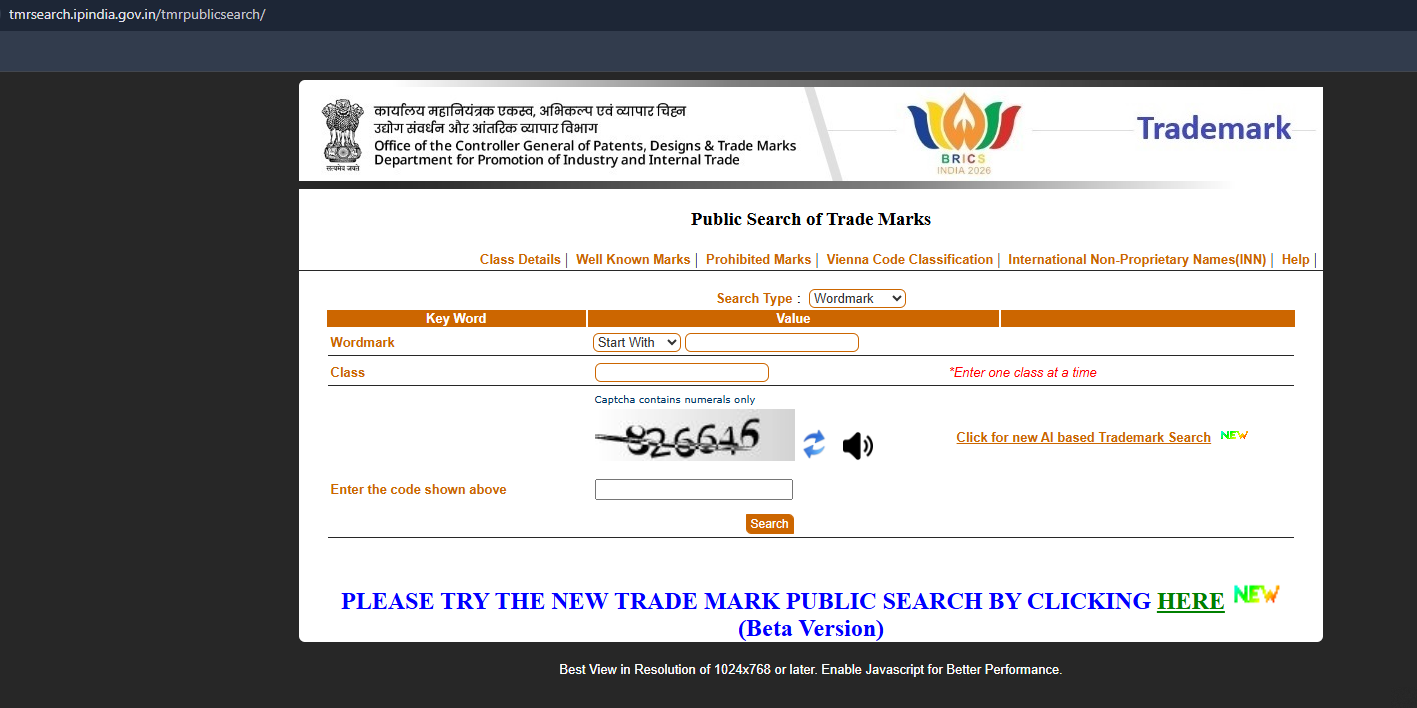
Trademark Public Search facility maintained by Controller General of Patents, Designs and Trade Marks (CGPDTM).
Step 2: Select the Search Type as shown in figure
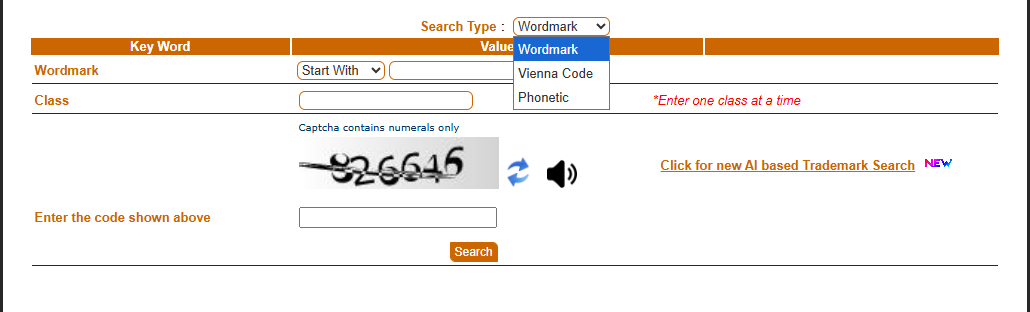
Users need to select the right one according to their IP from three:
-
Wordmark Search
-
Vienna Code Search
-
Phonetic Search
Wordmark Search is commonly used for brand name or business name.
Step 3: Select the Trademark Class
After that users need to select the Class depending on the goods or services for their IP.

Most common classes are:
-
Class 9 - Software and electronic products
-
Class 25 - Clothing and footwear
-
Class 35 - Advertising and business services
-
Class 42 - Technology and software services
Step 4: Enter the Proposed Trademark
Now applicants need to enter their business brand name or keyword in the search field.
Step 5: Enter the captcha code and Search
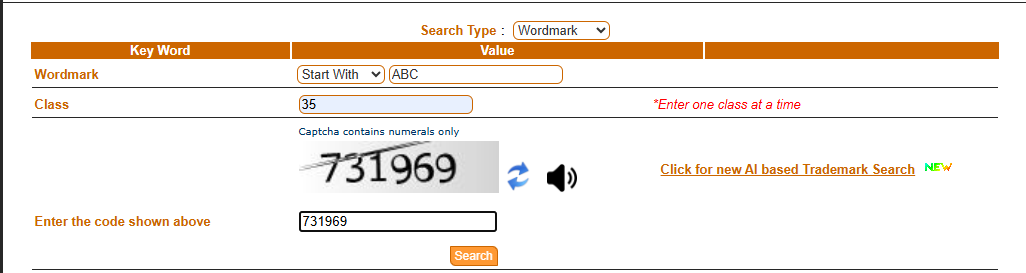
After filling the data click on the search button.
Step 6: Review Search Results
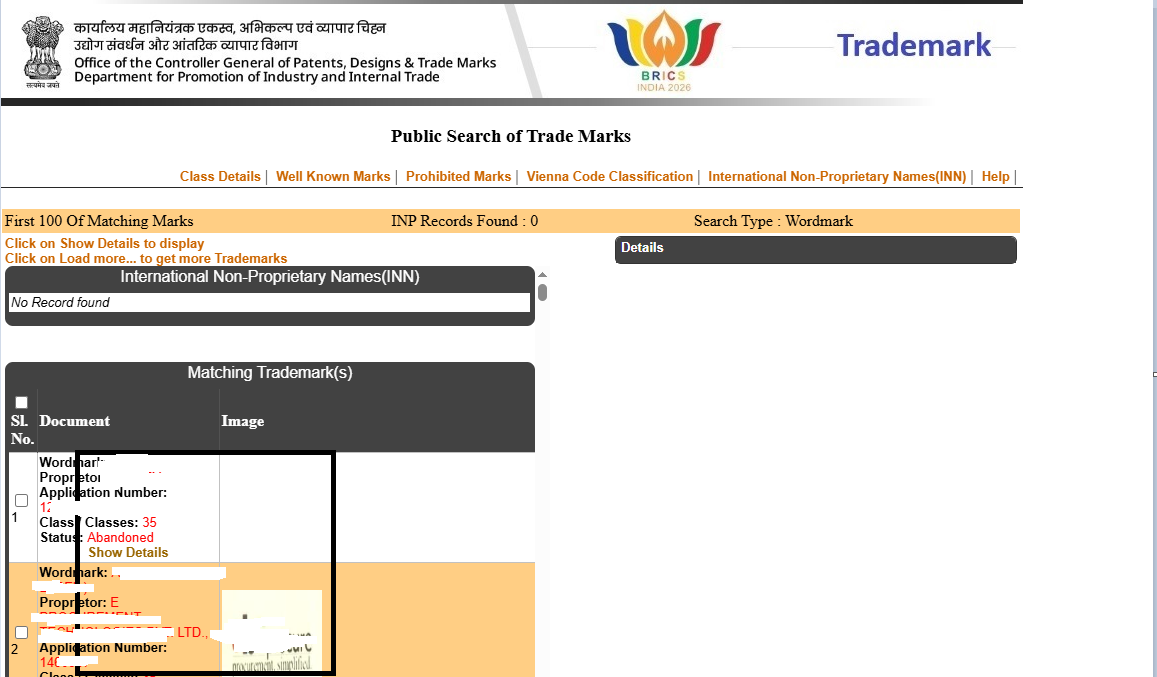
Now, the database will display registered or applied or pending marks as per the data entered in the search box. Review the results to ensure the availability of trademarks.
How to File a Trademark Application
After confirming the availability of a trademark, applicants can proceed with application filing.
Step 1: Need to create account in IP INDIA portal
User need to register in official website,
Step 2: Keep Ready Required Documents
Common documents that need to ready are:
-
Identity proof
-
Address proof
-
Business registration documents
-
Logo image (if used)
-
Power of Attorney (in case of filing through an agent)
Step 3: Fill up the Online Form
Need to enter following details:
-
Applicant Details
-
Trademark Details
-
Selected class
-
Description of goods or services
Step 4: Pay the Applicable Fee
Need to pay the government fee through the online gateway.
Step 5: Receive Application Number
After final submission, an application number will be generated that needs to be saved for future communication or to track trademark application status.
How to Check Trademark Status
Applicants can easily track their trademark application through the official Trademark Registry portal.
Step 1: Open the Trademark Track Status Page
Need to visit the official portal, https://tmrsearch.ipindia.gov.in/estatus
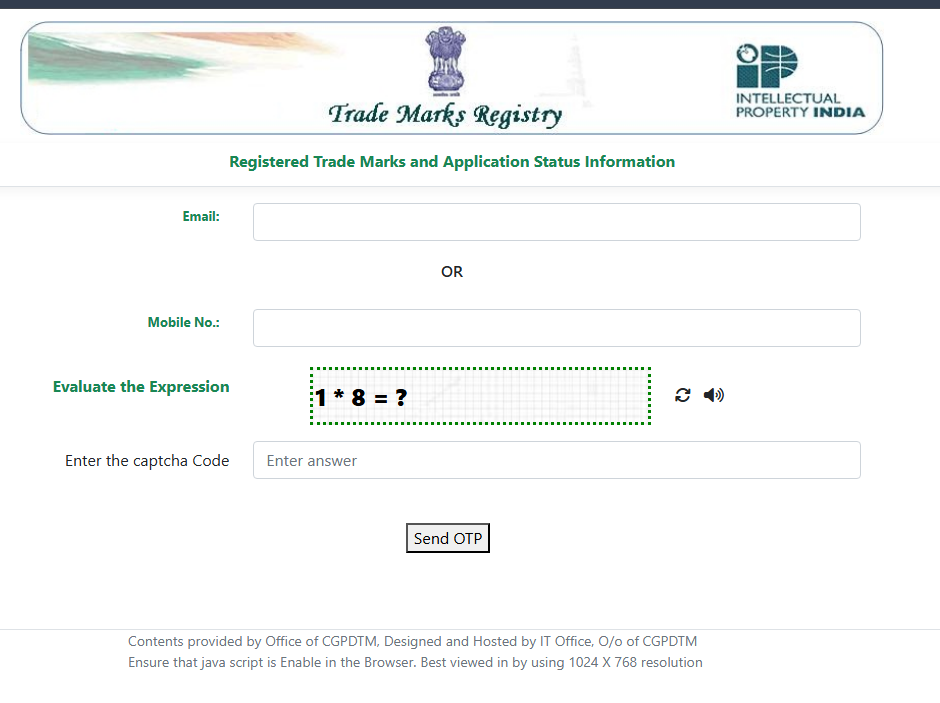
Step 2: Login with Credentials
Enter the email and mobile number and login .
Step 3: Select the option Trademark Application Number
Enter the application number and click on view
Step 4: View Current Status
The status of your trademark will show here.
Also Read: How to track status of IP applications, using IPR Tracking
Conclusion
To protect your brand in India need proper trademark search. After checking trademark availability, start filing a trademark application and check the trademark status on a regular basis. Businesses, startups and individuals can easily manage the entire process online starting from search to final registration.

 English
 Arabic
 French
 Spanish
 Portuguese
 Deutsch
 Turkish
 Dutch
Dutch
 Italiano
 Romaian
 Portuguese (Brazil)
 Greek
Greek
