


How to Clean CSV Data Before a CRM Migration
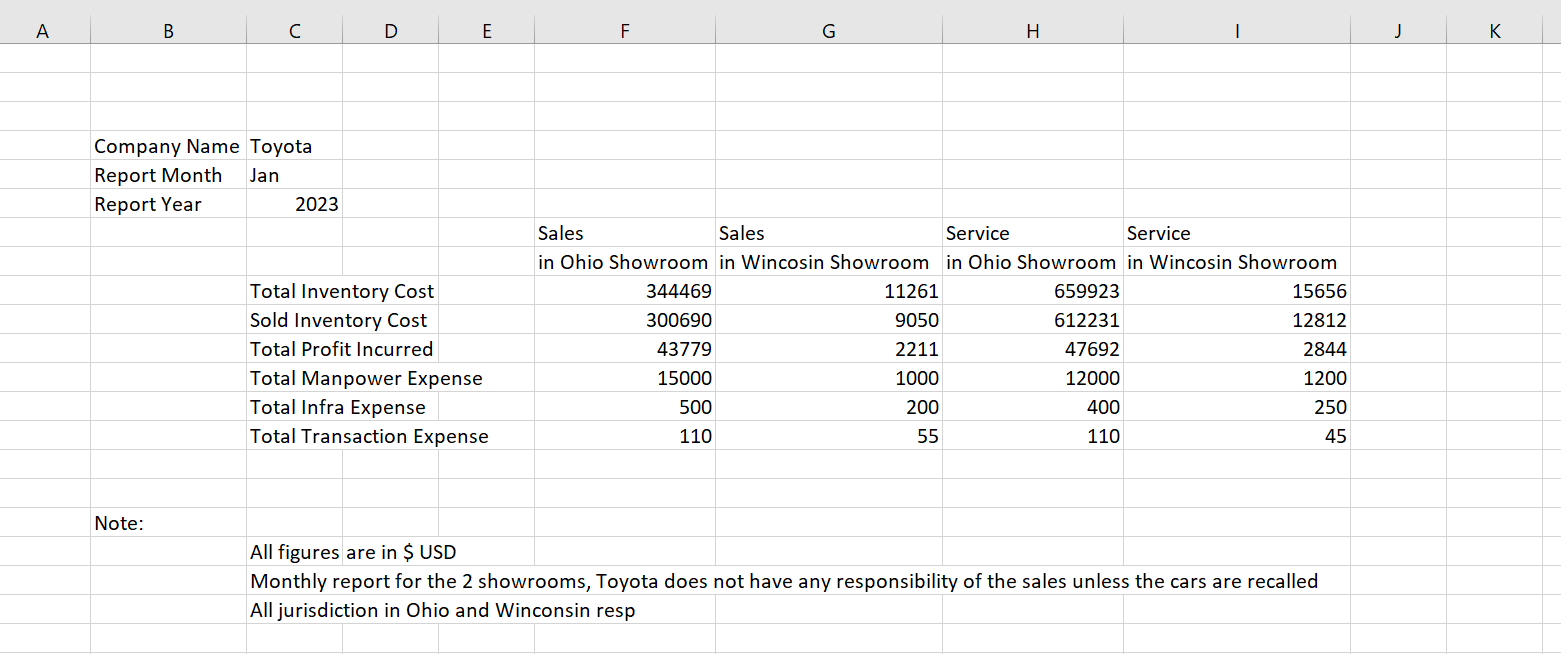
Migrating to a new Customer Relationship Management (CRM) platform like HubSpot, Salesforce, or Zoho is an exciting milestone for any growing business. It promises streamlined workflows, better reporting, and a unified view of your pipeline. However, a CRM is only as powerful as the data you feed it.
If you export your data from legacy systems, old spreadsheets, or multiple lead lists into CSV files and upload them directly into your new CRM without a deep clean, you are importing immediate operational chaos. Duplicate contacts, fragmented histories, and formatting inconsistencies will break your automation, skew your sales forecasting, and frustrate your team from day one.
To ensure a seamless transition, you must clean your data first. Here is a definitive, step-by-step guide to preparing your CSV files for a successful CRM migration.
1. Map Out Your Target CRM Architecture
Before touching your data, understand where it is going. Every CRM has specific field requirements, mandatory fields (such as "Email" or "Company Name"), and unique constraints on custom properties.
-
Review the target system’s import documentation.
-
Identify required fields so you don't attempt an import that fails halfway through due to missing data.
-
Create a data dictionary mapping your old CSV column headers to the exact field names in the new CRM.
2. Standardize Formats and Clear Inconsistencies
Spreadsheets compiled by multiple team members over several years are notorious for formatting inconsistencies. If left uncorrected, your new CRM won't be able to segment your data accurately.
-
Phone Numbers: Standardize your phone entries into a single format (such as the international E.164 standard:
+1XXXYYYZZZZ) so that integrated dialers and SMS automation work flawlessly. -
Country and State Names: Ensure regional consistency. Decide whether you will use full names ("United States", "California") or standard two-letter ISO codes ("US", "CA"). Mixing both will split your reporting filters into separate, inaccurate buckets.
-
Text Casing: Fix erratic capitalization (e.g., changing
john SMITH,jOshua, orsales opsinto proper title case). Clean, well-formatted names are essential for personalized email marketing tokens later.
3. Eliminate Invisible and Broken Data
"Ghost data" often hides within CSV files, causing import errors that can block entire batches of records.
-
Remove Hidden Characters: Extra whitespaces at the beginning or end of cells (e.g.,
" john@domain.com ") can prevent CRM search algorithms from matching records correctly. Use data cleaning functions to trim trailing and leading spaces. -
Validate Email Addresses: Run your CSV through an email verification utility to flag syntax errors, dead domains, or generic addresses (like
info@oradmin@) that drop your sender reputation score.
4. The Critical Step: Remove Duplicate Records
Duplicate records are the absolute bane of CRM administration. If your CSV contains multiple entries for the same contact, your CRM will either reject the duplicates outright or create separate profile timelines. When a customer interacts with sales and support across two different contact records, your team loses the single source of truth.
While standard office spreadsheet software offers basic deduplication features, they struggle heavily with larger datasets, case sensitivity, and multi-column comparison rules.
For an efficient, automated approach, using a dedicated utility like the SysTools CSV Duplicate Remover Tool simplifies this stage.
Why Use a Dedicated CSV Deduplicator?
The SysTools CSV Duplicate Remover Tool is engineered explicitly for technical analysts, data managers, and CRM administrators who need to process large volume datasets securely and accurately before system deployments.
Instead of dealing with application freezes or writing complex macros, the utility handles deduplication through advanced matching criteria:
-
Multi-Column Matching: It allows you to define custom duplicate rules. For instance, you can match rows based on a combination of
First Name+Last Name+Company, or evaluate solely by unique identifiers likeEmail. -
Case-Insensitive Processing: It recognizes that
marketing@firm.comandMARKETING@firm.comrepresent the exact same entity, catching duplicates that default systems routinely skip. -
High-Volume Stability: It processes massive text files containing hundreds of thousands of rows smoothly, without the memory lag or sudden crashes common in standard desktop spreadsheet applications.
-
Data Integrity Protection: The software removes redundant records while keeping your formatting intact, exporting a pristine, deduplicated CSV file ready for direct CRM ingestion.
5. Audit Your Cleaned Data and Run a Test Import
Once your CSV has been standardized and processed through the deduplication tool, do not upload the entire database immediately. Protect your pipeline by running a pilot test.
-
Isolate a Sample Batch: Create a mini-CSV file containing exactly 20 to 50 representative rows of data, covering various scenarios (companies with multiple contacts, single leads, international accounts).
-
Execute a Test Import: Map your columns and upload this sample batch into your new CRM sandbox or live instance.
-
Verify the Results: Inspect the newly created records in the CRM interface. Check whether fields mapped to the correct spots, verify that phone numbers display properly, and confirm that no data was truncated or scrambled during the process.
Taking the time to rigorously clean, standardize, and deduplicate your data before a CRM migration saves your organization countless hours of troubleshooting post-launch. By filtering out the noise with dedicated processing tools, your team can log in to a clean environment on day one, fully equipped to drive pipeline growth.

 English
 Arabic
 French
 Spanish
 Portuguese
 Deutsch
 Turkish
 Dutch
Dutch
 Italiano
 Russian
 Romaian
 Portuguese (Brazil)
