


How Karyastra AI Project Planner Helps You Plan, Manage, and Deliver Projects on Time
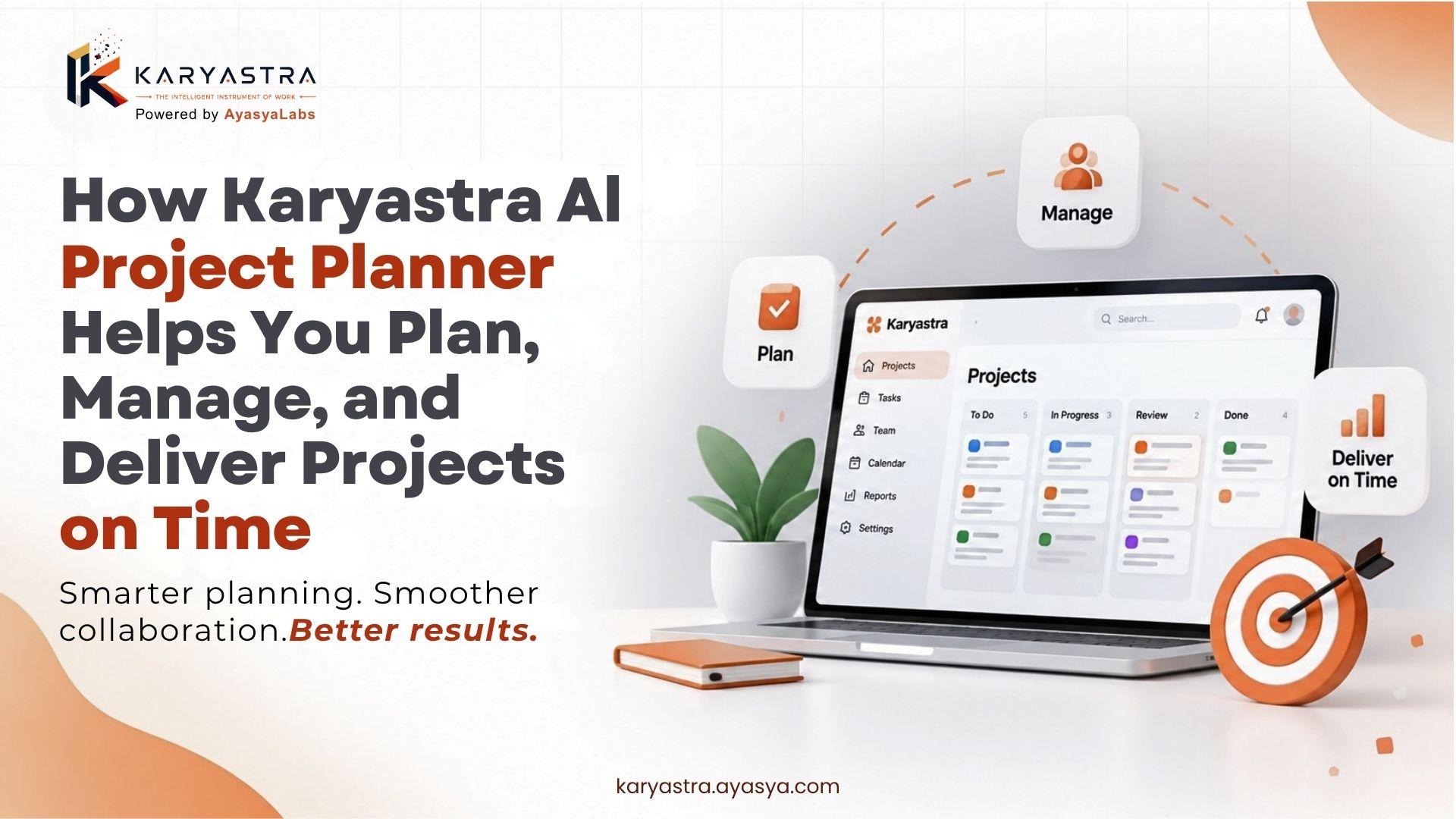
Discover how task and project management tools help teams plan, prioritize, collaborate, track progress, and deliver multiple projects on time with Karyastra.
Dealing with more than one project simultaneously can get very tedious, very soon. Different deadlines, priorities changing, teams who are responsible on which task, meetings that feel failed before it starts, expectations from the client side and problems appearing out of nowhere can turn even a best planned day to chaos. Fortunately, you won't have to depend on memories, numerous spreadsheets, or ceaseless consistent follow-ups to remain in command.
If you are looking to manage several projects successfully, what works is setting up a clearly-defined project management process so that you always have eyes on priorities, timelines, resource allocation and progress.
This is where modern project management tools come in to lighten the load. Karyastra and other platforms help teams take tasks, project planning, collaboration, sprints, roadmaps & progress tracking into one organized workspace.
In this guide, you'll discover 11 powerful strategies to manage multiple projects efficiently, avoid missed deadlines, improve team collaboration, and keep every project moving forward.
Comprehensive Article Outline
Why is it so hard to Manage Multiple Projects?
Before learning how to manage multiple projects, it's important to understand why projects become difficult to control.
The biggest challenge isn't always the number of projects. It's the number of moving parts.
Imagine you're managing three projects. Project A needs a client presentation on Monday. Project B has a development sprint ending Wednesday. Project C needs content approval by Friday. Meanwhile, one team member is unavailable, a client changes requirements, and another task suddenly becomes urgent.
In the absence of an obvious system, priorities begin to compete.
Common challenges include:
How concurrently multiple deadlines come up
Unclear task ownership
Poor visibility into project progress
Too many meetings and follow-ups
Team members being overloaded
Changing client requirements
Missed task dependencies
Repetitive administrative work
Poor communication between departments
Struggle on deciding what task should take precedence
Working longer hours is not the answer to this problem.
Rather, successful teams create a process you can replicate over and over to deliver multiple projects. They organize information, set priorities, own tasks, track updates and review work regularly.
Here are the strategies that can help with this.
1. Create a Comprehensive Project Management System
Step 1 to Manage Multiple Projects Effectively: Stopping Keeping Project Information Located in Different Places
Many professionals lose minutes of productive time every day because they realize too late that a task has fallen through the cracks, thanks to the natural behavior of storing said tasks in email threads, spreadsheets, chat messages, notebooks and different apps.
A centralized project management software provides your team with one source of truth where they can see what is going on.
Create a Single Source of Truth
Having a single source of truth means that everyone knows where to find the most up-to-date information on the project.
Instead of asking:
"Where's this task at?"
The answer should be found in the project workspace, so anybody on your team should be able to check for themselves.
Your ideal centralized workspace should consist of:
Project objectives
Tasks and subtasks
Task owners
Deadlines
Priorities
Project status
Team members
Dependencies
Milestones
Notes and discussions
Project documentation
This makes working on multiple projects far more manageable since soundbites don't have to be pieced together from different conversations.
It also reduces unnecessary follow-ups.
Separate Projects Without Creating Silos
We want to keep each project in its own workspace or structure but managers should still have an overview.
This could either be a marketing agency that manages:
Website redesign
SEO campaign
Social media campaign
Paid advertising
Client content production
No two projects may have the same assignment request, though team members on the projects might be the same for multiple teams.
In a centralised system, managers have visibility on each project as well as an overview of the entire operation.
This is important because a task in one project might seem small enough, but if you combine it with work done on other projects, it becomes a problem of workload.
Set Clear Project Objectives
All projects must have a defined end outcome.
Answer three simple questions before piling on dozens of tasks:
What are we upto?
Until when does the project have to finish?
You are given data until September 2026.
For example, instead of saying:
"Improve the company website."
A clearer objective would be:
The existing tasks are: Launch redesigned company website (new site should have improved navigation and mobile responsive; service pages better optimized for SEO; additional technical SEO to be done) — October 15
When there are clear objectives, it ultimately becomes easier to juggle multiple projects as a team will know what requires focus and what does not.
Implement Project Views Corresponding to Task
Different projects require different perspectives.
Kanban boards: enhance team visualization of workflow. Development teams are used to working in short work cycles so a sprint view can help them organize. Managers can reference a roadmap to identify long-term milestones.
One of the advantages of Kanban is visualizing the several stages within a workflow:
To Do → In Progress > Review → Done
Scrum is useful for teams to operate in fixed sprints.
However, a Gantt-style roadmap will still give you a higher level of granularity when it comes to timelines along with the dependencies and milestones associated.
There's no point in using all of the features. The point is to select the visualization option that makes it easy for you to handle multiple projects.
Review Your Project Dashboard Regularly
Just because you collect all of the information to support a project, does not mean that each thing you gather should go into your project dashboard; it should not become a digital storage room.
Review it regularly.
Look for:
Overdue tasks
Blocked tasks
Upcoming deadlines
Unassigned work
Overloaded team members
Delayed milestones
Projects falling behind schedule
Daily or weekly review can expose problems before they are crises.
Prioritize Tasks and Deadlines
After you structure your projects, the next part to manage many projects is a hierarchy.
Buat tugas tidak semuanya pantas anda berikan perhatian yang sama.
One of the worst productivity mistakes is to give the same importance to every single task.
If everything is high priority, then nothing is a priority -> this means that your data till another month will not matter.
3. Improve Team Workload and Collaboration
The third major part of learning how to manage multiple projects is understanding team capacity.
Even excellent planning can fail when too much work is assigned to the same people.
Assign Clear Ownership
Every important task should have a clear owner.
If five people are responsible for a task, sometimes nobody feels fully responsible for completing it.
Instead, assign one primary owner and add supporting team members when necessary.
For example:
Task: Finalize SEO content
Owner: SEO Manager
Support: Content Writer
Reviewer: Marketing Lead
This structure makes accountability clear.
Balance Team Workloads
When you manage multiple projects, don't only look at project deadlines. Look at people's workloads too.
Imagine one designer is working on:
Website redesign
Social media graphics
Presentation design
Product banners
Client revisions
At the same time, another designer has only one small assignment.
The problem isn't a lack of people. It's poor resource allocation.
Review workload before assigning new work.
A useful workload review asks:
Who is currently overloaded?
Who has available capacity?
Which tasks can be reassigned?
Which deadlines can move?
Which tasks can be automated?
Improve Communication
Project communication doesn't need to mean endless meetings.
Create clear communication rules.
For example:
Daily: Quick project updates for active work.
Weekly: Project review and planning.
As needed: Immediate communication for blockers.
Use task comments for task-specific discussions instead of spreading information across unrelated chat channels.
This creates a useful record that future team members can understand.
Track Dependencies
Dependencies are relationships between tasks.
For example:
Design approval → Development → Testing → Launch
Development can't begin properly until the design is approved.
If a dependency is delayed, every connected task may also be delayed.
Therefore, when you manage multiple projects, don't only track individual deadlines. Track how tasks affect one another.
Identify Bottlenecks Early
A bottleneck is a point where work gets stuck.
Common bottlenecks include:
Waiting for approval
Waiting for a developer
Waiting for client feedback
Limited design capacity
Technical problems
Missing information
A good project manager doesn't simply ask, "Is this task late?"
They also ask:
"Why is it late?"
That small change in thinking can lead to better solutions.
Use Kanban for Workflow Visibility
Kanban boards provide a visual representation of work.
A simple board might contain:
Backlog → To Do → In Progress → Review → Done
This makes work visible.
If the "Review" column contains 20 tasks while "Done" contains only two, you've discovered a bottleneck.
The board isn't just a task list. It's a management tool.
Use Scrum for Structured Sprints
Development and product teams often use Scrum-style sprint planning.
A sprint may last one or two weeks, depending on the team's process.
At the start of the sprint, the team selects work.
During the sprint, progress is tracked.
At the end, the team reviews completed work and identifies improvements for the next cycle.
This structured rhythm can make it easier to manage multiple projects when teams need predictable delivery cycles.
Use Gantt Roadmaps for Long-Term Planning
For complex projects, a roadmap provides a broader perspective.
A Gantt-style view can help managers understand:
Start dates
End dates
Milestones
Dependencies
Project phases
Overlapping activities
This is especially useful when several projects share resources.
For example, if two major launches require the same developer during the same week, a roadmap can reveal the conflict before it becomes a crisis.
4. Use Automation and AI for Better Project Control
Technology can make it significantly easier to manage multiple projects, especially when teams have repetitive administrative responsibilities.
The objective isn't to replace human decision-making.
It's to reduce unnecessary manual work so people can spend more time on planning, problem-solving, and execution.
Automate Repetitive Tasks
Look for repetitive activities such as:
Task creation
Status updates
Notifications
Recurring assignments
Progress reminders
Routine reporting
Sprint preparation
Automation can reduce the amount of administrative work required to keep projects organized.
For example, a recurring weekly task can be created automatically rather than manually every Monday.
Small efficiencies add up.
Use AI for Project Planning
AI can also support project planning.
An AI-powered planner can help break a broad objective into smaller actions, suggest task structures, or help teams organize their work.
For example:
Goal: Launch a new product website.
AI-assisted planning may suggest:
1. Define website requirements
2. Conduct competitor research
3. Create sitemap
4. Prepare wireframes
5. Design key pages
6. Develop website
7. Add content
8. Perform SEO optimization
9. Test functionality
10. Launch
The project manager still makes the final decisions, but the initial planning process becomes faster.
This is one reason modern teams are increasingly looking for smarter ways to manage multiple projects.
Monitor Project Health
Don't wait until the deadline to measure project health.
Create simple indicators such as:
On track
At risk
Delayed
Blocked
Completed
You can also monitor:
Completion percentage
Overdue tasks
Open blockers
Upcoming milestones
Team workload
A project that is "80% complete" sounds positive, but that number doesn't tell the whole story.
If the remaining 20% contains the most difficult tasks, the project may still be at risk.
Context matters.
Conduct Weekly Project Reviews
A weekly review can be short but powerful.
For every active project, ask:
What was completed this week?
What's planned next?
What is blocked?
Which deadline is at risk?
Does the workload need to change?
Do priorities need to be updated?
This routine helps you manage multiple projects proactively rather than reactively.
Use a Tool Built for Visibility
A project management platform should make work easier, not create another layer of complexity.
Karyastra is designed to bring project planning, task management, collaboration, sprint-based work, visual project tracking, and AI-assisted planning into a unified environment.
The right tool depends on your team's workflow, but the principle remains the same: your project management system should help people understand what needs to be done, who owns it, when it's due, and whether the project is on track.
6. Build a Repeatable System for Managing Multiple Projects
The best way to manage multiple projects isn't to depend on personal memory or heroic effort.
Build a repeatable process.
A simple framework can look like this:
Step 1: Capture
Put every important task into your project management system.
Step 2: Clarify
Define the expected outcome, owner, priority, and deadline.
Step 3: Prioritize
Decide which work matters most right now.
Step 4: Schedule
Create realistic timelines and milestones.
Step 5: Assign
Give every task a clear owner.
Step 6: Execute
Allow team members to focus on their highest-priority work.
Step 7: Monitor
Track progress, blockers, dependencies, and workload.
Step 8: Review
Review project performance regularly.
Step 9: Adjust
Change priorities when business requirements change.
Step 10: Learn
Identify what worked and improve the process for the next project.
This framework makes project management more predictable.
Create a Daily Project Management Routine
You don't need to spend hours reviewing every project every morning.
A 15-minute daily check can be enough to identify urgent issues.
Review:
Today's deadlines
Overdue tasks
Blocked tasks
High-priority work
Team availability
Upcoming milestones
Then ask yourself:
"What could stop us from completing today's most important work?"
Address those issues early.
Avoid Constant Context Switching
Project switching has a hidden cost.
Moving from a client project to an internal project, then to a product task, then back to the client project can break concentration.
Whenever possible, group similar work together.
For example:
9:00–10:30: Project A deep work
10:30–11:00: Communication
11:00–12:30: Project B execution
2:00–3:30: Project C planning
The exact schedule will vary, but intentional time blocking can make it easier to maintain focus.
Frequently Asked Questions
1. What is the best way to manage multiple projects at once?
The best approach is to use a centralized project management system, establish clear priorities, assign task ownership, create realistic deadlines, monitor workloads, and conduct regular project reviews. A centralized workspace helps you see all active projects without losing track of individual tasks.
2. How do I manage multiple projects without missing deadlines?
Start by listing every deadline and identifying which tasks directly affect those deadlines. Break large projects into smaller milestones, assign owners, track dependencies, and review upcoming deadlines regularly. Adding reasonable buffer time can also help you handle unexpected delays.
3. How can project management software help with multiple projects?
Project management software can centralize tasks, deadlines, team communication, project progress, milestones, and workload information. It can also provide visual tools such as Kanban boards, Scrum workflows, and Gantt-style roadmaps, making it easier to understand project status.
4. Should every project have the same priority?
No. Priorities should be based on business impact, urgency, deadlines, dependencies, and available resources. If everything is considered equally important, teams can struggle to decide what should be completed first.
5. How do I prevent team members from becoming overloaded?
Review workload regularly and compare assigned work with actual team capacity. Identify people working across several projects, redistribute tasks when necessary, and avoid assigning new urgent work without considering existing commitments.
6. Is AI useful for managing multiple projects?
Yes. AI can assist with project planning, task breakdown, prioritization suggestions, summaries, and repetitive project administration. However, managers should still review AI-generated recommendations and make decisions based on business requirements, team capacity, and project context.
7. Which project view should I use: Kanban, Scrum, or Gantt?
It depends on the project. Kanban works well for visual workflow management. Scrum is useful for structured sprint-based development. Gantt-style views are helpful for long-term planning, milestones, dependencies, and complex timelines. Many teams benefit from using different views for different types of work.
8. How often should I review multiple projects?
Active projects should usually receive a quick daily check for urgent issues and a more detailed weekly review. Complex or high-risk projects may need more frequent monitoring.
9. What should I do when two project deadlines conflict?
First, identify the business impact and dependencies of both deadlines. Then compare team capacity and discuss priorities with the relevant stakeholders. Don't simply overload the team. If necessary, adjust scope, resources, sequencing, or deadlines.
10. Can a small team manage multiple projects successfully?
Absolutely. Small teams can manage multiple projects successfully when they maintain clear priorities, realistic workloads, strong communication, and good visibility. In fact, a simple and disciplined process can often be more valuable than having a large number of complicated tools.
Conclusion: Smarter Project Management. Better Results.
Learning how to manage multiple projects doesn't mean trying to remember more information or working longer hours.
It means creating a system that makes priorities, responsibilities, deadlines, dependencies, and progress visible.
Start by centralizing your projects. Break large goals into manageable tasks. Assign clear ownership. Prioritize work based on business impact. Balance team workloads. Track dependencies. Use the right project views. Automate repetitive activities. Finally, review your projects consistently and adjust when circumstances change.
The goal is simple: work smarter, stay organized, and deliver projects on time without unnecessary stress.
With a structured workflow and the right project management platform, teams can manage multiple projects while maintaining clarity and accountability.
If you're looking for a modern way to organize projects, tasks, sprints, roadmaps, and team collaboration, explore Karyastra & Book Demo and see how a more streamlined project management workflow can fit your team.

 English
 Arabic
 French
 Portuguese
 Deutsch
 Turkish
 Dutch
Dutch
 Italiano
 Russian
 Romaian
 Portuguese (Brazil)
 Greek
Greek
