


Payroll Software Checklist: 15 Features Every Business Should Look For (2026 Guide)
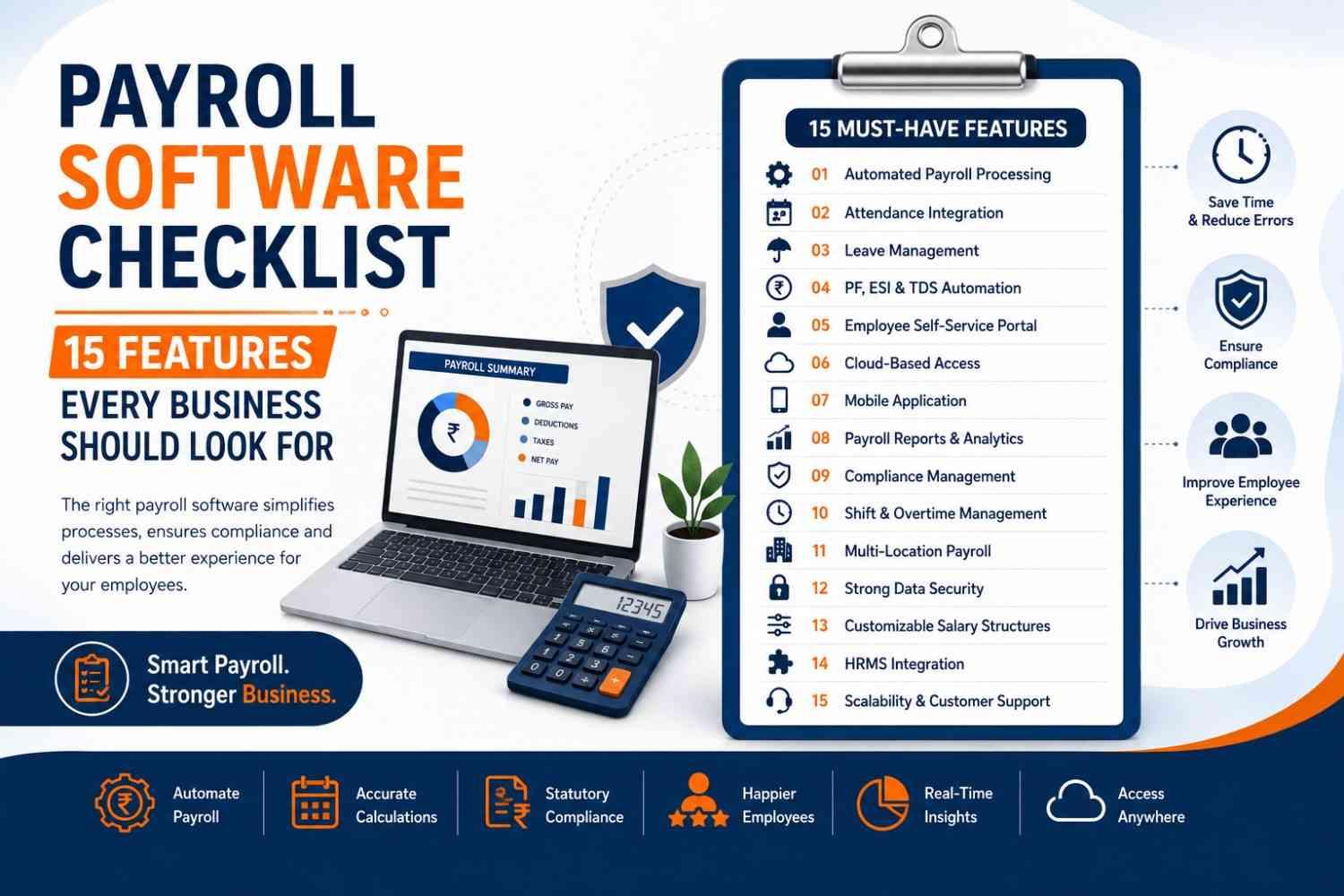
Selecting the right payroll software is a critical decision for any business. Whether you're a startup, SME, or enterprise, the right solution can simplify payroll processing, improve compliance, reduce manual work, and enhance the employee experience.
However, not all payroll software offers the same capabilities. Before investing in a payroll solution, it's important to evaluate the features that will support your business today and as it grows.
This guide provides a practical Payroll Software Checklist with the 15 must-have features every business should look for before making a decision.
Why Choosing the Right Payroll Software Matters
Payroll is more than calculating salaries. It also involves:
- Employee data management
- Attendance tracking
- Leave management
- Tax calculations
- Statutory compliance
- Payroll reporting
- Data security
A feature-rich payroll system helps businesses save time, reduce errors, and improve overall HR efficiency.
Payroll Software Checklist: 15 Essential Features
1. Automated Payroll Processing
Your payroll software should automatically calculate:
- Basic Salary
- Allowances
- Bonuses
- Incentives
- Overtime
- Reimbursements
- Net Salary
Automation reduces manual calculations and improves payroll accuracy.
2. Attendance Integration
Payroll should seamlessly integrate with attendance records.
Look for support for:
- Biometric devices
- Mobile attendance
- GPS attendance
- Web check-in
- Shift attendance
3. Leave Management
Choose software that automatically adjusts payroll based on:
- Paid Leave
- Sick Leave
- Casual Leave
- Earned Leave
- Unpaid Leave
4. PF, ESI & TDS Automation
The software should automatically calculate statutory deductions such as:
- Provident Fund (PF)
- Employees' State Insurance (ESI)
- Tax Deducted at Source (TDS)
- Professional Tax (where applicable)
This helps ensure compliance with Indian regulations.
5. Employee Self-Service Portal (ESS)
Employees should be able to:
- Download payslips
- View payroll history
- Access tax documents
- Apply for leave
- Check attendance
- Update personal information
An ESS portal reduces HR workload and improves employee satisfaction.
6. Cloud-Based Access
Cloud payroll software allows HR teams to:
- Process payroll remotely
- Access data securely
- Manage multiple office locations
- Scale easily as the business grows
7. Mobile Application
A mobile app enables employees and managers to:
- View payslips
- Mark attendance
- Apply for leave
- Approve requests
- Access payroll information anytime
8. Payroll Reports & Analytics
Look for built-in reports such as:
- Salary summaries
- Payroll expenses
- Tax reports
- Attendance reports
- Overtime reports
- Compliance reports
These insights support better business decisions.
9. Compliance Management
Payroll software should help businesses stay compliant by:
- Automating statutory calculations
- Maintaining payroll records
- Generating audit-ready reports
- Supporting changing payroll regulations
10. Shift & Overtime Management
For businesses with multiple work schedules, payroll software should manage:
- Shift rotations
- Overtime calculations
- Weekend work
- Holiday shifts
- Flexible working hours
11. Multi-Location Payroll
Growing businesses often operate from multiple branches.
Choose software that supports:
- Multiple office locations
- Department-wise payroll
- Different salary structures
- Regional payroll policies
12. Strong Data Security
Payroll contains sensitive employee information.
Look for:
- Data encryption
- Role-based access
- Audit logs
- Automatic backups
- Secure cloud hosting
13. Customizable Salary Structures
Every business has different payroll policies.
Your payroll software should support:
- Flexible salary components
- Custom allowances
- Bonus structures
- Reimbursements
- Incentive plans
14. HRMS Integration
The best payroll software integrates with HR modules such as:
- Employee Management
- Attendance
- Leave
- Performance
- Timesheets
- Document Management
A unified HRMS reduces duplicate work and improves efficiency.
15. Scalability & Customer Support
As your business grows, your payroll software should grow with it.
Look for:
- Easy scalability
- Regular software updates
- Reliable customer support
- Training resources
- Quick implementation
Bonus Tips Before Buying Payroll Software
Before making a final decision, ask these questions:
- Is the software cloud-based?
- Does it automate payroll completely?
- Can it integrate with attendance?
- Does it support statutory compliance?
- Is there a mobile app?
- Is employee self-service available?
- Can it scale with my business?
- Does the vendor provide implementation support?
Why CloveHR Meets This Checklist
CloveHR is a cloud-based HRMS and payroll solution designed to simplify payroll management for startups, SMEs, and enterprises.
CloveHR Includes:
- ✔ Automated Payroll Processing
- ✔ Attendance Management
- ✔ Leave Management
- ✔ PF, ESI & TDS Automation
- ✔ Employee Self-Service Portal
- ✔ Mobile HR App
- ✔ Payroll Reports & Analytics
- ✔ Compliance Management
- ✔ Shift Management
- ✔ Timesheet Management
- ✔ Employee Management
- ✔ Cloud-Based HRMS
- ✔ Secure Data Storage
- ✔ Multi-Location Support
- ✔ Scalable Payroll Solution
With CloveHR, businesses can automate payroll, improve compliance, reduce manual work, and provide a better experience for both HR teams and employees.
Conclusion
Choosing payroll software is an investment in your business's efficiency and growth. By using this 15-point Payroll Software Checklist, you can confidently evaluate solutions that offer the automation, compliance, flexibility, and scalability your organization needs.
If you're looking for a reliable, cloud-based payroll solution, CloveHR provides all the essential features to simplify payroll management and support your business as it grows.
FAQs
1. What should I look for in payroll software?
Look for payroll automation, attendance integration, leave management, PF/ESI/TDS calculations, employee self-service, reporting, compliance, and cloud accessibility.
2. Why is attendance integration important?
Attendance integration ensures accurate salary calculations by automatically syncing working hours, overtime, and leave records with payroll.
3. Is cloud-based payroll software better?
Yes. Cloud-based payroll software offers remote access, automatic updates, better security, and easier scalability.
4. Can payroll software support growing businesses?
Absolutely. Modern payroll software is designed to scale with your workforce and support multiple locations and salary structures.
5. Why choose CloveHR?
CloveHR offers a complete payroll and HRMS solution with automated payroll, attendance management, leave tracking, compliance, employee self-service, and real-time analytics.

 English
 Arabic
 French
 Spanish
 Portuguese
 Deutsch
 Turkish
 Dutch
Dutch
 Italiano
 Russian
 Portuguese (Brazil)
 Greek
Greek
