


MCP Clients Explained: How Claude and Other Tools Connect to Data
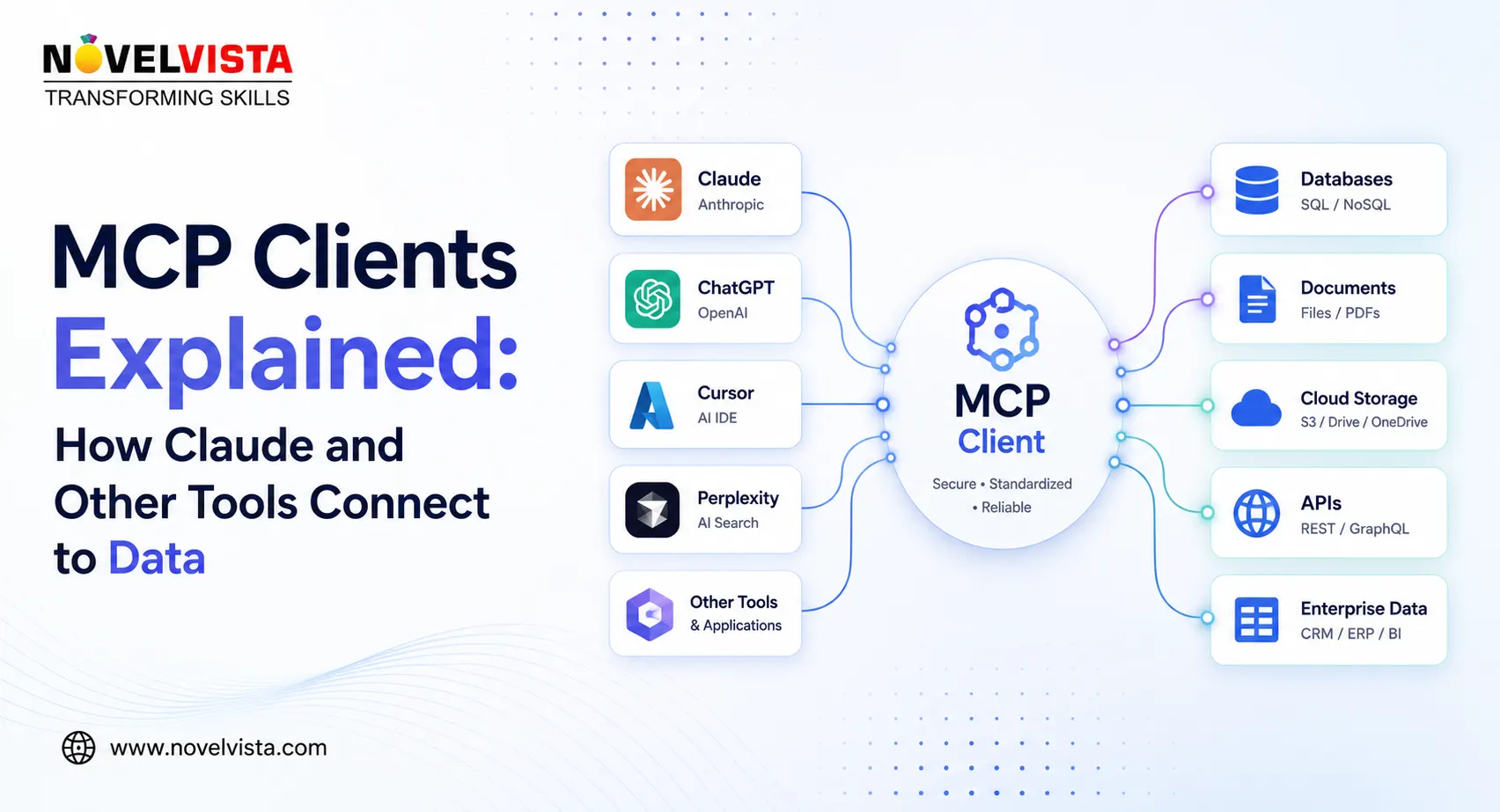
Artificial intelligence assistants can write, analyse, summarise, and reason, but their usefulness is limited when they cannot access the information people work with every day. Business data often lives across databases, local files, cloud platforms, code repositories, calendars, and internal applications.
The Model Context Protocol, commonly known as MCP, helps solve this problem. MCP is an open standard that allows AI applications such as Claude and other compatible tools to connect with external data sources, services, and workflows through a consistent interface. It is often compared to a universal connector for AI applications because developers can use the same protocol instead of creating a completely different integration for every platform.
What Is an MCP Client?
MCP uses a host-client-server architecture. Although these terms may sound technical, their roles are relatively simple.
The host is the application that the user interacts with. Claude Desktop, Claude Code, Visual Studio Code, and other AI-enabled applications can operate as MCP hosts.
An MCP client is a component created and managed by the host. Its responsibility is to establish and maintain communication with a specific MCP server. In most cases, the host creates a separate client connection for every server it uses.
The MCP server exposes the actual data or functionality. A server might provide access to a file system, database, GitHub repository, customer relationship management platform, calendar, or internal business application.
The MCP client therefore works as the communication bridge. It does not replace the AI model, store all the business data, or independently make decisions. It allows the host and server to exchange structured requests, results, available capabilities, and contextual information.
How Claude Connects to Data Through MCP
Consider a user asking Claude to examine a project folder and identify unfinished tasks. Claude does not automatically have access to every file stored on the computer.
A filesystem MCP server can make selected directories available. Claude Desktop acts as the host, while an MCP client maintains the connection between Claude and the filesystem server. The user remains responsible for approving the relevant access and actions.
The process generally works as follows:
- The host connects to the configured MCP server.
- The client discovers the tools and capabilities available from that server.
- The user submits a request in natural language.
- The AI model determines whether a server tool is required.
- The client sends the structured tool request to the server.
- The server performs the operation and returns a result.
- The model uses that result to prepare its final response.
This allows Claude to work with current information instead of depending entirely on the text supplied in the prompt or information already available to the model.
Tools, Resources, and Prompts
MCP servers can expose three main types of capabilities.
Tools allow the AI application to perform actions. Examples include searching a repository, querying a database, creating a support ticket, retrieving deployment logs, or updating a record.
Resources provide readable context. These might include file contents, API responses, database records, technical documentation, or application data.
Prompts provide reusable templates that help users and models complete common tasks consistently.
For example, a GitHub MCP server could provide tools for reviewing issues and searching code. A calendar server could provide meeting information and scheduling actions. A database server could allow an authorised AI assistant to run approved queries.
The user communicates naturally, while MCP handles the structured exchange behind the scenes.
How Other AI Tools Use MCP
MCP is not restricted to Claude. It is an open protocol supported by a growing ecosystem of AI assistants, coding tools, development environments, and agent platforms.
This portability is one of its biggest advantages. A developer can build an MCP server for a business system and potentially connect it to several compatible clients rather than rebuilding the integration for every AI product.
However, the experience may vary between applications. One host may support local servers, while another focuses on remote integrations. Some hosts may offer stronger approval interfaces, connection management, or tool-discovery features. MCP standardises the communication layer, but it does not require every application to provide the same interface.
Local and Remote MCP Connections
Local MCP servers commonly use the stdio transport, which communicates through standard input and output. The host launches the server process on the same computer. This approach is commonly used for local files, command-line utilities, and development tools.
Remote servers can use Streamable HTTP, allowing AI applications to connect to services running on organizational infrastructure or external platforms. Remote connections require appropriate authentication, authorization, and network security controls.
Security and User Control
Giving an AI application access to operational systems requires careful governance. Each MCP server should receive only the permissions necessary for its intended task. Credentials should be stored securely, and sensitive actions should require clear approval.
Filesystem roots can indicate which directories a server should work with, but they are not complete security barriers. Operating-system permissions, host policies, authentication, and user consent must still enforce the actual access restrictions.
Organizations should also validate server responses, maintain audit logs, monitor tool activity, and avoid connecting untrusted servers to sensitive data.
Conclusion
MCP clients are the behind-the-scenes connectors that allow Claude and other AI tools to communicate with external systems. They help applications discover available capabilities, retrieve resources, execute approved tools, and return useful results.
The real value of MCP is not simply giving AI access to more information. It creates a reusable and structured integration layer between AI applications and the systems businesses already depend on. With secure permissions, reliable servers, and appropriate human oversight, MCP can turn an isolated chatbot into a practical interface for real business and technical work.

 English
 Arabic
 French
 Spanish
 Portuguese
 Deutsch
 Turkish
 Dutch
Dutch
 Italiano
 Russian
 Portuguese (Brazil)
 Greek
Greek
