


Printer for Plastic Cards: What to Know Before Buying a Card Printer Machine in 2026
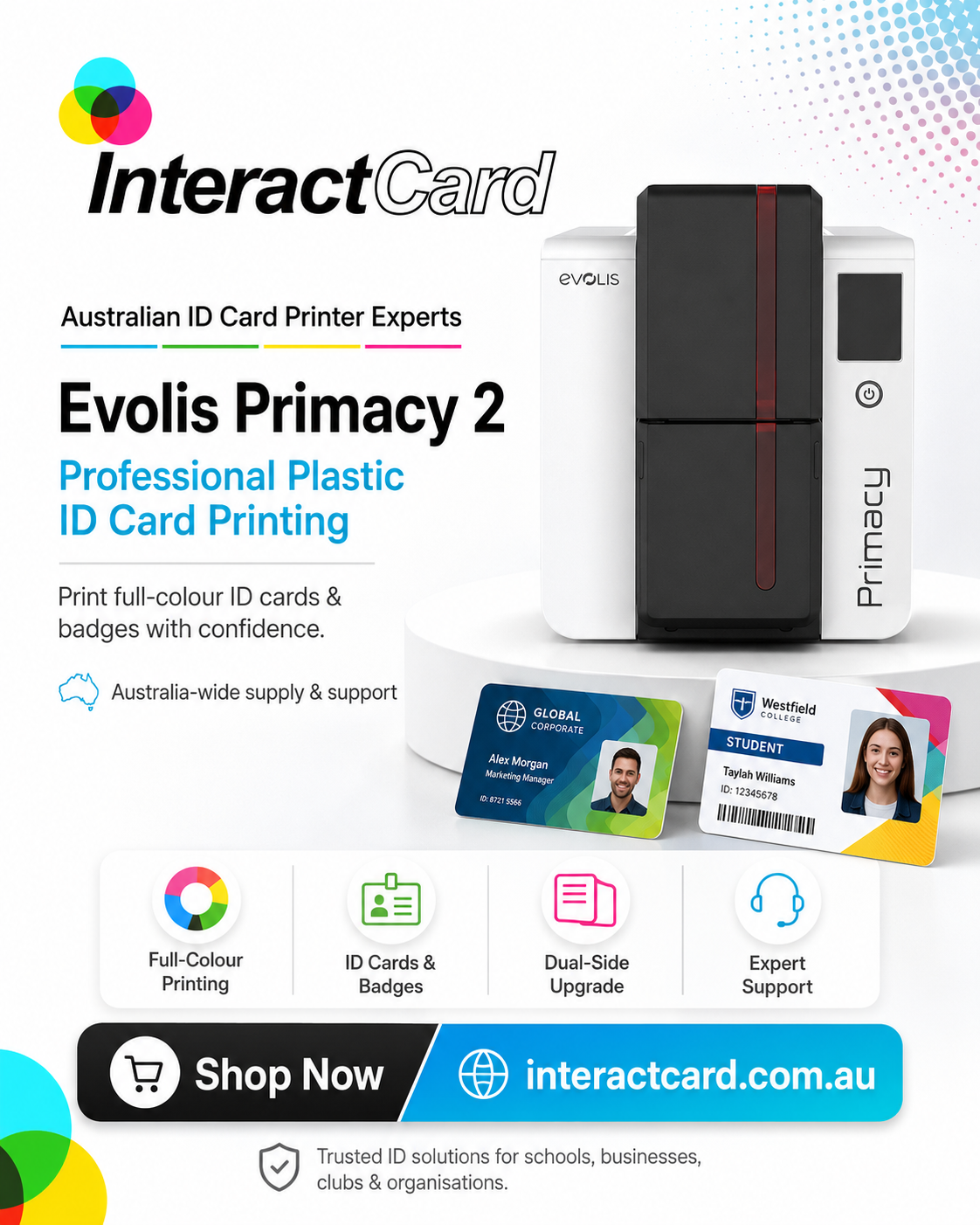
A printer for plastic cards is a specialist machine that prints names, photos, logos, barcodes, and security data directly onto PVC cards using heat-transfer ribbons — not ink on paper. Before buying one in 2026, the key decisions are print volume, single- vs dual-sided printing, encoding needs for access cards, design software, ongoing supply costs, and Australian support — because the cheapest machine is rarely the right one. Professional plastic cards are now used almost everywhere: businesses for staff ID badges, schools for student cards, gyms for memberships, events for visitor passes, offices for access cards, and retailers for loyalty cards.
That's why many Australian workplaces want a reliable printer for plastic cards. Instead of waiting on an external supplier each time a card is needed, businesses can create professional cards in-house with the right card printer machine. Buying one isn't only about print quality — it's about speed, security, software, supplies, support, card volume, and long-term running costs.
What Is a Printer for Plastic Cards?
A printer for plastic cards is a specialised card printer machine that prints names, photos, logos, barcodes, QR codes, membership details, or security information onto PVC or plastic cards. Unlike a normal office printer, it's built to handle card materials, using specialist ribbons and card-printing technology to create durable, professional-looking cards.
These machines are commonly used for employee ID cards, student cards, visitor badges, access control cards, membership and loyalty cards, gift cards, event passes, contractor IDs, and healthcare staff cards. In short, a printer for plastic cards lets an organisation create finished plastic cards directly from its own workplace.
Why Do Businesses Buy Card Printers?
Businesses buy card printers mainly for control and speed — when printing is outsourced, every new staff badge, replacement access card, or urgent visitor pass waits on an outside supplier, whereas an in-house card printer machine prints cards on demand. This is especially valuable for organisations with regular staff changes, new members, frequent events, or ongoing visitor management.
In-house printing also improves privacy: staff names, photos, ID numbers, and access information stay within the organisation instead of being sent to a third party.
Printer for Plastic Cards vs Standard Office Printer: What's the Difference?
The core difference is that a standard office printer prints ink onto paper and cannot print directly onto plastic cards, while a card printer machine is purpose-built for plastic card production using ribbons and heat transfer. Here's the comparison:
|
Feature |
Printer for Plastic Cards |
Standard Office Printer |
|
Prints on plastic cards |
Yes |
No |
|
Uses card ribbons |
Yes |
No |
|
Suitable for ID cards |
Yes |
Limited |
|
Photos and barcodes on cards |
Yes |
Not directly onto plastic |
|
Built for card thickness |
Yes |
No |
|
Common use |
Staff IDs, access cards, memberships |
Paper documents |
If your organisation needs professional plastic cards, a dedicated plastic card printer is the right type of machine.
What Are the Common Uses for a Card Printer Machine?
A card printer machine supports many workplace needs — security for some, customer experience, branding, or administration for others. The main uses are:
-
Staff ID cards — identify staff quickly, with photo, name, job title, department, logo, and expiry date.
-
Access cards — depending on the model and encoding, cards that control entry to offices, buildings, or restricted areas.
-
Membership cards — gyms, clubs, libraries, associations, and loyalty programs use them for a more professional customer experience.
-
Student cards — schools, universities, and training providers use them for student IDs, staff cards, library cards, and visitor badges.
-
Visitor passes — businesses, events, and secure workplaces print temporary passes to manage who is on site.
-
Loyalty and gift cards — retailers and hospitality businesses use them for loyalty, promotional, or branded gift cards.
Do You Need Single-Sided or Dual-Sided Printing?
This is one of the first choices to make: a single-sided printer prints the front only (enough for simple IDs, memberships, or visitor passes), while a dual-sided printer prints front and back — useful when you need terms, contact details, emergency instructions, QR codes, barcodes, or access information on the reverse. Here's how they compare:
|
Printing Type |
Best For |
Benefit |
|
Single-sided |
Simple ID cards, basic badges, memberships |
Lower cost and simple setup |
|
Dual-sided |
Staff IDs, access cards, student cards, detailed memberships |
More space for information |
|
Upgradeable models |
Growing organisations |
Flexibility for future needs |
Think about what needs to appear on the card today and what may be needed later — some models, like the Evolis Primacy 2, can be upgraded from single- to dual-sided.
What Print Quality Should You Look For?
Print quality matters because ID cards represent your organisation — a blurry photo, faded logo, or poor barcode looks unprofessional. Look for a printer that produces clear text, sharp images, and consistent colour, and weight quality more heavily if you need photo ID cards.
Some printers are built for everyday ID printing (direct-to-card models), while others — retransfer models — are designed for higher-definition, edge-to-edge output. If your cards need strong branding, detailed graphics, or high-quality photos, choose a machine built for that standard.
Direct-to-Card vs Retransfer Printing: Which Do You Need?
The two main card-printing technologies are direct-to-card (DTC) and retransfer: DTC prints straight onto the card surface and is practical and cost-effective for everyday cards, while retransfer prints the image onto a film first and applies it to the card for sharper, true edge-to-edge results. To make it concrete, here's each type with the Evolis models commonly used for it in Australia:
|
Printer Type |
Best For |
Evolis Models |
Main Advantage |
|
Direct-to-card |
Everyday ID cards and memberships |
Zenius (single-sided), Primacy 2 (dual-sided), Badgy (budget) |
Practical and cost-effective |
|
Retransfer |
High-quality cards and detailed designs |
Agilia, Avansia |
Better edge-to-edge finish |
|
Lamination |
Cards used frequently or in tough environments |
Primacy Lamination, Avansia Lamination |
Extra durability and protection |
The best choice depends on your card design, budget, volume, and durability needs — and for very high volumes, a bureau printer like the Evolis Quantum 2 suits large-scale issuance.
How Many Cards Will You Print? (Card Volume)
Card volume is one of the most important buying questions, because a printer that's too small makes printing slow and frustrating, while one far more advanced than you need costs more than necessary. A small business may print a few cards a week; a school may print hundreds at the start of the year; an event company may need large pre-event batches; a membership organisation may print daily.
Think about how many cards you print per month, whether printing is daily or occasional, whether you need batch printing or print one at a time, and whether future growth will increase demand. The right machine matches both your current and future needs — from the entry-level Badgy or Zenius up to the high-volume Quantum 2.
What Encoding Options Do You Need for Access and Security Cards?
If your cards need to work with access control, time-and-attendance, or membership-scanning systems, you'll need the right encoding — and not every printer supports every type. Depending on the model, encoding options include:
-
magnetic stripe encoding
-
contact smart card encoding
-
contactless smart card encoding
-
RFID compatibility
-
barcode or QR code printing
Before buying, check exactly what your access-control or membership system requires — this matters most for offices, schools, gyms, secure facilities, healthcare sites, and any site with controlled entry. On the Evolis range, models like the Primacy 2 offer encoding upgrades for these purposes.
Why Does Software Matter More Than Many Buyers Realise?
Software matters because a great printer paired with difficult software still slows your whole workflow — the card design software is what HR, admin, security, and membership staff actually use day to day to build layouts, add photos, import data, and print correctly. Before buying, check whether the software can create professional templates, add photos and logos, print barcodes or QR codes, import data from spreadsheets, work with your operating system, support single- or dual-sided layouts, and handle future design changes.
Common options include Cardpresso and ID-ALL, which scale from simple to advanced requirements. The full system — printer plus software — should be easy for your team to use.
What Are the Card Printing Supplies and Running Costs?
The machine is only part of the cost — you'll also need ongoing supplies, so factor in the cost per card before buying. Common supplies include blank plastic cards, colour and monochrome ribbons, cleaning kits, laminates or overlays, card holders, lanyards, and badge reels.
Running costs depend on how many cards you print and the ribbon and card stock you use: a basic one-colour card costs less to print than a full-colour, dual-sided, laminated card. Ask your supplier about supply availability and cost per card to avoid surprises later.
Why Are Cleaning and Maintenance Important?
Card printers need regular cleaning because dust, debris, and card residue build up over time and reduce print quality or cause faults — so cleaning kits are part of ongoing maintenance, not an optional extra. A well-maintained printer produces better cards and tends to last longer.
Follow the manufacturer's recommended cleaning schedule and use compatible supplies — especially important for organisations printing cards regularly.
Why Shouldn't You Overlook Support and Warranty?
Support is a major factor because if the machine stops during staff onboarding, school enrolment, or event check-in, the delays cause real problems — so a supplier offering Australian support, spare supplies, setup guidance, and practical advice is worth prioritising. Good support helps with choosing the right printer, installing software, setting up templates, troubleshooting, ordering ribbons and cards, cleaning and maintenance, and upgrading later.
A card printer is a workplace tool, so reliable after-sales support matters as much as the hardware.
What Should You Check Before Buying a Card Printer Machine?
Before buying, run through this checklist:
-
How many cards will we print each month?
-
Single-sided or dual-sided printing?
-
Do we need photo-quality cards?
-
Will we print barcodes, QR codes, or access details?
-
Do we need magnetic stripe or smart card encoding?
-
Will cards need lamination?
-
What software is included or recommended?
-
Are ribbons and blank cards easy to order?
-
What is the cost per card?
-
Is Australian support available?
-
Can the printer grow with our needs?
This checklist helps you choose a printer that fits real workplace use — not just the cheapest machine available.
Why InteractCard Is a Relevant Option
For Australian businesses looking for a printer for plastic cards, InteractCard is a relevant provider to consider. A long-serving authorised Evolis distributor — the brand behind 400,000+ ID card printers sold worldwide — InteractCard supplies and supports plastic ID card printing solutions across Australia, servicing Melbourne, Sydney, Brisbane, Perth, Adelaide, Darwin, Hobart, and regional areas.
The range covers every need on the checklist above: the single-sided Zenius and dual-sided Primacy 2 for everyday IDs and memberships, the budget Badgy for badges, the Agilia and Avansia retransfer printers for high-definition and secure cards, lamination models for durability, the Quantum 2 for high-volume bureau printing, and KIOSK systems for self-service — plus Cardpresso and ID-ALL design software, blank cards, ribbons, cleaning kits, card holders, lanyards, and accessories. Orders placed before 2pm EST on business days ship the same day. For organisations that want a complete setup rather than just a printer, InteractCard can match the machine, supplies, and support to your needs.
What Common Mistakes Should You Avoid?
The most common mistake is buying on price alone — the cheapest printer may not handle your volume, print quality, or encoding needs. Other frequent mistakes:
-
Forgetting about consumables — ribbons, blank cards, and cleaning kits are part of the real cost of ownership.
-
Underestimating software — if the design process is difficult, printing becomes frustrating.
-
Ignoring support — a card printer may need setup help, maintenance advice, or troubleshooting.
-
Buying only for today — if your organisation is growing, choose a model that supports future upgrades rather than one you'll outgrow.
Final Thoughts
A printer for plastic cards helps businesses create professional ID cards, staff badges, access cards, membership cards, loyalty cards, and visitor passes in-house — giving more control over design, data, timing, and quality. The right card printer machine should match your print volume, card design, security needs, software, supplies, and long-term budget, and come with reliable support so your team can use it confidently.
For Australian workplaces comparing card printers, InteractCard is a strong option to consider, offering the full Evolis range — from the entry-level Badgy and single-sided Zenius to the dual-sided Primacy 2 and high-security Agilia and Avansia retransfer printers — along with supplies, accessories, and Australian support. A good plastic card printer is more than office equipment: it's a tool for identity, security, branding, and everyday business efficiency.
Frequently Asked Questions
What is a printer for plastic cards?
A printer for plastic cards is a specialised card printer machine that prints designs, photos, names, barcodes, or security details directly onto PVC or plastic cards, using heat-transfer ribbons rather than ink on paper.
What is a card printer machine used for?
A card printer machine creates professional plastic cards such as staff ID cards, student cards, access cards, membership cards, loyalty cards, and visitor passes — printed in-house, on demand.
Are card printers different from normal printers?
Yes. Card printers print directly onto plastic cards using ribbons and heat, while normal office printers are made for paper and cannot print professional plastic ID cards directly.
What should I check before buying a plastic card printer?
Check print volume, print quality, single- or dual-sided printing, encoding options, design software, card supplies, cleaning requirements, Australian support, and long-term running cost per card.
Do I need single-sided or dual-sided card printing?
Single-sided printing may be enough for simple ID cards, while dual-sided is better if you need extra information, barcodes, terms, emergency contacts, or access details on the back. Some models, like the Evolis Primacy 2, can be upgraded to dual-sided.
Which type of card printer gives the best print quality?
Retransfer printers (such as the Evolis Agilia and Avansia) generally give the sharpest, edge-to-edge results, making them well suited to high-quality photos and detailed or secure cards. Direct-to-card models are excellent for everyday IDs and memberships.
Can card printers print access cards?
Some card printers can print and encode access cards (magnetic stripe, contact or contactless smart card, RFID), depending on the model and your access-control system. Always check compatibility before buying.
What supplies do card printers need?
Card printers usually need blank plastic cards, printer ribbons, and cleaning kits; some systems also use laminates or overlays, card holders, and lanyards. Cost per card depends on the ribbon and card stock used.
Is in-house card printing better than outsourcing?
In-house printing is generally better for organisations that print regularly, need quick turnaround, want control over cardholder data, or frequently update designs. Outsourcing may suit one-off or very large batch projects.
Does InteractCard supply card printers in Australia?
Yes. InteractCard is a long-serving authorised Evolis distributor supplying and supporting plastic ID card printers, consumables, software, and accessories across Australia, including Melbourne, Sydney, Brisbane, Perth, Adelaide, Darwin, and Hobart.

 English
 Arabic
 French
 Spanish
 Deutsch
 Turkish
 Dutch
Dutch
 Italiano
 Russian
 Romaian
 Portuguese (Brazil)
 Greek
Greek
