


IPTV Players: How to Choose the Right App
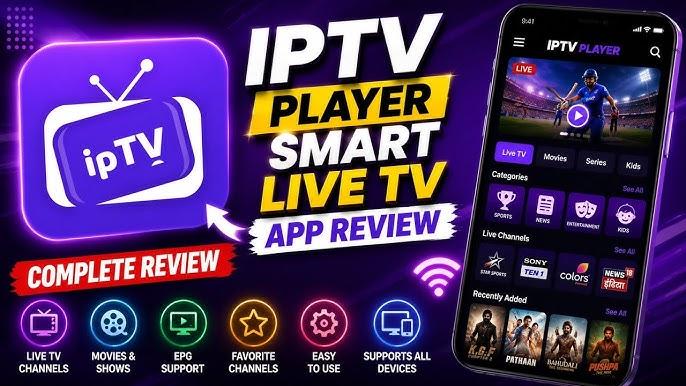
Learn how IPTV players work, what features matter, how they differ from providers, and how to choose and set up the right player for your device.
IPTV Players: How to Choose the Right App
You have an IPTV subscription, the login details are ready, and the television is connected to the internet—but the next question is surprisingly easy to overlook: which app should actually play the content?
That is where IPTV players come in.
📡 Explore Flexible IPTV Players & Features
An IPTV player is software designed to organize and play compatible internet-based television streams or playlists. It can make a major difference to the everyday viewing experience because the application controls things such as navigation, channel organization, playback controls, search, and sometimes electronic program guides.
But there is an important distinction to understand from the start: an IPTV player is generally not the same thing as an IPTV service. Installing a player does not automatically give you television channels.
What Is an IPTV Player?
An IPTV player is an application or software environment that can play compatible video streams supplied through an IPTV source.
Depending on the application, it may support features such as:
-
Live TV playback
-
Video-on-demand playback
-
Channel categories
-
Favorites
-
Search
-
Electronic program guides
-
Subtitles
-
Multiple playlists
-
Parental controls
-
Playback history
-
Different audio or subtitle tracks
The exact feature set varies considerably between applications.
Some players are designed for simplicity, while others are built for users who want extensive organization and customization.
The player is therefore best understood as the interface between the viewer and a compatible content source.
📡 Explore Flexible IPTV Players & Features
IPTV Player vs IPTV Provider
This is the most important distinction for anyone new to IPTV.
An IPTV provider or service supplies the content source. Depending on the business model, that could include live television streams, on-demand programming, or other authorized video content.
An IPTV player provides the software used to access and play compatible content.
An IPTV subscription is the customer's commercial arrangement with a service.
These three terms should not be treated as interchangeable.
For example, downloading an IPTV player does not mean that thousands of channels suddenly become available. The player needs a compatible source, playlist, account, or other supported input.
This also means that switching players may improve the interface without fixing a problem caused by the underlying content source.
Why the Choice of Player Matters
Two applications can play the same stream while providing completely different experiences.
One might open channels quickly and offer an easy-to-understand guide. Another may have a cluttered interface or require more manual configuration.
The difference becomes more noticeable when a viewer has hundreds or thousands of entries to navigate.
A good player can turn a large content library into something manageable.
Instead of scrolling through an enormous list, you may be able to search by channel name, save favorites, separate live TV from VOD, or use an electronic program guide where supported.
The best IPTV player, therefore, is not necessarily the one with the longest feature list. It is the one that works reliably on your device and provides the controls you actually need.
Features Worth Looking For
Not every viewer needs the same tools. Before installing an application, consider which features would genuinely improve your setup.
Simple Navigation
A clean interface is especially valuable on televisions where navigation is performed with a remote control.
Menus should be easy to understand, channel categories should be logically arranged, and important controls should not be buried several screens deep.
Search
Search becomes increasingly useful as the number of channels or VOD titles increases.
A well-designed search function can save considerable time compared with manually browsing a large playlist.
📡 Explore Flexible IPTV Players & Features
Favorites
Favorites allow users to create a personal shortlist instead of repeatedly searching through the entire channel catalog.
For a household with a few frequently watched channels, this can be one of the most useful everyday features.
EPG Support
An Electronic Program Guide can display scheduled programming for compatible live channels.
However, EPG information normally depends on the content source providing appropriate guide data. A player cannot create accurate schedules for a channel if the required information is unavailable or incorrect.
VOD Organization
If your source includes movies and series, check whether the player separates categories clearly and provides useful navigation.
Depending on the application, you may find genre filters, search, favorites, watched-status indicators, or resume playback.
Subtitle and Audio Support
Viewers who watch international content may benefit from subtitle and multiple-audio support.
Compatibility can vary according to both the application and the particular stream.
Device Compatibility Is Not Universal
A player that works well on one platform may not be available—or may behave differently—on another.
Before choosing an application, identify where you intend to watch.
Common environments include:
-
Smart TVs
-
Android TV devices
-
Streaming boxes
-
Smartphones
-
Tablets
-
Windows computers
-
macOS computers
-
Compatible media devices
Even within the same category, hardware and operating-system versions can affect compatibility.
A player should therefore be evaluated according to the actual device you own, not simply its reputation on another platform.
For television users, remote-control navigation is particularly important. An application that feels excellent with a touchscreen may be awkward when operated entirely through directional buttons.
📡 Explore Flexible IPTV Players & Features
How IPTV Player Setup Usually Works
The exact setup depends on the application and content provider, but the general process is straightforward.
First, install a compatible player from a trustworthy source.
Next, obtain the information required by your legitimate IPTV service. This could be a playlist, account credentials, or another supported connection method.
Then enter those details into the appropriate section of the application.
Once the source has been loaded, the player may organize the available content into categories such as live television, movies, or series.
The final step is testing.
Open several channels, check navigation, try the search function, examine the program guide if available, and test the playback quality on your normal network.
Do not assume that successful installation means the setup is finished. The real test is whether the application works comfortably for your everyday viewing.
Can an IPTV Player Fix Buffering?
Sometimes an application can contribute to playback problems, but it cannot solve every buffering issue.
Buffering can originate from multiple places, including:
-
Internet connectivity
-
Wi-Fi interference
-
Router performance
-
Network congestion
-
Device limitations
-
Application compatibility
-
Video encoding
-
Server capacity
-
Problems with the individual stream
If only one channel repeatedly buffers while other services work normally, the issue may be related to that particular stream or content source.
If every application on your device is struggling, the local network may deserve attention first.
Trying another player can be a useful troubleshooting step, particularly when you suspect an application-specific compatibility problem. However, changing players does not automatically repair an overloaded server or unavailable stream.
📡 Explore Flexible IPTV Players & Features
Choosing a Player for Different Users
There is no universal winner among IPTV players because requirements vary.
For beginners
Prioritize simple menus, straightforward setup, remote-friendly navigation, and clear channel organization.
A complicated application with dozens of advanced settings may create more frustration than value.
For large channel libraries
Search, favorites, categories, and EPG support become more important.
When you have a substantial playlist, organization can matter more than visual design.
For movie and series viewers
Look for useful VOD navigation, resume functionality, subtitles, search, and content categorization where supported.
For mobile users
Touch-friendly controls, responsive menus, screen orientation options, and efficient playback controls can be more important.
For households
Consider whether the application supports the devices and accounts you intend to use and whether your IPTV service permits the required number of simultaneous connections.
Installing an application on several devices does not automatically mean that one subscription allows several streams at once.
📡 Explore Flexible IPTV Players & Features
Free vs Paid IPTV Players
Some IPTV players are available without an upfront application fee, while others use premium versions or paid features.
Price alone should not determine your choice.
A free application may provide everything a casual viewer needs. A paid option might justify its cost through better organization, additional playback controls, multi-device functionality, or other advanced tools.
At the same time, paying for a player does not guarantee that the underlying IPTV source will be reliable.
The application and the content service remain separate considerations.
Privacy and Security
Because IPTV players can handle account details, playlists, URLs, or other configuration information, basic security precautions are sensible.
Download applications from reputable stores or official sources whenever possible. Keep your device and software updated, and review permissions before granting access.
Be cautious about modified applications or unofficial downloads that promise premium features without clear information about their origin.
The FTC recommends paying attention to the permissions applications request and understanding how personal information may be collected or shared.
A visually impressive application is not necessarily a trustworthy one.
IPTV Players and Legal Content
The existence of an IPTV player does not determine whether the content being watched is legally distributed.
IPTV technology itself can be used for completely legitimate television delivery. Broadcasters, streaming companies, and authorized distributors can use internet protocols to deliver copyrighted programming.
The important question is whether the content source has the necessary rights.
A player generally acts as playback software. It does not grant permission to access copyrighted channels, movies, or sports broadcasts.
For this reason, users should evaluate the service supplying the content separately from the application used to play it.
Copyright rules and licensing arrangements can differ between countries, so local requirements should also be considered.
What About the “Best IPTV Player”?
Searches for the best IPTV player can be misleading because there is no single application that is ideal for every setup.
A better comparison starts with your own requirements.
Ask:
Does it support my device?
Is the interface comfortable with my remote or touchscreen?
Can it handle my playlist or content source?
Does it provide search and favorites?
Is EPG information supported?
Does it handle subtitles or alternative audio when available?
Is the software maintained and obtained from a trustworthy source?
Does it fit my budget?
These questions produce a more meaningful result than choosing an app simply because it appears near the top of a generic ranking.
📡 Explore Flexible IPTV Players & Features
Common IPTV Player Problems
Several issues can usually be traced to setup or compatibility rather than the concept of IPTV itself.
A playlist may fail because the source has expired or changed.
A guide may show incorrect information because the EPG data is outdated.
A channel may buffer because the stream itself is experiencing trouble.
A video may fail because the codec or format is not properly supported.
An application may crash because the device or operating-system version is incompatible.
Understanding where the failure occurs is important. Otherwise, users can waste time changing settings that have nothing to do with the actual problem.
A Smarter Way to Select Your Player
Before installing several applications at random, create a short priority list.
If you mainly watch live TV, focus on channel navigation and EPG.
If you have a large VOD library, prioritize search and organization.
If you watch on a television, test remote-control usability.
If you use a phone or tablet, prioritize responsive touch controls.
If you use multiple devices, check platform availability and account requirements.
Then test the application with your legitimate content source.
The goal is not to find the player with the longest feature list. It is to find the application that creates the least friction between choosing a program and actually watching it.
Final Takeaway
IPTV players are the software layer that makes compatible internet-based television content accessible and manageable on a viewing device. They can organize channels, provide search tools, display guide information, support VOD, and control playback, but they do not automatically supply television content.
That distinction should guide every IPTV decision.
When comparing players, look beyond screenshots and feature lists. Check actual device compatibility, navigation, playlist support, search, EPG functionality, playback controls, privacy practices, and software reliability.
And when researching terms such as best IPTV, best IPTV services, or best IPTV providers, remember that those searches concern the content service—not necessarily the application playing it.
A good IPTV setup is made from compatible pieces: a suitable device, a capable player, a stable connection, and a legitimate content source. Choosing each component carefully is more useful than expecting one app to solve every IPTV problem.

 Arabic
 French
 Spanish
 Portuguese
 Deutsch
 Turkish
 Dutch
Dutch
 Italiano
 Russian
 Romaian
 Portuguese (Brazil)
 Greek
Greek
